
AOC 27-Inch 2K 144Hz Monitors: Which Model Is Right for You?
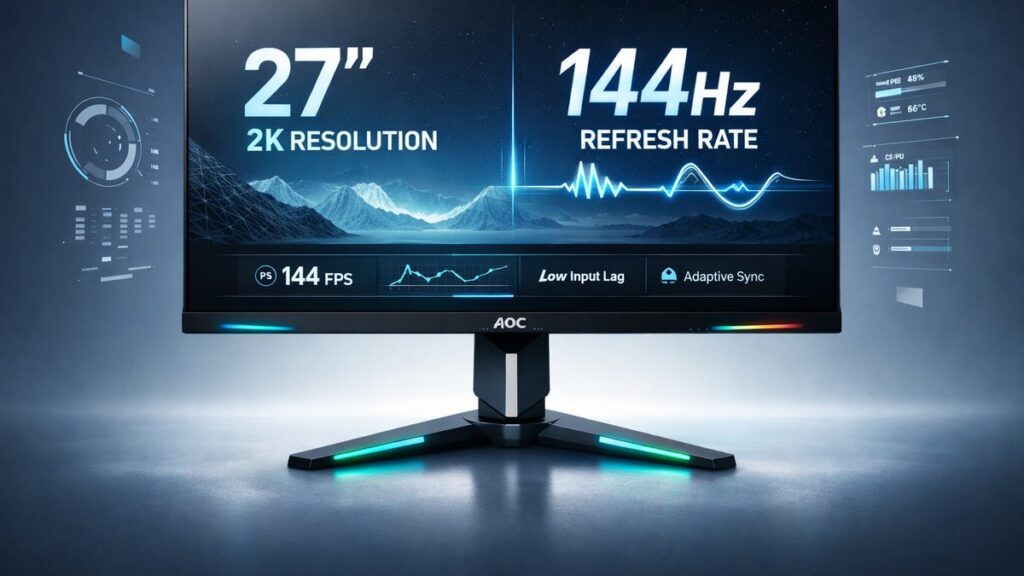
AOC’s 27-inch 2K 144Hz lineup covers IPS, VA, and curved VA panels ranging from roughly $180 to $320. Every model delivers 2560×1440 resolution at 144Hz minimum, but they differ in response time, color gamut, stand adjustability, and HDR support — making panel type and ergonomics the primary buying decision.
AOC 27-Inch 2K 144Hz Models Side-by-Side
| Model | Panel Type | Refresh Rate | Response Time (MPRT) | Peak Brightness | Color Gamut | Stand Adjustability | Sync Technology |
|---|---|---|---|---|---|---|---|
| AOC Q27G2E/BK | IPS | 144Hz | 1ms | 250 nits | 104% sRGB | Tilt only | FreeSync Premium / G-Sync Compatible |
| AOC Q27G3XMN | Fast IPS (Nano IPS) | 180Hz | 1ms | 350 nits | 98% DCI-P3 | Tilt, Swivel, Height, Pivot | FreeSync Premium / G-Sync Compatible |
| AOC CQ27G2 | VA (Curved 1500R) | 144Hz | 1ms | 250 nits | 121% sRGB | Tilt, Height | FreeSync Premium |
| AOC CQ27G3 | VA (Curved 1500R) | 165Hz | 1ms | 300 nits | 124% sRGB | Tilt, Height, Swivel | FreeSync Premium / G-Sync Compatible |
| AOC Q27G2S | IPS | 165Hz | 1ms | 300 nits | 104% sRGB | Tilt, Height, Swivel, Pivot | FreeSync Premium / G-Sync Compatible |
Which AOC 27-Inch 2K 144Hz Monitor Fits Your Use Case?
- Budget-focused PC gamer → AOC Q27G2E/BK because it delivers 144Hz IPS performance and FreeSync Premium / G-Sync Compatible support at the lowest entry price in the lineup.
- Competitive FPS or esports player → AOC Q27G3XMN because its Fast IPS panel reaches 180Hz with 1ms response and covers 98% DCI-P3 for vibrant color without sacrificing speed.
- Immersive single-player or RPG gamer → AOC CQ27G3 because the 1500R curved VA panel, 165Hz refresh, and 124% sRGB gamut create a wide, enveloping image with deep blacks (typical VA contrast ratio of 3000:1).
- Content creator who also games → AOC Q27G3XMN because 98% DCI-P3 coverage and a fully ergonomic stand (height, swivel, tilt, pivot) satisfy both color-accurate editing and 180Hz gaming sessions.
- Multi-monitor desk setup → AOC Q27G2S because full ergonomic adjustment (tilt, height, swivel, pivot) and a 165Hz IPS panel let you match height and angle across three displays without a third-party arm.
- Mixed-use office and gaming → AOC Q27G2S because the IPS panel provides consistent color at wide viewing angles essential for document work, while 165Hz handles gaming transitions cleanly.
Key Specs Explained: What Actually Matters at 2K 144Hz
Does Panel Type Change the Gaming Experience?
IPS and VA panels produce fundamentally different images — choosing the wrong one is the most common buyer regret at this price tier.
- IPS (used in Q27G2E/BK, Q27G2S, Q27G3XMN): Typical static contrast of 1000:1, accurate out-of-box color, minimal color shift beyond 45-degree viewing angles. Best for bright rooms and multi-person viewing.
- VA (used in CQ27G2, CQ27G3): Typical static contrast of 3000:1 to 4000:1, producing noticeably deeper blacks. Trade-off is slower pixel transitions in dark scenes, which can cause “black smear” artifacts without proper overdrive settings.
- Fast IPS (Q27G3XMN): A factory-tuned IPS variant with accelerated pixel voltage to close the response gap versus VA. Measures closer to 1–2ms grey-to-grey in practice while retaining IPS color consistency.
What Does 2560×1440 Resolution Actually Deliver on a 27-Inch Screen?
QHD (2560×1440) at 27 inches produces approximately 109 pixels per inch — a meaningful sharpness step above 1080p’s 82 PPI on the same screen size.
- Text rendering is noticeably crisper than Full HD, reducing eye strain during long productivity sessions.
- GPU load sits between 1080p and 4K, making QHD the practical sweet spot for mid-range cards like the NVIDIA RTX 4060 or AMD Radeon RX 7700 XT to sustain 144Hz+ frame rates in modern titles.
- VESA’s DisplayHDR 400 certification requires a minimum 400 nits peak brightness; models like the Q27G3XMN at 350 nits operate just below that threshold without the certification.
How Much Does Refresh Rate Above 144Hz Matter?
- 144Hz to 165Hz: A 14% frame-rate increase that most users perceive as slightly smoother mouse tracking in fast pans, but unlikely to be decisive in competitive play.
- 144Hz to 180Hz (Q27G3XMN): A 25% increase that crosses the threshold where competitive FPS players report consistent motion-clarity gains, particularly in titles like Valorant and Counter-Strike 2 at high frame rates.
- Variable refresh rate (VRR) via FreeSync Premium operates over a wide dynamic range — the AOC CQ27G3 supports FreeSync Premium between 48Hz and 165Hz, eliminating screen tearing without fixed-frame overhead.
Why Does Stand Adjustability Affect Long-Session Comfort?
- Height adjustment: Allows the display center to align with eye level, reducing neck flexion. The AOC Q27G3XMN and Q27G2S both offer approximately 130mm of height travel.
- Pivot (90-degree rotation): Enables portrait orientation — useful for coding, reading long documents, or monitoring Discord/chat streams alongside a game.
- Tilt-only stands (Q27G2E/BK): Limit ergonomic customization; pairing with a 75×75mm VESA-compatible arm restores full adjustability since all models in this lineup carry VESA 75×75 or 100×100mm mounting patterns.
How Does Color Gamut Affect Everyday Use?
- 104% sRGB (Q27G2E/BK, Q27G2S): Matches the standard color space used by Windows, most games, and web browsers. No gamut management needed for accurate colors out of the box.
- 121–124% sRGB (CQ27G2, CQ27G3): Extends into vivid, saturated territory. Games and HDR content look punchy, but color-sensitive editing work requires an ICC profile or a dedicated sRGB clamp mode.
- 98% DCI-P3 (Q27G3XMN): Covers the wide-gamut cinema standard, enabling accurate display of HDR video content and professional photo editing workflows when combined with color-managed software like Adobe Lightroom or DaVinci Resolve.
Pros and Cons by Model
AOC Q27G2E/BK
- ✅ Lowest entry price in the 27-inch 2K 144Hz lineup
- ✅ IPS panel with accurate sRGB coverage for mixed productivity and gaming
- ✅ G-Sync Compatible certification confirmed by NVIDIA
- ❌ Tilt-only stand requires a VESA arm for ergonomic setups
- ❌ 250 nits peak brightness limits visibility in bright ambient light
AOC Q27G3XMN
- ✅ 180Hz Fast IPS panel — highest refresh rate in AOC’s 27-inch 2K range
- ✅ 98% DCI-P3 color gamut supports professional creative workflows
- ✅ Full ergonomic stand with height, tilt, swivel, and 90-degree pivot
- ❌ 350 nits peak brightness falls short of VESA DisplayHDR 400 certification
- ❌ Higher price point compared to VA-based curved alternatives
AOC CQ27G2
- ✅ 1500R curved VA panel with ~3000:1 contrast for deep blacks
- ✅ 121% sRGB gamut produces vivid, saturated game visuals
- ✅ Well-established model with extensive user reviews and calibration data available
- ❌ VA black smear visible in fast dark-scene transitions without overdrive tuning
- ❌ No swivel adjustment on stand; limited to tilt and height
AOC CQ27G3
- ✅ 165Hz VA curved panel — faster than the CQ27G2’s 144Hz ceiling
- ✅ Adds swivel adjustment versus the CQ27G2, improving multi-angle usability
- ✅ 124% sRGB gamut — widest in the curved VA sub-lineup
- ❌ VA panel type retains inherent black smear risk in motion-heavy scenes
- ❌ Mid-tier pricing without the DCI-P3 coverage of the Q27G3XMN
AOC Q27G2S
- ✅ Full ergonomic stand (tilt, height, swivel, pivot) at a mid-range price
- ✅ 165Hz IPS panel balances smooth motion with wide-angle color consistency
- ✅ Ideal for multi-monitor setups requiring precise height and angle matching
- ❌ 104% sRGB gamut — no wide-gamut coverage for DCI-P3 workflows
- ❌ 300 nits peak brightness adequate but not exceptional for HDR content
Flat IPS vs. Curved VA at a Glance
- Flat IPS (Q27G2E/BK, Q27G2S, Q27G3XMN): Superior color accuracy, wide viewing angles, no geometric distortion for productivity tasks.
- Curved VA (CQ27G2, CQ27G3): Higher native contrast, more immersive gaming feel, but prone to reflections at the panel edges and geometry distortion in CAD/design work.
For a complete look at specifications across the broader QHD lineup — including non-144Hz variants — see all AOC 27-inch 2K monitor models in the sub-pillar reference guide.
[amazon_rapid query=”AOC 27 inch 2K 144Hz monitor” brand=”AOC” layout=”magazine” cols=”2″ country=”US” lang=”en_US” max_pages=”1″ per_page=”4″ sort_by=”RELEVANCE” show_variants=”0″]
Pre-Purchase Checklist: 8 Verifications Before Buying
- Confirm the panel type (IPS vs. VA) matches your primary use — IPS for accuracy and multi-angle viewing, VA for dark-room gaming with maximum contrast.
- Verify your GPU supports the monitor’s maximum refresh rate at 2560×1440 over DisplayPort 1.4 (required for 144Hz+ without compression at QHD).
- Check whether the sync standard matches your GPU: AMD cards use FreeSync natively; NVIDIA RTX/GTX users should confirm G-Sync Compatible certification on the specific model SKU.
- Assess peak brightness against your room lighting: 250 nits (Q27G2E/BK) suits dim rooms; 300–350 nits (Q27G2S, Q27G3XMN) handles moderate ambient light.
- Measure desk depth: a 1500R curved panel at 27 inches has an ideal viewing distance of approximately 90–100 cm; flat panels can be used at 60–80 cm without geometric distortion.
- Confirm stand adjustability needs before purchase — if tilt-only (Q27G2E/BK), budget an additional $25–$50 for a VESA 75×75mm compatible monitor arm.
- Check the included cable package: some AOC retail boxes include only a DisplayPort cable; HDMI 2.0 cables may need to be sourced separately for console connections (note: HDMI 2.0 is capped at 144Hz at QHD).
- Review retailer return and dead-pixel policies, as VA panels in the CQ27G2 and CQ27G3 have a documented higher variance in factory calibration compared to IPS models in independent RTINGS measurements.
The AOC CQ27G2 curved 144Hz deep-dive review covers measured contrast ratios, overdrive settings, and real-world motion clarity testing in detail for buyers narrowing down to that specific curved VA model.
Common Questions
Can AOC 27-inch 2K 144Hz monitors run at full refresh rate over HDMI?
HDMI 2.0 supports 2560×1440 at up to 144Hz. All five models include at least one HDMI 2.0 port. However, exceeding 144Hz — on the 165Hz Q27G2S or 180Hz Q27G3XMN — requires a DisplayPort 1.4 connection. HDMI 2.1 is not present on any current AOC 27-inch 2K model.
Is the AOC CQ27G3 a meaningful upgrade over the CQ27G2?
The CQ27G3 adds swivel adjustment, raises the refresh ceiling from 144Hz to 165Hz, and widens the sRGB gamut from 121% to 124%. For buyers already targeting curved VA, the CQ27G3 represents a tangible ergonomic and motion-clarity upgrade at a modest price premium over the CQ27G2.
Do these monitors support HDR content properly?
All five models accept HDR10 metadata signals, but none carry VESA DisplayHDR 400 certification. Peak brightness values between 250 and 350 nits mean HDR rendering is limited — tone mapping compresses highlights visibly. For HDR gaming, these displays are best treated as SDR monitors with occasional HDR-signaled content rather than true HDR panels.
Buyers deciding between screen sizes will find useful context in the size-versus-pixel-density breakdown, where AOC 27-inch 2K 144Hz models compared against 32-inch options reveal clear trade-offs in pixel density, desk footprint, and GPU load at 2560×1440.