
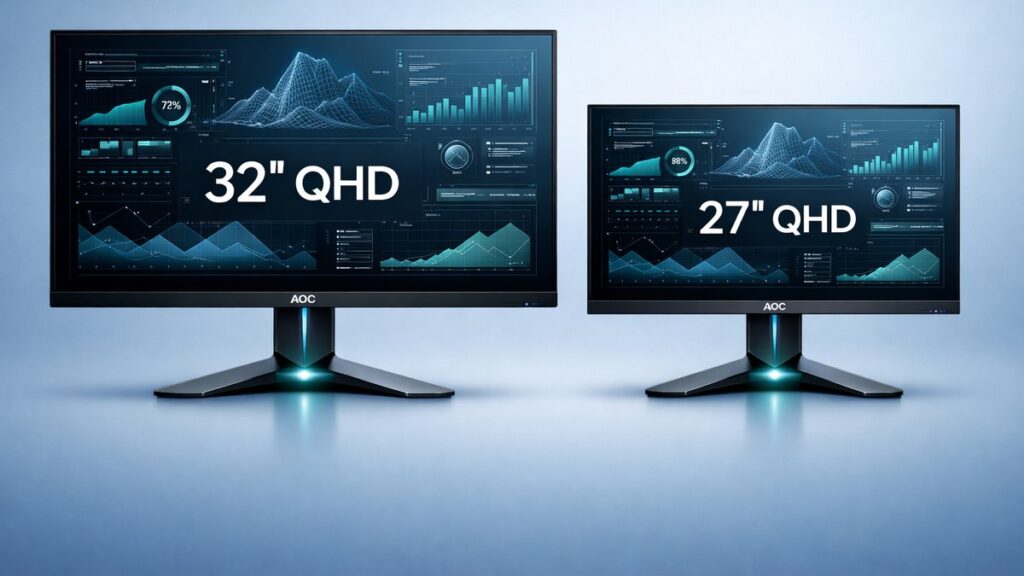
AOC 32-Inch vs 27-Inch 2K Monitor: The Direct Answer
The AOC 32-inch 2K (2560×1440) panel suits desk setups with 80 cm or more of viewing distance, delivering high immersion at 92 PPI pixel density. The AOC 27-inch 2K panel hits 109 PPI for sharper detail at shorter distances. Budget-constrained buyers typically save $40–$80 choosing the 27-inch variant.
Side-by-Side Spec Comparison: 32-Inch vs 27-Inch AOC 2K
| Specification | AOC 32-Inch 2K (QHD) | AOC 27-Inch 2K (QHD) |
|---|---|---|
| Resolution | 2560×1440 (QHD) | 2560×1440 (QHD) |
| Pixel Density (PPI) | ~92 PPI | ~109 PPI |
| Panel Area (diagonal) | 32 inches | 27 inches |
| Typical Refresh Rate | 144 Hz–165 Hz | 144 Hz–165 Hz |
| Response Time (GTG) | 1 ms (MPRT) / 4 ms (GTG) | 1 ms (MPRT) / 1–4 ms (GTG) |
| Typical Peak Brightness | 250–400 nits | 250–350 nits |
| Recommended Viewing Distance | 70–100 cm | 50–80 cm |
| Average Street Price Range | $230–$350 | $160–$280 |
Which AOC 2K Size Fits Your Use Case?
- Competitive FPS gaming at close range (50–60 cm desk depth) → AOC 27-inch 2K because 109 PPI sharpness maximizes target clarity without requiring head movement across the panel.
- Sim racing, flight sim, or RPG immersion → AOC 32-inch 2K because the larger viewing angle (wider field of view) increases peripheral immersion without a multi-monitor setup.
- Dual-purpose work and gaming on a deep desk (≥80 cm) → AOC 32-inch 2K because the extra screen real estate reduces window-switching when running productivity apps alongside a game or browser.
- Small-room or compact desk setup (≤120 cm wide) → AOC 27-inch 2K because the narrower physical footprint (~61 cm wide) fits tighter spaces than the 32-inch (~71 cm wide).
- GPU-limited rigs (GTX 1660 Ti or RX 5600 XT class) → AOC 27-inch 2K because both sizes share the same 2560×1440 pixel count, but lower GPU clock demands at typical 27-inch refresh targets leave more headroom.
- Content creation, color grading, or video editing → AOC 32-inch 2K because larger panel area reduces zoom-and-scroll fatigue across timelines and design canvases.
- Strict budget under $200 → AOC 27-inch 2K because entry models like the AOC Q27G2S/D start below that threshold, while comparable 32-inch options typically begin at $230+.
Key Specs That Determine the Right AOC 2K Screen Size
Pixel Density: Why 92 PPI vs 109 PPI Changes Daily Use
Pixel density (PPI — pixels per inch) measures how many pixels fit within each linear inch of panel. At 2560×1440 resolution, a 27-inch screen produces 109 PPI, widely considered the sweet spot for text sharpness on desktop monitors. A 32-inch panel at the same resolution yields 92 PPI — still comfortable at arm’s length but visibly softer up close. Users sitting closer than 60 cm will notice individual pixels on a 32-inch 2K display.
Panel Technology: IPS vs VA in AOC’s 2K Lineup
AOC ships both sizes predominantly in IPS (In-Plane Switching) and VA (Vertical Alignment) variants. IPS panels — such as those found in the AOC Q32G2SE and AOC Q27G2S series — deliver wider viewing angles (178°/178°) and more accurate sRGB coverage (typically 99%+). VA alternatives like the AOC CQ32G2SE offer higher native contrast ratios (3000:1 vs 1000:1 on IPS), making dark scenes in gaming richer, but introduce ghosting on fast motion without backlight strobing enabled.
Refresh Rate and Response Time Across Both Sizes
Both 32-inch and 27-inch AOC 2K monitors top out at 165 Hz in the mainstream tier, with select models — including the AOC Q27G3XMN — reaching 180 Hz. GTG (Gray-to-Gray) response time of 1 ms is available on both sizes via overdrive settings. MPRT (Moving Picture Response Time) of 1 ms requires backlight strobing, which reduces brightness and cannot run simultaneously with AMD FreeSync Premium or NVIDIA G-Sync Compatible variable refresh rate.
Connectivity: What Ports AOC Includes on Each Size Class
AOC’s 32-inch 2K monitors commonly include DisplayPort 1.4, two HDMI 2.0 ports, and a USB-A hub. The AOC Q32G2E, for example, adds a 3.5 mm audio pass-through. AOC’s 27-inch 2K models like the Q27G2S/D carry DisplayPort 1.4 plus HDMI 2.0, with USB-C upstream available on premium variants such as the AOC Q27U2S. Buyers needing USB-C video input should confirm availability per model, as it is not universal across AOC’s 2K range.
Ergonomics: Stand Adjustability by Size
Larger panels add physical weight, and AOC’s 32-inch models (e.g., AOC Q32G2SE at ~6.2 kg) require sturdier stand mechanisms. Most 32-inch AOC 2K monitors offer height adjustment (0–120 mm), tilt (−5° to +23°), and swivel (−30° to +30°) but typically lack portrait pivot due to panel weight. AOC’s 27-inch 2K monitors are lighter (~4.5–5.2 kg) and frequently include full pivot to portrait mode — useful for developers or document-heavy workflows.
HDR Support: What “HDR400” Actually Means on AOC 2K Panels
Several AOC 32-inch and 27-inch 2K models carry VESA DisplayHDR 400 certification, which requires a minimum 400-nit peak brightness and 8-bit color depth. DisplayHDR 400 does not require local dimming zones, so HDR visuals on these panels are a modest improvement over SDR rather than a transformative experience. Buyers expecting true HDR performance should look beyond the AOC 2K mainstream tier toward mini-LED or OLED panels.
AOC 32-Inch 2K vs 27-Inch 2K: Pros and Cons
AOC 32-Inch 2K — Pros
- Larger ~71 cm panel delivers greater visual immersion for simulation and RPG titles without a multi-monitor array
- More usable screen real estate for multitasking — side-by-side windows at 2560×1440 remain readable without scaling
- VA variants (e.g., AOC CQ32G2SE) offer 3000:1 native contrast for richer dark-scene rendering
- Higher peak brightness models reach 400 nits, suitable for moderately bright rooms
- Better value-per-inch ratio: more panel area per dollar compared to 27-inch equivalents
AOC 32-Inch 2K — Cons
- 92 PPI pixel density is noticeably softer than 109 PPI at sub-70 cm viewing distances
- Heavier chassis (~6.2 kg) requires a desk rated for monitor arm load if VESA-mounted
- No portrait pivot on most models due to panel mass and stand design limitations
- Wider physical footprint (~71 cm) stresses compact desk setups under 120 cm in width
- Higher entry price — mainstream models begin around $230 vs ~$160 for 27-inch equivalents
AOC 27-Inch 2K — Pros
- 109 PPI delivers crisp, sharp text and fine detail — optimal for close-range desktop use under 70 cm
- Lighter form factor (~4.5–5.2 kg) supports portrait pivot, useful for vertical document workflows
- Lower street pricing — AOC Q27G2S/D and similar models available below $200
- Compact footprint (~61 cm wide) fits smaller desks and dual-monitor configurations
- USB-C upstream available on select models (e.g., AOC Q27U2S) for single-cable laptop docking
AOC 27-Inch 2K — Cons
- Smaller panel area reduces immersion in open-world, sim, or cinematic gaming genres
- Less multitasking comfort — side-by-side windows feel constrained compared to 32-inch layout
- VA contrast advantage is less common — most 27-inch AOC 2K units ship with IPS at ~1000:1
- Limited to VESA DisplayHDR 400 on flagship models — same HDR ceiling as 32-inch tier
- 27-inch ultrawide alternatives (e.g., 3440×1440) may offer better immersion at a similar price
[amazon_rapid query=”AOC 2K QHD monitor 32 27 inch” brand=”AOC” layout=”magazine” cols=”2″ country=”US” lang=”en_US” max_pages=”1″ per_page=”4″ sort_by=”RELEVANCE” show_variants=”0″]
Pre-Purchase Checklist: Choosing Between AOC 32-Inch and 27-Inch 2K
- Measure your actual desk depth from chair to screen position — confirm it exceeds 70 cm before committing to a 32-inch model to maintain comfortable 92 PPI sharpness.
- Verify your GPU can drive 2560×1440 at your target refresh rate — both sizes demand identical GPU rendering load at QHD resolution; check benchmarks for your specific card (RTX 4060, RX 7600, etc.).
- Check the panel type (IPS vs VA) on the specific SKU — AOC lists this in model suffixes and product pages; VA trades viewing angle for contrast, IPS does the opposite.
- Confirm port compatibility — verify the monitor includes DisplayPort 1.4 (required for 165 Hz at 2560×1440) and whether HDMI 2.0 or 2.1 is present for console use.
- Identify ergonomic requirements — if portrait pivot or low-tilt adjustment matters, shortlist only AOC 27-inch models, as most 32-inch variants omit pivot functionality.
- Review VESA mount compatibility — if using a monitor arm, confirm the mount pattern (typically 100×100 mm on AOC 2K models) and check the arm’s maximum weight rating against the panel’s published weight.
- Compare AOC’s warranty terms per region — AOC typically offers a 3-year limited warranty on monitors; verify coverage for backlight uniformity and dead-pixel policy before purchase.
- Browse all AOC 32-inch 2K monitor options or review AOC 27-inch 2K 144Hz models compared to cross-reference current availability, confirmed specs, and pricing before finalizing your decision.
Common Questions
Does a 32-inch AOC 2K monitor require a more powerful GPU than the 27-inch version?
No. Both sizes render an identical 2560×1440 pixel grid, so GPU load is the same regardless of physical panel size. A GeForce RTX 4060 or Radeon RX 7600 handles either display at 144 Hz in most titles without distinction.
Is 92 PPI on a 32-inch 2K panel acceptable for reading text all day?
At 70–90 cm viewing distance, 92 PPI is generally acceptable for extended reading. Windows and macOS display scaling at 100% remains functional. Users accustomed to 4K or 109 PPI screens will notice reduced sharpness, but most office workers report no significant eye strain at standard desk depth.
Can I use an AOC 32-inch 2K monitor with a PlayStation 5 or Xbox Series X?
Yes, with caveats. The PS5 and Xbox Series X output 1440p via HDMI 2.1, but most AOC 32-inch 2K monitors include HDMI 2.0, which supports 2560×1440 at up to 144 Hz. Confirm the specific model’s HDMI version — AOC Q32G2E uses HDMI 2.0 — before expecting full console feature compatibility.