
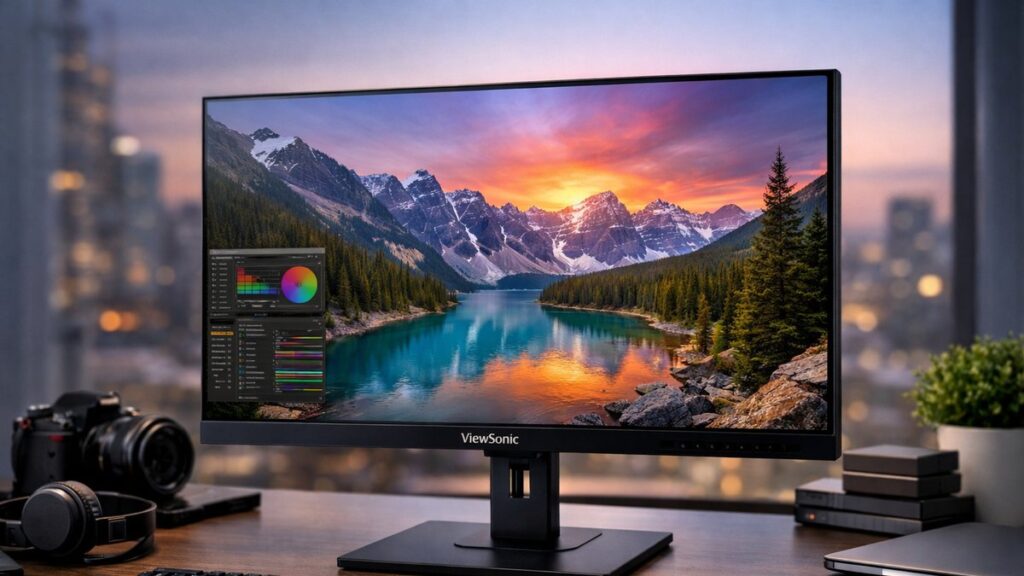
ViewSonic 2K Monitor Review: Top QHD Models Compared
If you’re evaluating ViewSonic’s QHD lineup before making a purchase, this guide breaks down the most popular 2560×1440 models by use case — gaming, professional work, and office productivity. To get the full picture of the entire lineup, explore the full ViewSonic 2K monitor guide.
ViewSonic 2K Monitor Lineup at a Glance
| Model | Panel | Refresh Rate | Best For | Price Range |
|---|---|---|---|---|
| VX2758-2KP-MHD | IPS | 144Hz | Budget Gaming | $ |
| VX2728J | IPS | 165Hz | Competitive Gaming | $$ |
| VP2776 | IPS | 60Hz | Professional / Color Work | $$$ |
| XG2431 | IPS | 240Hz | Esports / Fast Gaming | $$$ |
| VG2756-2K | IPS | 75Hz | Office / Productivity | $$ |
ViewSonic VX2758-2KP-MHD — Budget Gaming Pick
For a detailed look at specs and real-world testing, read the ViewSonic VX2758-2KP-MHD in-depth review.
Key Specs
- 27-inch IPS panel
- 2560×1440 QHD resolution
- 144Hz refresh rate
- 1ms MPRT response time
- FreeSync Premium
- DisplayPort 1.2 + HDMI 2.0
- Built-in speakers
Pros & Cons
- ✅ Excellent price-to-performance ratio
- ✅ Vibrant IPS colors out of the box
- ✅ Low input lag for gaming
- ❌ No USB-C connectivity
- ❌ Stand has limited ergonomics
- ❌ Backlight bleed possible on edges
Display Quality Summary
| Metric | Result |
|---|---|
| sRGB Coverage | ~99% |
| Delta E (avg) | <2 (factory calibrated units) |
| Peak Brightness | ~350 nits |
| Contrast Ratio | 1000:1 (typical IPS) |
ViewSonic VX2728J — Competitive Gaming Performance
The VX2728J steps up refresh rate and color accuracy for serious gamers. See full testing data in the ViewSonic VX2728J review and performance analysis.
Key Specs
- 27-inch Fast IPS panel
- 2560×1440 QHD resolution
- 165Hz refresh rate
- 0.5ms MPRT response time
- FreeSync Premium / G-Sync Compatible
- DisplayPort 1.4 + HDMI 2.1
- HDR10 support
Pros & Cons
- ✅ Fast IPS minimizes motion blur
- ✅ Dual variable sync support
- ✅ HDMI 2.1 for console use
- ❌ HDR performance is limited (no local dimming)
- ❌ OSD navigation can feel clunky
- ❌ No built-in USB hub
ViewSonic VP2776 — Professional Color Accuracy
The VP2776 is ViewSonic’s flagship 2K professional monitor, targeting designers and photographers who need verified color accuracy. Full lab results are available in the ViewSonic VP2776 professional monitor review.
Key Specs
- 27-inch IPS panel
- 2560×1440 QHD resolution
- 60Hz refresh rate
- USB-C with 90W Power Delivery
- 100% sRGB / 99% Adobe RGB / 95% DCI-P3
- Factory calibrated (Delta E <2)
- Fully ergonomic stand (height, tilt, swivel, pivot)
Pros & Cons
- ✅ Widest color gamut in the ViewSonic 2K lineup
- ✅ USB-C docking functionality
- ✅ Included calibration report
- ❌ 60Hz is limiting for gaming
- ❌ Premium price point
- ❌ No HDR certification
Color Space Coverage Comparison
| Color Space | VP2776 | VX2758-2KP-MHD | VX2728J |
|---|---|---|---|
| sRGB | 100% | ~99% | ~99% |
| Adobe RGB | 99% | ~72% | ~75% |
| DCI-P3 | 95% | ~70% | ~72% |
ViewSonic XG2431 — Esports-Grade Refresh Rate
The XG2431 pushes into 240Hz territory, making it one of ViewSonic’s most specialized QHD gaming displays. Check out the ViewSonic XG2431 gaming monitor reviewed for deep-dive performance benchmarks.
Key Specs
- 24-inch Fast IPS panel
- 1920×1080 FHD (note: XG2431 is FHD, optimized for 240Hz esports)
- 240Hz refresh rate
- 0.5ms GtG response time
- FreeSync Premium Pro / G-Sync Compatible
- VESA DisplayHDR 400
- ViewSonic Elite gaming features (crosshair, FPS counter)
Pros & Cons
- ✅ Exceptional motion clarity at 240Hz
- ✅ Competitive esports feature set
- ✅ Low input lag verified in testing
- ❌ FHD panel (not QHD) — better suited for pure speed
- ❌ Smaller 24-inch screen size
- ❌ Not ideal for productivity tasks
[amazon_rapid query=”ViewSonic QHD gaming monitor” brand=”ViewSonic” layout=”magazine” cols=”2″ country=”US” lang=”en_US” max_pages=”1″ per_page=”4″ sort_by=”RELEVANCE” show_variants=”0″]
ViewSonic VG2756-2K — Office & Productivity Monitor
The VG2756-2K is built around workplace efficiency — ergonomics, connectivity, and eye care features. For the full breakdown, visit the ViewSonic VG2756-2K office monitor review.
Key Specs
- 27-inch IPS panel
- 2560×1440 QHD resolution
- 75Hz refresh rate
- USB-C (65W Power Delivery)
- USB 3.2 hub (x4 ports)
- RJ45 Ethernet port
- Fully ergonomic stand
- ViewSonic BlueLightFilter & Flicker-Free
Pros & Cons
- ✅ Excellent connectivity for office docking
- ✅ Built-in Ethernet for stable wired connections
- ✅ Eye care certification for long work sessions
- ❌ 75Hz limits gaming use
- ❌ Color gamut narrower than VP2776
- ❌ No speaker system built in
Head-to-Head: Which ViewSonic 2K Monitor Fits Your Use Case?
| Use Case | Recommended Model | Key Reason |
|---|---|---|
| 🎮 Budget Gaming | VX2758-2KP-MHD | 144Hz + FreeSync at lowest price |
| 🎮 Competitive Gaming | VX2728J | 165Hz Fast IPS + dual sync |
| 🖥️ Esports / Max FPS | XG2431 | 240Hz with elite gaming tools |
| 🎨 Creative / Design | VP2776 | 99% Adobe RGB + factory calibration |
| 💼 Office / Hybrid Work | VG2756-2K | USB-C dock + Ethernet + eye care |
Connectivity Comparison Across Models
| Feature | VX2758-2KP-MHD | VX2728J | VP2776 | VG2756-2K |
|---|---|---|---|---|
| USB-C | ❌ | ❌ | ✅ (90W PD) | ✅ (65W PD) |
| DisplayPort | DP 1.2 | DP 1.4 | DP 1.4 | DP 1.4 |
| HDMI Version | 2.0 | 2.1 | 2.0 | 2.0 |
| USB Hub | ❌ | ❌ | ✅ | ✅ (USB 3.2) |
| Ethernet | ❌ | ❌ | ❌ | ✅ |
| Built-in Speakers | ✅ | ❌ | ✅ | ❌ |
Entry-Level ViewSonic 2K Models: Worth Considering?
If you’re on a tighter budget, ViewSonic also offers entry-level QHD options worth evaluating. See how they stack up in the entry-level ViewSonic 2K monitor comparison review.
Who Should Consider Entry-Level
- First-time QHD monitor buyers
- Users upgrading from 1080p on a limited budget
- Secondary monitor setups
- Light gaming and general web use
Typical Trade-offs
- Lower refresh rates (60–75Hz)
- Basic stand ergonomics (tilt only)
- Fewer connectivity options
- No factory calibration or color report
Key Buying Criteria: ViewSonic 2K Monitor Review Checklist
- ⚡ Refresh Rate: 60Hz for creative work, 144Hz+ for gaming, 240Hz for esports
- 🎨 Color Accuracy: Look for Delta E <2 and wide gamut coverage for design tasks
- 🔌 Connectivity: USB-C with Power Delivery is essential for modern laptop setups
- 📐 Ergonomics: Height adjustment and pivot are critical for long work sessions
- 🖥️ Panel Type: Fast IPS for gaming; standard IPS for color work and productivity
- 💰 Value: Balance spec requirements with your actual use case — avoid overpaying for unused features