
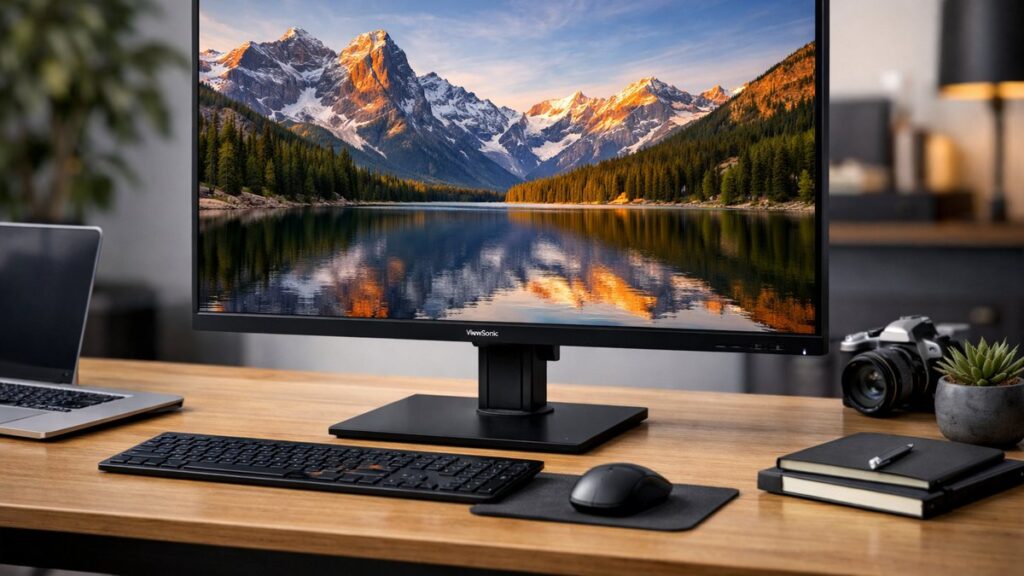
ViewSonic 2K Monitor: Top Models Overview
ViewSonic offers one of the most complete lineups of QHD (2560×1440) monitors for gaming, creative work, and professional productivity. Below is a structured breakdown of the most popular models, their specs, and what type of user each one serves best.
| Model | Panel | Refresh Rate | Response Time | Best For |
|---|---|---|---|---|
| ViewSonic VX2758A-2K-PRO | IPS | 165 Hz | 1 ms (MPRT) | Competitive gaming |
| ViewSonic VX2728J-2K | IPS | 180 Hz | 0.5 ms (GtG) | Fast-paced gaming |
| ViewSonic VP2786-4K (2K mode) | IPS | 60 Hz | 5 ms | Color-accurate work |
| ViewSonic VX2705-2KP-MHD | IPS | 170 Hz | 1 ms (MPRT) | Gaming + productivity |
| ViewSonic VX2758-2K-MHD | IPS | 144 Hz | 1 ms (MPRT) | Entry gaming / budget |
| ViewSonic XG272-2K | IPS | 165 Hz | 1 ms (GtG) | Premium gaming |
| ViewSonic VP2776 | IPS | 75 Hz | 5 ms | Professional/creative |
In-Depth Reviews: Most Searched ViewSonic 2K Models
For detailed performance analysis and real-world testing data, check the ViewSonic 2K monitor reviews for the top models covering image quality, gaming performance, color accuracy, and value.
ViewSonic VX2728J-2K
- ✅ 180 Hz refresh rate — one of the highest in QHD IPS
- ✅ 0.5 ms GtG response — near-zero ghosting
- ✅ AMD FreeSync Premium + G-Sync compatible
- ✅ 99% sRGB color coverage
- ✅ HDR10 support
- ⚠️ Limited HDR brightness (peak ~250 nits)
- ⚠️ No USB-C connectivity
- ⚠️ Basic stand (tilt only)
- ⚠️ Modest built-in speakers
ViewSonic VX2758A-2K-PRO
- ✅ 165 Hz IPS panel — smooth competitive gameplay
- ✅ 1 ms MPRT response time
- ✅ VESA mount compatible
- ✅ FreeSync Premium support
- ✅ Strong value-to-performance ratio
- ⚠️ No height adjustment on stock stand
- ⚠️ SDR-only in practice
- ⚠️ No USB hub
- ⚠️ Average factory color calibration
ViewSonic VP2776 (Professional)
- ✅ Factory-calibrated (Delta E < 2)
- ✅ 100% sRGB / 100% Rec. 709
- ✅ USB-C with 90W power delivery
- ✅ Ergonomic stand (tilt, swivel, pivot, height)
- ✅ Hardware calibration support
- ⚠️ Only 75 Hz — not for gaming
- ⚠️ Higher price point
- ⚠️ No HDR support
- ⚠️ Larger bezels vs. gaming models
Head-to-Head Comparisons
Use the ViewSonic 2K monitor comparisons to find your best match based on your use case, budget, and feature priorities.
Gaming: VX2728J-2K vs. VX2758A-2K-PRO vs. XG272-2K
| Feature | VX2728J-2K | VX2758A-2K-PRO | XG272-2K |
|---|---|---|---|
| Refresh Rate | 180 Hz | 165 Hz | 165 Hz |
| Response Time | 0.5 ms GtG | 1 ms MPRT | 1 ms GtG |
| Panel Type | IPS | IPS | IPS |
| HDR | HDR10 | HDR10 | HDR10 |
| FreeSync/G-Sync | Both | FreeSync Premium | Both |
| USB-C | No | No | No |
| Approx. Price | ~$200 | ~$180 | ~$250 |
| Best Pick For | Max refresh rate | Budget gaming | Premium gaming setup |
Professional: VP2776 vs. VX2705-2KP-MHD
| Feature | VP2776 | VX2705-2KP-MHD |
|---|---|---|
| Panel | IPS | IPS |
| Color Accuracy | Delta E < 2 (factory cal.) | Delta E < 3 (standard) |
| Refresh Rate | 75 Hz | 170 Hz |
| USB-C PD | 90W | No |
| Ergonomics | Full (THSP) | Tilt only |
| Target User | Designers / Photographers | Hybrid gamer / worker |
How to Choose the Right ViewSonic QHD Monitor
Before purchasing, review the complete ViewSonic 2K monitor buying guide with detailed recommendations by budget and use case.
Key Buying Criteria by Use Case
| Use Case | Priority Features | Recommended Model |
|---|---|---|
| Competitive Gaming | High refresh rate (165+ Hz), low response time, FreeSync/G-Sync | VX2728J-2K or VX2758A-2K-PRO |
| Creative / Design | Factory calibration, wide color gamut, USB-C PD | VP2776 |
| Hybrid Work + Gaming | Balanced refresh rate, good color, ergonomic stand | VX2705-2KP-MHD |
| Budget Entry | QHD resolution, decent refresh rate, value pricing | VX2758-2K-MHD |
| Professional Color | Delta E < 2, hardware calibration, Rec. 709 | VP2776 or VP2786 |
Panel Technology Explained
- 🖥️ IPS — Wide viewing angles, accurate colors. Used across all ViewSonic 2K lines.
- ⚡ High Refresh IPS — 165–180 Hz variants offer competitive gaming without color compromise.
- 🎨 Color Gamut — sRGB 99%+ is standard; VP series extends to DCI-P3 for creative work.
- 🔌 USB-C PD — Only available on VP professional models; critical for laptop users.
Top ViewSonic 2K Monitors on Amazon
[amazon_rapid query=”ViewSonic 2K QHD monitor” brand=”ViewSonic” layout=”magazine” cols=”2″ country=”US” lang=”en_US” max_pages=”1″ per_page=”4″ sort_by=”RELEVANCE” show_variants=”0″]
Setup, OSD Settings & Calibration Tips
For full configuration walkthroughs, optimal OSD settings per use case, and driver/cable troubleshooting, visit the ViewSonic 2K monitor setup and troubleshooting tips guide.
Quick Setup Checklist
- Use a DisplayPort 1.4 cable to unlock full 2K resolution at maximum refresh rate.
- Enable FreeSync or G-Sync in both the monitor OSD and GPU control panel (NVIDIA/AMD).
- Set resolution to 2560×1440 in Windows/macOS display settings — do not leave it at 1080p.
- For gaming: enable Black Stabilization and set response time to “Advanced” or “Ultra Fast.”
- For color work: disable gaming enhancements (Game Mode, Black Stabilization) and use sRGB preset.
- Calibrate brightness to 120 nits for office use, 200–250 nits for mixed environments.
Common Issues & Fixes
| Issue | Likely Cause | Fix |
|---|---|---|
| Monitor stuck at 60 Hz | HDMI 1.4 cable or port limitation | Switch to DisplayPort or HDMI 2.0 |
| Blurry text / scaling issues | DPI scaling not set for QHD | Set Windows scaling to 125–150% |
| Flickering with FreeSync | VRR range mismatch | Enable “LFC” (Low Framerate Compensation) in OSD |
| No signal on startup | Wrong input source selected | Cycle inputs via OSD or auto-detect |
| Washed-out colors | Limited RGB range from GPU | Set GPU output to Full RGB (0–255) |
ViewSonic 2K Monitor vs. Competitors
| Brand / Model | Resolution | Refresh Rate | Price Range | ViewSonic Advantage |
|---|---|---|---|---|
| ViewSonic VX2728J-2K | 2560×1440 | 180 Hz | ~$200 | Best Hz/$ in QHD IPS |
| LG 27GP850-B | 2560×1440 | 180 Hz | ~$280 | ViewSonic is cheaper |
| ASUS TUF VG27AQM1A | 2560×1440 | 260 Hz | ~$350 | ViewSonic better value |
| AOC Q27G2S | 2560×1440 | 165 Hz | ~$200 | ViewSonic has wider support |
| MSI MAG274QRF-QD | 2560×1440 | 165 Hz | ~$280 | ViewSonic VP line wins on color |
ViewSonic QHD Monitor Feature Summary
- 🎮 Gaming line: VX series — high refresh, low latency, FreeSync/G-Sync
- 🎨 Pro line: VP series — calibrated color, USB-C, full ergonomics
- 💡 All models use IPS panels for wide viewing angles
- 📐 Standard size: 27 inches across most QHD models
- 🔌 Connectivity: HDMI 2.0 + DisplayPort 1.4 standard on gaming models
- 🖥️ VESA 100×100 mount support on all models
- 📦 ViewSonic warranty: 3 years standard in most markets
- ⚙️ Elite ecosystem: compatible with ViewSonic Elite gaming accessories