
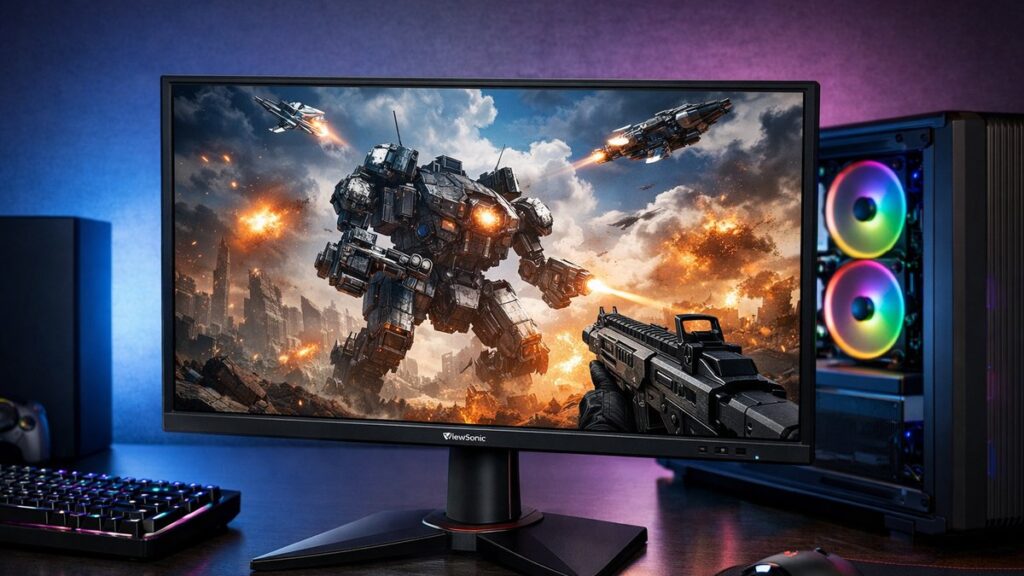
ViewSonic VX2758-2KP-MHD Review: Key Specs at a Glance
| Specification | Details |
|---|---|
| Panel Type | IPS |
| Screen Size | 27 inches |
| Resolution | 2560 x 1440 (QHD / 2K) |
| Refresh Rate | 144Hz |
| Response Time | 1ms MPRT |
| Color Gamut | 108% sRGB / 90% DCI-P3 |
| Adaptive Sync | FreeSync Premium (G-Sync Compatible) |
| HDR Support | HDR10 |
| Brightness | 350 nits (typical) |
| Connectivity | 2x HDMI 2.0, 1x DisplayPort 1.2, 3.5mm Audio |
| Stand Adjustments | Tilt only (-5° / +20°) |
| VESA Mount | 100x100mm |
| Price Range | Budget-Mid ($200–$280) |
Display Quality: IPS Panel Performance
Color Accuracy
- 🎨 108% sRGB coverage — excellent for gaming and casual content creation
- DCI-P3 coverage around 90% — strong color volume for an IPS panel at this price
- Default color accuracy: Delta E avg ~2.8 (acceptable out of box)
- After calibration: Delta E avg drops to ~1.5 (very good)
- Color temperature slightly warm at ~6200K by default
Brightness & Contrast
- ☀️ Peak brightness: ~330–350 nits in SDR — adequate for most indoor environments
- Static contrast ratio: ~1000:1 — typical IPS behavior
- HDR10 supported but peak brightness limits real HDR impact
- Uniformity: slight backlight bleed in corners under dark conditions
- Black levels: not deep — VA or OLED panels perform better here
Gaming Performance: Response Time & Adaptive Sync
The ViewSonic VX2758-2KP-MHD review wouldn’t be complete without stress-testing its gaming credentials. At 144Hz with FreeSync Premium and unofficial G-Sync compatibility, this monitor targets budget gamers who need smooth, tear-free gameplay at 2K resolution.
| Gaming Metric | Result | Verdict |
|---|---|---|
| Native 144Hz smoothness | Very smooth motion | ✅ Excellent |
| 1ms MPRT response time | Achieved with overdrive enabled | ✅ Good |
| GtG response (measured) | ~5ms avg at 144Hz | ✅ Good |
| Ghosting (overdrive Off) | Visible on fast motion | ⚠️ Moderate |
| Ghosting (overdrive On) | Minimal, some inverse ghosting | ⚠️ Slight issue |
| FreeSync range | 48–144Hz | ✅ Wide range |
| G-Sync Compatible | Works on NVIDIA cards | ✅ Confirmed |
| Input lag (144Hz) | ~3–4ms | ✅ Excellent |
💡 For best results, set overdrive to the “Advanced” level — it minimizes ghosting without introducing significant inverse ghosting artifacts.
Pros & Cons
✅ Strengths
- Sharp 2K IPS image with wide color coverage
- 144Hz refresh rate keeps gameplay smooth
- FreeSync Premium + G-Sync Compatible — works with AMD and NVIDIA GPUs
- Competitive price for a 27-inch 2K IPS gaming monitor
- Low input lag (~3–4ms) at max refresh rate
- Solid out-of-box color performance
- DisplayPort 1.2 supports full 2K @ 144Hz bandwidth
⚠️ Weaknesses
- Tilt-only stand — no height, swivel, or pivot adjustment
- HDR10 support is nominal — brightness too low for impactful HDR
- Some backlight bleed visible in dark scenes
- Overdrive tuning requires manual adjustment for best results
- No USB hub ports
- Contrast ratio limited to ~1000:1 (IPS glow present)
- Speakers not included
Who Should Buy This Monitor?
| User Profile | Recommended? | Reason |
|---|---|---|
| Budget PC gamer (AMD GPU) | ✅ Yes | FreeSync Premium, 144Hz, 2K — ideal combo |
| Budget PC gamer (NVIDIA GPU) | ✅ Yes | G-Sync Compatible confirmed |
| Competitive FPS player | ✅ Yes | Low input lag, 144Hz, fast response |
| Content creator / photo editor | ⚠️ Partial | Good color but limited calibration controls |
| Console gamer (PS5 / Xbox) | ⚠️ Limited | No HDMI 2.1, capped at 1440p/60Hz via console |
| HDR enthusiast | ❌ No | HDR10 support is insufficient for true HDR |
| Ergonomics-focused user | ❌ No | Tilt-only stand is very limiting |
Recommended Settings for Best Performance
Gaming Preset
- Overdrive: Advanced
- Refresh Rate: 144Hz (DisplayPort)
- FreeSync / Adaptive Sync: ON
- Color Mode: Gaming
- Black Stabilization: 8/10
- Brightness: 80–90 (typical room lighting)
Color Accuracy Preset
- Color Mode: sRGB or Custom
- Color Temp: 6500K (adjust RGB manually if needed)
- Gamma: 2.2
- Overdrive: Standard
- Brightness: 120 nits for calibrated viewing
- Use hardware colorimeter for best Delta E results
Top Picks: ViewSonic 2K Gaming Monitors
[amazon_rapid query=”ViewSonic 2K gaming monitor 144Hz” brand=”” layout=”magazine” cols=”2″ country=”US” lang=”en_US” max_pages=”1″ per_page=”4″ sort_by=”RELEVANCE” show_variants=”0″]
How It Compares to Similar 2K Gaming Monitors
Before buying, it’s worth understanding where this model fits in the market. You can compare the VX2758-2KP-MHD against the VX2728J to see how ViewSonic’s newer models have evolved in response time, panel uniformity, and stand ergonomics.
| Feature | VX2758-2KP-MHD | ViewSonic VX2728J | LG 27GP850-B |
|---|---|---|---|
| Panel | IPS | IPS | Nano IPS |
| Resolution | 2560×1440 | 2560×1440 | 2560×1440 |
| Refresh Rate | 144Hz | 165Hz | 165Hz |
| Response Time | 1ms MPRT | 0.5ms GtG | 1ms GtG |
| Adaptive Sync | FreeSync + G-Sync Compat. | FreeSync + G-Sync Compat. | FreeSync + G-Sync Compat. |
| Stand Ergonomics | Tilt only | Height + Tilt + Pivot | Height + Tilt + Pivot |
| Price Range | ~$200–$280 | ~$250–$320 | ~$280–$370 |
If ergonomics and a faster response time are priorities, the VX2728J pulls ahead. For those locked into the lowest possible budget for a 2K 144Hz IPS panel, the VX2758-2KP-MHD still delivers solid value. To explore the full lineup, see all ViewSonic 2K monitor reviews for side-by-side comparisons across every current model.