
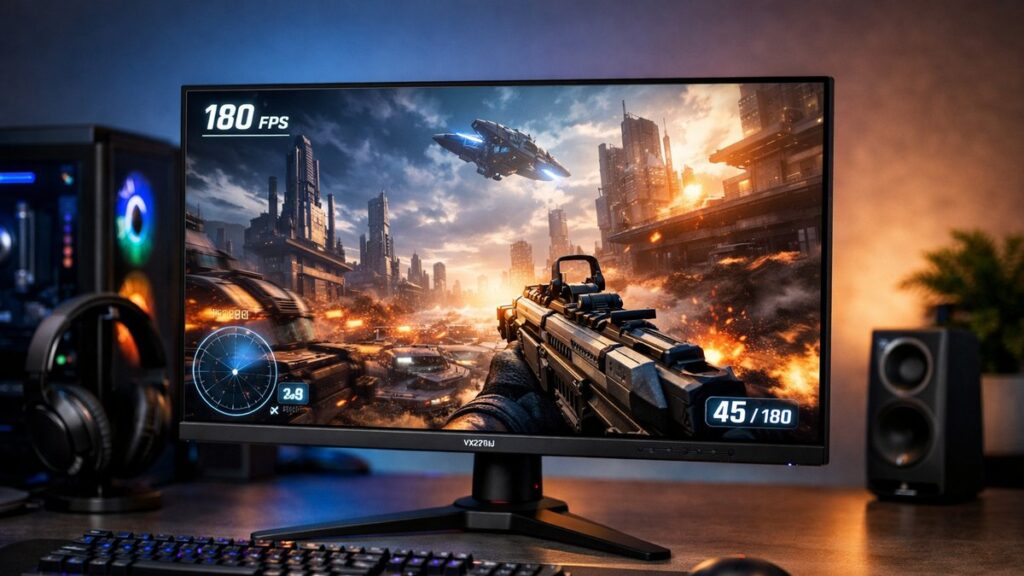
ViewSonic VX2728J Review: Key Specifications at a Glance
| Specification | Details |
|---|---|
| Screen Size | 27 inches |
| Resolution | 2560 x 1440 (QHD / 2K) |
| Panel Type | Fast IPS |
| Refresh Rate | 180Hz |
| Response Time | 1ms MPRT / 0.5ms GtG (OD) |
| Color Coverage | 98% sRGB / 95% DCI-P3 |
| HDR Support | DisplayHDR 400 |
| Adaptive Sync | AMD FreeSync Premium / G-Sync Compatible |
| Ports | 2x HDMI 2.0, 1x DisplayPort 1.4, 1x USB-C (65W PD), 4x USB-A 3.2 |
| Brightness | 400 nits (peak) |
| Aspect Ratio | 16:9 |
| Stand Adjustments | Tilt, Swivel, Height, Pivot (90°) |
| VESA Mount | 100x100mm |
Display Performance: Fast IPS Under the Microscope
Color Accuracy & Coverage
- 🎨 98% sRGB coverage — excellent for gaming and content creation
- 95% DCI-P3 — competitive for a monitor at this price tier
- Default Delta E average: ~2.0 (good out of the box)
- After calibration Delta E drops below 1.0 — impressive accuracy
- Color temperature sits close to 6500K target
- 📊 10-bit color depth (8-bit + FRC dithering)
- sRGB clamp mode available for color-sensitive workflows
- No wide gamut mode — intentional focus on accuracy over oversaturation
- Gamma tracks the 2.2 curve closely across most luminance levels
- Uniformity: minor backlight bleed in corners — typical for IPS
Motion Clarity & Response Time
The Fast IPS panel at 180Hz is the core competitive advantage of the VX2728J. Here is how it performs across real-world motion scenarios:
| Mode | GtG Response | Overshoot | Best Use |
|---|---|---|---|
| Off | ~5ms | None | Slow-paced content |
| Standard | ~2ms | Minimal | General gaming |
| Advanced | ~1ms | Moderate | Competitive FPS |
| Ultra Fast | ~0.5ms | Visible inverse ghosting | Not recommended |
The “Advanced” preset strikes the best balance — near-instant transitions with minimal inverse ghosting artifacts. Ultra Fast mode introduces noticeable halo trails and is best avoided in practice.
Input Lag & Refresh Rate Performance
- ⚡ Input lag: ~0.3ms at 180Hz (imperceptible in competitive play)
- Frame pacing is consistent — no stuttering observed at native 180Hz
- FreeSync Premium range: 48–180Hz — wide enough for all GPU workloads
- G-Sync Compatible certification ensures stable VRR on NVIDIA cards
- Low Framerate Compensation (LFC) active below 48Hz
Ergonomics & Build Quality
Stand & Adjustability
- ↕️ Height adjustment: up to 130mm range
- ↔️ Swivel: ±45° left/right
- ↩️ Tilt: -5° to +20°
- 🔄 Pivot: full 90° portrait rotation
- Rock-solid base — zero wobble during typing
Design & Build
- 🖥️ Slim 3-sided borderless bezel design
- Matte anti-glare panel coating reduces reflections
- Plastic chassis — feels adequate, not premium
- Integrated cable management channel in stand
- VESA 100x100mm for third-party arm compatibility
Connectivity: Ports & USB-C Hub Functionality
The VX2728J stands out in its class for connectivity, particularly the inclusion of USB-C with 65W power delivery — a rarity at this price point.
| Port | Count | Bandwidth / Notes |
|---|---|---|
| DisplayPort 1.4 | 1 | Required for 180Hz at 2K |
| HDMI 2.0 | 2 | Max 144Hz at 2K |
| USB-C | 1 | 65W PD + DP Alt Mode |
| USB-A 3.2 | 4 | Hub downstream ports |
| 3.5mm Audio Out | 1 | Headphone jack |
⚠️ Note: HDMI 2.0 caps out at 144Hz for 2560×1440. Use DisplayPort 1.4 or USB-C to reach the full 180Hz refresh rate.
OSD Menu & Software Features
- 🎮 Multiple gaming presets: FPS, RTS, MOBA, Movie, Web
- Black Stabilization: 8-level shadow detail enhancement (effective for dark scenes)
- Blue Light Filter: 4 levels — useful for long sessions
- Custom Color Mode: full RGB gain, hue, saturation, contrast controls
- Response time overdrive: 4 levels accessible from OSD
- OSD navigation: 5-way joystick — fast and intuitive
- No built-in speakers
ViewSonic VX2728J: Pros & Cons
✅ Pros
- 180Hz refresh rate on a Fast IPS panel — smooth and responsive
- Excellent color accuracy (98% sRGB, calibrated Delta E <1)
- USB-C 65W PD — charges laptops while connecting as display
- Full ergonomic stand included (height, swivel, pivot)
- G-Sync Compatible + FreeSync Premium dual certification
- Competitive pricing for a QHD 180Hz panel
- 0.3ms input lag — practically imperceptible
❌ Cons
- No built-in speakers
- DisplayHDR 400 is entry-level — limited HDR impact
- Ultra Fast overdrive mode causes inverse ghosting
- Plastic build — does not feel premium
- HDMI 2.0 (not 2.1) limits console users to 144Hz
- No KVM switch functionality despite USB hub
Who Should Buy the ViewSonic VX2728J?
| Profile | Verdict | Reason |
|---|---|---|
| 🎮 Competitive PC Gamer | ✅ Strong Buy | 180Hz + 0.3ms input lag + FreeSync/G-Sync |
| 🖥️ Work + Gaming Hybrid | ✅ Strong Buy | USB-C PD, accurate colors, ergonomic stand |
| 🎨 Creative Professional | ⚠️ Conditional | Good sRGB, but no wide gamut; no hardware calibration |
| 🎮 Console Gamer (PS5/Xbox) | ⚠️ Conditional | No HDMI 2.1 — capped at 144Hz on consoles |
| 🎬 HDR Enthusiast | ❌ Not Ideal | DisplayHDR 400 lacks contrast depth for true HDR |
Top ViewSonic VX2728J Deals
[amazon_rapid query=”ViewSonic VX2728J” brand=”ViewSonic” layout=”magazine” cols=”2″ country=”US” lang=”en_US” max_pages=”1″ per_page=”4″ sort_by=”RELEVANCE” show_variants=”0″]
How It Stacks Up: VX2728J vs. The Competition
| Feature | ViewSonic VX2728J | LG 27GP850-B | AOC Q27G3XMN |
|---|---|---|---|
| Panel | Fast IPS | Nano IPS | Fast IPS |
| Refresh Rate | 180Hz | 180Hz | 180Hz |
| Resolution | 2560×1440 | 2560×1440 | 2560×1440 |
| USB-C (PD) | ✅ 65W | ❌ | ❌ |
| Ergonomic Stand | ✅ Full | ✅ Full | ⚠️ Tilt only |
| sRGB Coverage | 98% | 99% | ~95% |
| HDMI Version | 2.0 | 2.0 | 2.1 |
| Price Tier | Mid-range | Mid-high | Mid-range |
If you want a deeper head-to-head breakdown, you can see how the VX2728J compares to its closest rival see how the VX2728J compares to its closest rival for a full side-by-side performance analysis.
Looking at other panels in this segment? You can browse more ViewSonic 2K monitor reviews to see how the full lineup ranks across refresh rates, color performance, and value.