
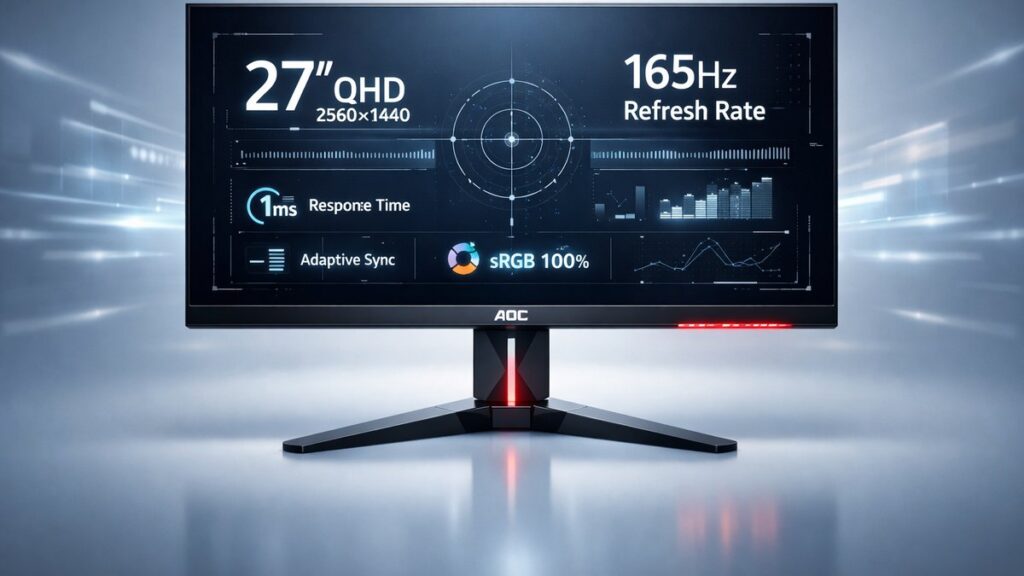
AOC 27-Inch QHD 165Hz Monitors: The Fast Answer
AOC’s 27-inch QHD 165Hz monitors deliver 2560×1440 resolution at 165Hz refresh rates, typically on IPS or VA panels, with response times as low as 1ms MPRT. They offer strong value for competitive gaming, accurate-enough out-of-box color for casual creative work, and FreeSync Premium adaptive sync — all under $300.
AOC 27-Inch QHD 165Hz Model Comparison
| Model | Panel Type | Resolution | Refresh Rate | Response Time | HDR | Peak Brightness | Adaptive Sync |
|---|---|---|---|---|---|---|---|
| AOC Q27G2S/D | IPS | 2560×1440 | 165Hz | 1ms MPRT | HDR10 | 350 nits | FreeSync Premium / G-Sync Compatible |
| AOC Q27G3XMN | Fast IPS (Mini LED) | 2560×1440 | 180Hz (165Hz base) | 0.5ms GtG | HDR 600 | 600 nits | FreeSync Premium Pro / G-Sync Compatible |
| AOC CQ27G3S | VA (Curved 1500R) | 2560×1440 | 165Hz | 1ms MPRT | HDR10 | 300 nits | FreeSync Premium |
| AOC Q27G2E | IPS | 2560×1440 | 144Hz (OC to 165Hz) | 1ms MPRT | HDR10 | 300 nits | FreeSync / G-Sync Compatible |
Which AOC 27-Inch 165Hz Monitor Fits Your Use Case?
- If you play fast-paced esports titles (CS2, Valorant, Apex Legends) → AOC Q27G2S/D because it pairs 1ms MPRT with 165Hz and G-Sync Compatible certification for tear-free gameplay on both AMD and NVIDIA GPUs.
- If you want the highest image quality and HDR performance in AOC’s QHD 165Hz lineup → AOC Q27G3XMN because its Fast IPS Mini LED panel reaches 600 nits peak brightness and qualifies for VESA DisplayHDR 600 certification.
- If you prefer an immersive curved display for single-player games and media → AOC CQ27G3S because its 1500R VA curve delivers deeper black levels (3000:1 native contrast) compared to IPS alternatives.
- If you are on a tight budget and already own a mid-range GPU → AOC Q27G2E because its overclocked 165Hz mode and FreeSync support deliver competitive performance at the lowest entry price in the range.
- If color accuracy for photo editing is a secondary priority → AOC Q27G2S/D because IPS technology achieves a wider color gamut (approximately 95% DCI-P3) versus the VA panel’s narrower coverage.
Key Specs Explained: What the Numbers Mean for Real-World Use
Does 165Hz Make a Noticeable Difference Over 144Hz?
At 165Hz, each frame occupies approximately 6.06ms; at 144Hz, that rises to 6.94ms. The perceptual difference is subtle but real in fast-reaction scenarios — competitive shooters running above 144 fps benefit from reduced input lag and smoother cursor tracking.
2560×1440 (QHD) vs 1080p on a 27-Inch Screen
QHD delivers approximately 108 pixels per inch on a 27-inch panel — noticeably sharper than 1080p’s 82 PPI on the same screen size. Text rendering, fine UI details, and game textures all benefit from the higher pixel density without requiring a 4K GPU workload.
IPS vs VA Panels at 165Hz: Contrast, Color, and Motion
IPS panels in AOC’s QHD 165Hz lineup offer wider viewing angles (178°/178°) and better factory color accuracy, typically covering 95% DCI-P3. VA panels like the CQ27G3S provide significantly higher native contrast ratios — up to 3000:1 versus IPS’s typical 1000:1 — making dark scenes in RPGs or cinematic games considerably more impactful. VA panels can exhibit motion smearing at fast pixel transitions, which AOC mitigates with aggressive overdrive settings, though some halo artifacts may appear at maximum overdrive.
What Does 1ms MPRT Actually Measure?
MPRT (Moving Picture Response Time) measures perceived motion blur using backlight strobing, not pixel transition speed. Manufacturers use it alongside GtG (Grey-to-Grey) ratings. AOC’s 1ms MPRT is achieved by enabling backlight strobing — a mode that reduces brightness and cannot be used simultaneously with FreeSync on most models. GtG response on the Q27G2S/D is closer to 4ms at typical settings.
FreeSync Premium vs G-Sync Compatible: Which GPUs Benefit?
FreeSync Premium, the AMD standard requiring low framerate compensation (LFC) and low motion blur support at minimum 120Hz, covers all modern AMD Radeon RX 500 series and newer GPUs. NVIDIA’s G-Sync Compatible certification — held by the Q27G2S/D and Q27G3XMN — extends variable refresh rate support to GeForce GTX 10-series and RTX-series cards, verified by NVIDIA’s internal testing lab.
HDR10 vs VESA DisplayHDR 600: Real Impact on Gaming Visuals
HDR10 is a format, not a brightness guarantee. AOC’s HDR10-certified models at 300–350 nits deliver limited HDR impact — highlights appear marginally brighter but the experience remains closer to SDR. The Q27G3XMN’s VESA DisplayHDR 600 certification, requiring 600 nits sustained brightness and local dimming via Mini LED backlight zones, produces visibly higher dynamic range with realistic specular highlights in supported titles.
Ergonomics: Stand Adjustability and Physical Footprint
The AOC Q27G2S/D stand provides height adjustment (up to 150mm), tilt (–5° to +23°), swivel (±30°), and pivot (90° portrait mode). The CQ27G3S curved stand offers tilt and height adjustment but omits pivot due to the curved panel’s design constraints. All models include 100×100mm VESA mount compatibility for third-party arm installation.
AOC Q27G2S/D vs AOC Q27G3XMN: Pros and Cons
AOC Q27G2S/D — Best All-Round Value
- Verified G-Sync Compatible for NVIDIA users — no screen tearing across a wide GPU range
- Full ergonomic stand with 150mm height adjustment, swivel, tilt, and 90° pivot
- ~95% DCI-P3 color gamut on IPS panel — usable for light photo review
- Competitive street price typically under $250 USD
- DisplayPort 1.4 and 2× HDMI 2.0 cover most GPU and console connection needs
Limitations:
- 350 nits peak brightness limits HDR10 to a marginal visual upgrade
- 1ms MPRT requires backlight strobing — cannot combine with FreeSync simultaneously
- No local dimming — uniform backlight reduces contrast in dark-scene gaming
AOC Q27G3XMN — Best for HDR and Image Fidelity
- Mini LED backlight with local dimming zones — VESA DisplayHDR 600 certified performance
- 0.5ms GtG Fast IPS panel — among the fastest pixel transitions in the QHD 27-inch segment
- 180Hz maximum refresh rate (overclocked from 165Hz base) for additional competitive headroom
- FreeSync Premium Pro supports both variable refresh rate and HDR simultaneously
- 600 nits sustained brightness — practical HDR impact in dark-room gaming environments
Limitations:
- Higher price point — typically $150–$200 more than the Q27G2S/D
- Mini LED local dimming can produce blooming (halo effect) around bright objects on dark backgrounds
- Larger physical footprint and heavier stand assembly
AOC CQ27G3S (Curved VA) vs AOC Q27G2S/D (Flat IPS): Pros and Cons
AOC CQ27G3S — Best for Immersive Single-Player Gaming
- 3000:1 native contrast ratio — dark scenes in RPGs and cinematic games appear dramatically deeper
- 1500R curvature wraps the 27-inch panel to match average human field of view
- VA panel maintains correct black levels without IPS glow in dark corners
- Competitive 165Hz refresh rate with FreeSync Premium — smooth enough for most gaming genres
Limitations:
- VA motion smearing more visible than IPS in fast-paced esports titles despite overdrive modes
- Narrower viewing angles (~178°/178° rated but color shifts more noticeably off-axis than IPS)
- No pivot function — curved panels cannot rotate to portrait orientation
AOC Q27G2S/D — Best for Competitive and Mixed Use
- Flat IPS panel — no image distortion when used close to screen edges
- Faster perceived motion clarity in esports titles due to lower GtG transition times
- Better viewing angles for multi-person setups or off-center seating positions
- Portrait pivot enables productivity workflows (coding, document review)
Limitations:
- IPS glow visible in very dark content viewed in low-ambient-light environments
- ~1000:1 native contrast — noticeably inferior black depth versus VA in dark scenes
For a broader look at every QHD option AOC produces in this screen size, the full AOC 27-inch 2K monitor lineup covers all variants with detailed spec breakdowns and cross-model comparisons.
[amazon_rapid query=”AOC 27 inch QHD 165Hz monitor” brand=”AOC” layout=”magazine” cols=”2″ country=”US” lang=”en_US” max_pages=”1″ per_page=”4″ sort_by=”RELEVANCE” show_variants=”0″]
How Do AOC 27-Inch 165Hz Monitors Compare Against Rivals?
| Monitor | Panel | Refresh Rate | Peak Brightness | Adaptive Sync | Notable Advantage over AOC |
|---|---|---|---|---|---|
| LG 27GP850-B | Nano IPS | 180Hz | 400 nits | FreeSync Premium / G-Sync Compatible | Higher factory color accuracy; Nano IPS wider gamut |
| Dell S2722DGM | VA (Curved) | 165Hz | 350 nits | FreeSync Premium | Dell reliability reputation; tighter QC consistency |
| ASUS TUF Gaming VG27AQ | IPS | 165Hz | 350 nits | FreeSync / G-Sync Compatible | ELMB-Sync allows simultaneous strobing + G-Sync |
| Gigabyte M27Q | IPS | 170Hz | 350 nits | FreeSync Premium | KVM switch built-in; slightly higher native refresh rate |
AOC’s key competitive advantage is price-to-spec ratio — the Q27G2S/D routinely undercuts the LG 27GP850-B by $50–$80 while matching its refresh rate class. The ASUS TUF VG27AQ’s ELMB-Sync feature, enabling backlight strobing and G-Sync simultaneously, is a hardware capability AOC’s current lineup does not replicate.
Pre-Purchase Checklist: AOC 27-Inch QHD 165Hz Monitors
- Confirm your GPU outputs DisplayPort 1.4 or HDMI 2.0 — both are required to run 2560×1440 at 165Hz without bandwidth bottlenecks.
- Check whether your GPU is AMD Radeon or NVIDIA GeForce — G-Sync Compatible certification (Q27G2S/D, Q27G3XMN) matters if you run an NVIDIA card.
- Decide on panel type before purchasing — IPS for color accuracy and motion clarity; VA for deeper contrast in dark-room gaming.
- Verify the overdrive mode behavior — request RTINGS or third-party test data for pixel transition times at your target refresh rate to assess real-world motion blur.
- Assess HDR intent — if genuine HDR performance is a priority, confirm the model holds VESA DisplayHDR 600 certification (Q27G3XMN), not just an HDR10 format badge.
- Measure your desk depth — 27-inch monitors with ergonomic stands typically require 600–700mm of desk depth for comfortable focal distance.
- Check return and dead-pixel policy — AOC’s warranty covers dead pixels above a defined threshold; verify the retailer’s return window for initial panel quality assessment.
Common Questions
Can AOC Q27G2S/D run at 165Hz over HDMI?
The AOC Q27G2S/D supports 165Hz only via DisplayPort 1.4. HDMI 2.0 on this model caps at 144Hz at 2560×1440 due to bandwidth limitations of the HDMI 2.0 specification. Use DisplayPort to access the full 165Hz refresh rate.
Is the factory calibration on AOC 27-inch QHD monitors accurate enough for photo editing?
AOC’s IPS-based QHD 165Hz monitors typically ship with Delta E values between 2 and 4 out of box — acceptable for casual photo review but below the Delta E <2 threshold recommended for professional color-critical work. A hardware colorimeter calibration brings performance within professional tolerances.
Does enabling FreeSync on an AOC QHD 165Hz monitor affect input lag?
Enabling FreeSync (AMD’s adaptive sync standard, now part of VESA Adaptive-Sync) does not introduce measurable additional input lag on AOC’s tested QHD 165Hz models. Input lag at 165Hz with FreeSync active typically measures under 5ms on independent hardware testing platforms.