
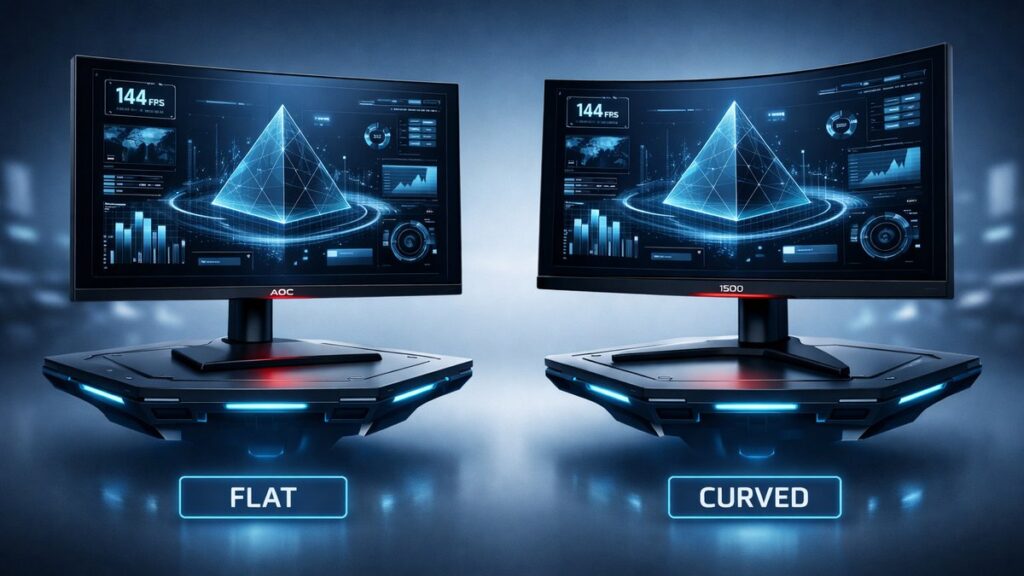
AOC 27-Inch 2K 144Hz Flat vs Curved: The Direct Answer
For competitive gaming at 2560×1440 and 144Hz, AOC’s flat 27-inch panels—such as the Q27G2E—deliver sharper edge-to-edge pixel geometry and wider multi-monitor compatibility. AOC curved models like the C27G2Z offer deeper immersion and reduced lateral eye travel for solo gaming and extended single-screen productivity sessions.
AOC Flat vs Curved 27-Inch 2K 144Hz: Side-by-Side Specs
| Spec | AOC Q27G2E (Flat) | AOC C27G2Z (Curved) | Why It Matters |
|---|---|---|---|
| Resolution | 2560×1440 (QHD) | 2560×1440 (QHD) | Identical pixel density at 109 PPI |
| Refresh Rate | 144Hz | 240Hz | C27G2Z suits faster-paced titles |
| Panel Type | IPS | VA | IPS: wider viewing angles; VA: deeper contrast |
| Response Time | 1ms MPRT | 0.5ms MPRT | Lower MPRT reduces ghosting perception |
| Curvature | Flat (0R) | 1500R | 1500R wraps closer to peripheral vision |
| Contrast Ratio | 1000:1 (typical) | 3000:1 (typical) | VA delivers richer dark-scene detail |
| Peak Brightness | 250 nits | 250 nits | Matched; both suit dim-to-moderate ambient light |
| Adaptive Sync | AMD FreeSync Premium | AMD FreeSync Premium | Both eliminate screen tearing across AMD and NVIDIA GPUs |
Which AOC 27-Inch 2K Monitor Fits Your Use Case?
- Competitive FPS or MOBA player → AOC Q27G2E (flat, IPS) because its wide 178°/178° viewing angles keep colors consistent during rapid head movements, and flat geometry ensures crosshair accuracy at screen edges.
- Immersive single-player or RPG gamer → AOC C27G2Z (curved, VA) because the 1500R curvature reduces lateral eye travel by approximately 25% and the 3000:1 contrast ratio deepens shadow detail in cinematic scenes.
- Multi-monitor desk setup → AOC Q27G2E (flat) because bezels align seamlessly without curvature-induced gap distortion when panels are placed side by side.
- Content creator doing color-critical work → AOC Q27G2E (flat, IPS) because IPS panels maintain color accuracy (typically 99% sRGB) at off-axis viewing angles that VA panels cannot match.
- Long work-from-home sessions on a single screen → AOC C27G2Z (curved) because the 1500R curve naturally centers the image within the human field of view (~60° horizontal), reducing neck rotation fatigue over multi-hour use.
- Budget-conscious buyer prioritizing refresh rate → AOC C27G2Z because its 240Hz ceiling at a competitive price point outperforms the Q27G2E’s 144Hz ceiling in the same price tier.
Key Specs Explained for AOC 2K 144Hz Shoppers
What Does 1500R Curvature Actually Mean?
The “R” rating describes the radius of a circle in millimeters whose arc matches the screen’s curve. A 1500R monitor curves as if it were a section of a 1500mm-radius circle. At 27 inches, this curvature places screen edges roughly equidistant from the viewer’s eyes when seated 60–80 cm away, reducing focal-distance variation across the panel.
IPS vs VA Panel: Which Wins at 2560×1440?
IPS (In-Plane Switching) and VA (Vertical Alignment) panels each trade distinct advantages at QHD resolution. IPS delivers consistent color at wide angles—critical for side-by-side monitors or shared viewing. VA produces native contrast ratios of 3000:1 or higher versus IPS’s typical 1000:1, making black levels visibly deeper in dark-room gaming without requiring local dimming zones.
144Hz vs 240Hz at 2K Resolution: GPU Requirements
Driving 2560×1440 at 144Hz requires a mid-range GPU such as an NVIDIA GeForce RTX 3060 or AMD Radeon RX 6600 XT in most titles. Sustaining 240Hz at QHD demands significantly more headroom—typically an RTX 3080 or RX 6800 XT class card for demanding AAA games. Buyers targeting the C27G2Z’s 240Hz ceiling should audit their GPU benchmark scores before purchase.
MPRT vs GtG Response Time: What the Numbers Mean
MPRT (Moving Picture Response Time) measures perceived blur from sample-and-hold displays and is reduced by backlight strobing. GtG (Gray-to-Gray) measures the physical pixel transition speed. AOC’s 0.5ms MPRT on the C27G2Z and 1ms MPRT on the Q27G2E are achieved with strobing enabled; GtG values on both panels sit closer to 4–5ms—sufficient to eliminate visible ghosting at 144Hz and above.
AMD FreeSync Premium: What Certification Guarantees
AMD FreeSync Premium—the certification level held by both the Q27G2E and C27G2Z—requires a minimum 120Hz refresh rate at the native resolution, low framerate compensation (LFC) below the VRR floor, and AMD-validated low-flicker performance. NVIDIA GPUs support these monitors via NVIDIA’s G-Sync Compatible validation pathway, meaning tear-free gaming is accessible on both GPU brands without a premium G-Sync hardware module.
Pros and Cons: AOC Q27G2E (Flat IPS) vs AOC C27G2Z (Curved VA)
AOC Q27G2E — Flat IPS 2K 144Hz
- Wide 178°/178° IPS viewing angles maintain color accuracy for multi-user or off-axis use
- Flat geometry is essential for seamless dual- or triple-monitor tiling
- 99% sRGB color gamut coverage suits content creation and photo editing workflows
- IPS glow is visible in dark scenes at steep angles, more noticeable than VA bloom
- Lower native contrast (1000:1) means less impressive black depth in dark-room gaming versus VA
AOC C27G2Z — Curved VA 2K 240Hz
- 1500R curvature reduces lateral eye movement, decreasing fatigue during extended single-screen sessions
- 3000:1 native contrast ratio delivers perceptibly deeper blacks than IPS without HDR processing
- 240Hz refresh ceiling provides meaningful headroom for esports titles at QHD resolution
- VA panel smearing (dark-pixel response lag) can appear in fast-motion scenes, especially at temperatures below 20°C
- Color consistency degrades at wide viewing angles beyond ~30°, limiting shared-screen use cases
To compare every AOC 27-inch 2K display across all available SKUs, panel technologies, and price tiers, the full model breakdown covers additional variants including IPS, VA, and newer Fast-IPS configurations.
[amazon_rapid query=”AOC 27 inch 2K 144Hz monitor” brand=”AOC” layout=”magazine” cols=”2″ country=”US” lang=”en_US” max_pages=”1″ per_page=”4″ sort_by=”RELEVANCE” show_variants=”0″]
Pre-Purchase Checklist for AOC 27-Inch 2K 144Hz Monitors
- Confirm your GPU can sustain the target refresh rate at 2560×1440 in your primary game titles before selecting between 144Hz and 240Hz models.
- Measure your available desk depth: curved 1500R panels require at least 60 cm of viewing distance for the curvature benefit to work ergonomically.
- Verify DisplayPort 1.2 or higher availability on your GPU—HDMI 2.0 supports 2560×1440 at 144Hz, but DisplayPort is required for daisy-chaining or higher bandwidth configurations.
- Check the return or dead-pixel policy: AOC’s warranty covers manufacturing defects, but dead-pixel thresholds vary by retailer—confirm coverage before purchase.
- Identify your dominant use case (single-player immersion, competitive FPS, color-critical work, multi-monitor tiling) and map it to panel type (VA vs IPS) rather than defaulting to either flat or curved on brand preference alone.
- Assess room lighting: IPS panels are better suited to bright environments due to lower backlight bleed susceptibility; VA panels reward dark or dim rooms where their contrast advantage is visible.
- Inspect whether the stand offers height adjustment, tilt, and swivel—AOC models in this segment vary; some ship with tilt-only stands that may require a VESA 100×100mm aftermarket arm for ergonomic positioning.
Common Questions About AOC 27-Inch 2K Flat and Curved Monitors
Does a curved monitor actually reduce eye strain at 27 inches?
At 27 inches, curvature benefits are measurable but modest. A 1500R curve reduces the focal-distance variance across the screen from roughly 8 cm (flat) to under 2 cm at a 70 cm viewing distance. RTINGS and ophthalmology ergonomics research both note the effect is more perceptible during sessions exceeding two hours than in short gaming bursts.
Can an AOC curved 2K monitor be used for productivity and spreadsheets?
Curved VA monitors like the C27G2Z handle spreadsheets and document editing adequately in a single-monitor setup. The curvature becomes a disadvantage when displaying ruler-straight horizontal lines in CAD software or architectural plans, where mild barrel distortion along horizontal edges can be visually distracting. Flat IPS panels are the standard recommendation for precision-line professional applications.
Is 144Hz or 240Hz more important than panel type for esports at QHD?
At 2560×1440, whether to prioritize refresh rate or panel type depends on game genre. Esports titles (Valorant, CS2, Overwatch 2) benefit most from 240Hz; the input latency reduction from 144Hz to 240Hz at QHD is approximately 2.8ms per frame. For battle royale or RPG titles, the IPS color consistency and contrast accuracy of a 144Hz flat panel often delivers more perceivable quality improvement than raw refresh rate above 144Hz.