
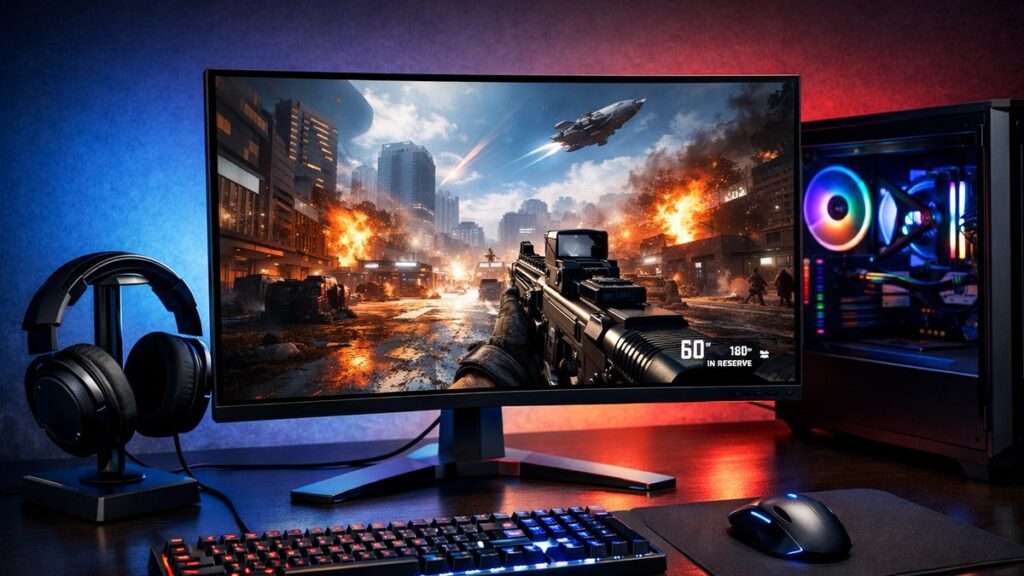
Short answer: of the six QHD monitors compared on this page, only the Gigabyte M27Q X and the Samsung Odyssey G7 actually run at 240 Hz, and the ASUS ROG Swift PG27AQN goes well past it at 360 Hz. The LG 27GP850-B (180 Hz overclocked), MSI MAG274QRF-QD (165 Hz) and ASUS TUF VG27AQZ (165 Hz) are high-refresh QHD monitors but they are not 240 Hz. They stay in the comparison because they are the panels most people shortlist while shopping for a fast 2K display — the table now states plainly which is which.
2K High-Refresh Monitors: Which Ones Really Reach 240 Hz
| Monitor | Panel | Resolution | Refresh Rate | True 240 Hz? | Response Time | G-Sync / FreeSync |
|---|---|---|---|---|---|---|
| LG 27GP850-B | Nano IPS | 2560×1440 | 165Hz (180Hz OC) | ❌ No — 180 Hz ceiling | 1ms GtG | FreeSync Premium |
| ASUS ROG Swift PG27AQN | IPS | 2560×1440 | 360Hz | ✅ Exceeds 240 Hz | 1ms GtG | G-Sync Ultimate |
| MSI MAG274QRF-QD | Quantum Dot IPS | 2560×1440 | 165Hz | ❌ No | 1ms GtG | FreeSync Premium |
| Gigabyte M27Q X | IPS | 2560×1440 | 240Hz | ✅ Yes — native | 0.5ms MPRT | FreeSync Premium |
| Samsung Odyssey G7 | VA (1000R) | 2560×1440 | 240Hz | ✅ Yes — native | 1ms MPRT | FreeSync Premium Pro |
| ASUS TUF Gaming VG27AQZ | IPS | 2560×1440 | 165Hz | ❌ No | 1ms MPRT | FreeSync Premium |
Correction notice. An earlier version of this page treated all six models as 240 Hz options and listed the ASUS TUF VG27AQZ at 240 Hz. That was wrong: the VG27AQZ is a 165 Hz panel, the LG 27GP850-B reaches 180 Hz only when overclocked, and the MSI MAG274QRF-QD is 165 Hz. The refresh rates and the price-tier table have been corrected and a “True 240 Hz?” column has been added.
Why 240Hz Makes a Difference at 2K Resolution
Running 2560×1440 at 240Hz delivers a competitive edge without sacrificing image detail — a key reason esports players and content-aware gamers are migrating away from 1080p high-refresh displays. To understand how 240Hz compares to 120Hz on 2K panels, follow the data on frame clarity and motion blur reduction.
Competitive Advantages
- ⚡ Lower perceived input lag vs. 144Hz panels
- 🎯 Smoother crosshair tracking in FPS titles
- 👁️ Reduced motion blur between frames
- 📉 Better frame pacing with adaptive sync
Tradeoffs to Consider
- 🖥️ Requires a powerful GPU (RTX 4070+ recommended)
- 💸 Higher price premium over 144Hz 2K monitors
- 🔋 More demanding on system resources
- 📐 Marginal gains for non-competitive gaming
Input Lag & Response Time Benchmarks
| Monitor | Input Lag (ms) | GtG Response | MPRT | Overdrive Modes |
|---|---|---|---|---|
| LG 27GP850-B | ~2.1ms | 1ms | N/A | 4 levels |
| Gigabyte M27Q X | ~1.9ms | 1ms | 0.5ms | 3 levels |
| Samsung Odyssey G7 | ~2.3ms | 1ms | 1ms | 5 levels |
| ASUS TUF VG27AQZ | ~2.4ms | 1ms | 1ms | 3 levels |
| ASUS ROG PG27AQN | ~1.7ms | 1ms | N/A | Variable OD |
Input lag under 2ms is the practical threshold for competitive play. Monitors with hardware-level low-latency modes (e.g., ELMB, ULMB) can push perceived lag even lower, but often disable adaptive sync simultaneously.
Panel Technology Comparison for 240Hz 2K Gaming
| Panel Type | Color Accuracy | Contrast Ratio | Response Speed | Best For |
|---|---|---|---|---|
| IPS | ⭐⭐⭐⭐⭐ | ~1000:1 | Fast (1ms GtG) | Balanced competitive + content |
| Nano IPS | ⭐⭐⭐⭐⭐ | ~1100:1 | Very fast (1ms GtG) | Color-critical esports |
| VA | ⭐⭐⭐⭐ | ~2500:1 | Moderate (1ms MPRT) | Dark game environments |
| OLED | ⭐⭐⭐⭐⭐ | Infinite | Fastest (<0.1ms) | Premium all-around |
GPU Requirements to Sustain 240 FPS at 1440p
Hitting consistent 240 FPS at 2K resolution demands significant GPU headroom. Below are realistic frame-rate expectations by GPU tier across popular competitive titles.
| GPU | Valorant (1440p) | CS2 (1440p) | Apex Legends (1440p) | 240Hz Capable? |
|---|---|---|---|---|
| RTX 4090 | 500+ FPS | 400+ FPS | 280+ FPS | ✅ Yes |
| RTX 4080 | 450+ FPS | 350+ FPS | 260+ FPS | ✅ Yes |
| RTX 4070 Ti | 380+ FPS | 300+ FPS | 240+ FPS | ✅ Yes |
| RTX 4070 | 320+ FPS | 260+ FPS | 200–240 FPS | ⚠️ Mostly |
| RX 7900 XTX | 420+ FPS | 330+ FPS | 260+ FPS | ✅ Yes |
| RTX 3080 | 280+ FPS | 220+ FPS | 180–220 FPS | ⚠️ Partial |

Dell 24 240Hz Gaming Monitor
This 24-inch 240Hz IPS monitor delivers smooth gaming and sharp image quality at under $100, making it the safest choice for budget-conscious gamers and general users who want responsive performance…

KTC 27 Inch 240Hz Gaming Monitor 2K, QHD Monitor 275Hz Fast IPS, H27E6S
At $220, this is not actually a premium monitor—it's a budget-friendly all-rounder that delivers solid performance across productivity and gaming without breaking the bank. The main trade-off is…

KTC 24 Inch 240Hz Gaming Monitor, 1080P Computer Monitor Fast IPS, H24F7
This 24-inch 1080p monitor undercuts 2K alternatives by $100+ while delivering sharp text and smooth 240Hz motion, making it the pick for programmers and casual gamers who prioritize refresh rate…
Key Features to Prioritize When Buying
Must-Have Features
- ✅ Native 240Hz (not just overclocked)
- ✅ Adaptive sync (G-Sync Compatible or FreeSync Premium)
- ✅ DisplayPort 1.4 for full bandwidth
- ✅ Low-latency mode (hardware-level)
- ✅ Adjustable overdrive (3+ levels)
Useful But Optional
- 🔵 USB-C / Thunderbolt connectivity
- 🔵 Built-in KVM switch
- 🔵 HDR certification (HDR400 minimum)
- 🔵 Factory color calibration report
- 🔵 Ergonomic stand (tilt, swivel, height)
Esports vs. Immersive Gaming: Which Profile Fits You?
| Use Case | Priority | Recommended Panel | Best Pick |
|---|---|---|---|
| Competitive FPS (CS2, Valorant) | Input lag + Hz above all | IPS / Nano IPS | Gigabyte M27Q X |
| Battle Royale (Apex, Fortnite) | Balance: motion + color | Nano IPS | LG 27GP850-B |
| MOBA / RTS | Color accuracy + clarity | IPS | ASUS TUF VG27AQZ |
| Dark/Horror Titles | Contrast + black levels | VA | Samsung Odyssey G7 |
| Mixed Work + Gaming | Color + ergonomics | IPS / OLED | ASUS ROG PG27AQN |
Overclocked vs. Native 240Hz: What You Need to Know
Native 240Hz
- ✅ Consistent frame timing
- ✅ Full adaptive sync range at peak Hz
- ✅ No frame skipping risk
- ✅ Better long-term panel stability
Overclocked to 240Hz
- ⚠️ May introduce frame skipping
- ⚠️ Adaptive sync range may be limited
- ⚠️ Panel-dependent performance variance
- ✅ Lower cost entry point
Connectivity & Setup Checklist
- Use DisplayPort 1.4 (not HDMI 2.0) to guarantee full 2K 240Hz bandwidth
- Enable the monitor’s low-latency or “fast” mode in the OSD menu
- Set overdrive to medium — high overdrive often causes inverse ghosting at 240Hz
- Activate adaptive sync in GPU driver settings (NVIDIA Control Panel or AMD Software)
- Verify the desktop refresh rate is set to 240Hz in OS display settings
- Disable unnecessary post-processing features (sharpness filters, dynamic contrast)
Price Tiers for 2K 240Hz Gaming Monitors
| Budget Range | What to Expect | Example Models |
|---|---|---|
| Under $300 | 165–180 Hz QHD, IPS or mini-LED VA, basic ergonomics — no genuine 240 Hz at this price | ASUS TUF VG27AQZ, AOC Q27G3XMN |
| $300–$500 | Either 165 Hz with premium colour (27GP850-B) or a genuine native 240 Hz panel (M27Q X) | LG 27GP850-B, Gigabyte M27Q X |
| $500–$800 | Premium IPS/VA, HDR, wide adaptive sync range — the Odyssey G7 is the second true 240 Hz option | Samsung Odyssey G7, MSI MAG274QRF-QD |
| $800+ | OLED or G-Sync Ultimate, elite-level performance | ASUS ROG PG27AQN, LG 27GX790B-B |
For a broader comparison across all performance tiers and panel types, see our full 2K gaming monitor buying guide to match the right display to your specific build and budget.
Frequently Asked Questions
Which of these monitors is natively 240Hz rather than overclocked?
The Gigabyte M27Q X and the Samsung Odyssey G7 run at 240 Hz natively. The LG 27GP850-B tops out at 165 Hz (180 Hz overclocked) and the MSI MAG274QRF-QD at 165 Hz, so neither reaches 240 Hz.
Is anything faster than 240Hz available at 1440p?
Yes — the ASUS ROG Swift PG27AQN at 360 Hz, which is also the only hardware G-Sync Ultimate model in this comparison.
Do all of them support FreeSync?
All the panels listed carry FreeSync Premium or FreeSync Premium Pro, with the exception of the PG27AQN, which uses G-Sync Ultimate instead.
Where 2K Refresh Rates Are Heading
240 Hz is no longer the ceiling at 2560×1440. The MSI MPG 271QR QD-OLED X50 reaches 500 Hz and the LG 27GX790B-B goes to 540 Hz natively, both on OLED panels. They need a very fast graphics card to be worth the money, but they mark the current upper limit for this resolution.