
AOC vs LG 2K Monitor: Which QHD Brand Delivers Better Value?
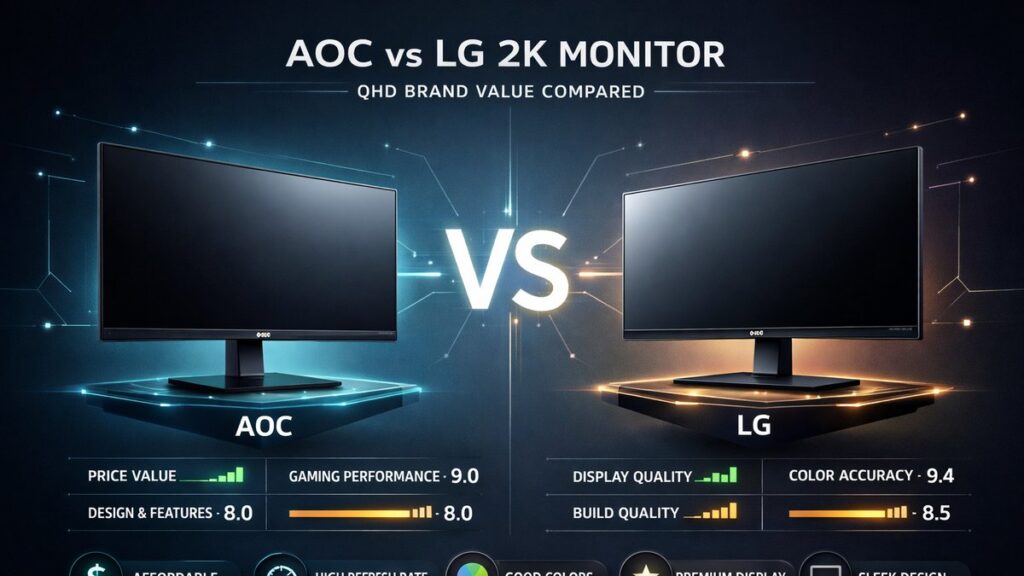
AOC and LG both produce strong QHD (2560×1440) monitor lineups, but they target different buyers. AOC consistently undercuts on price while LG leads in panel quality and OLED availability. For budget-conscious gamers, AOC wins. For color accuracy and display technology, LG’s IPS and OLED panels set the benchmark.
AOC vs LG QHD Monitor Comparison at a Glance
| Specification | AOC Q27G3XMN | AOC C27G2Z | LG 27GP850-B | LG 27GR95QE-B |
|---|---|---|---|---|
| Panel Type | Mini LED VA | VA Curved | Nano IPS | OLED |
| Resolution | 2560×1440 | 2560×1440 | 2560×1440 | 2560×1440 |
| Refresh Rate | 180 Hz | 240 Hz | 180 Hz | 240 Hz |
| Response Time (GtG) | 1 ms | 0.5 ms | 1 ms | 0.03 ms |
| Peak Brightness | 1000 nits | 250 nits | 400 nits | 1000 nits (peak) |
| HDR Certification | HDR1000 | None | HDR400 | DisplayHDR True Black 400 |
| Adaptive Sync | FreeSync Premium Pro | FreeSync Premium | FreeSync Premium Pro / G-Sync Compatible | FreeSync Premium / G-Sync Compatible |
| Typical Street Price | ~$300 | ~$230 | ~$350 | ~$700 |
Which Monitor Should You Buy Based on Your Use Case?
- If you are a competitive FPS gamer on a tight budget → AOC C27G2Z because 240 Hz refresh rate and 0.5 ms GtG response time match LG’s OLED speed at roughly one-third of the price.
- If you want the best motion clarity money can buy → LG 27GR95QE-B because OLED’s 0.03 ms pixel response eliminates ghosting completely, a physical property no LCD panel can replicate.
- If you need a HDR-capable gaming monitor under $350 → AOC Q27G3XMN because its Mini LED backlighting delivers certified HDR1000 with local dimming, outperforming LG 27GP850-B’s basic HDR400 at a similar price point.
- If color accuracy matters for content creation alongside gaming → LG 27GP850-B because Nano IPS panels cover 98% of the DCI-P3 color space and RTINGS consistently rates them above 90 in color gamut coverage.
- If you run a multi-monitor setup and prioritize uniformity → LG IPS panels because IPS glow is predictable and manageable, while AOC VA panels can show corner darkening that is inconsistent unit-to-unit.
- If you game primarily in dark rooms with high contrast needs → AOC Q27G3XMN or LG 27GR95QE-B; the AOC’s Mini LED achieves native contrast above 3000:1, while the LG OLED delivers infinite contrast ratio.
- If you are upgrading from a 1080p 60 Hz display and want maximum QHD value → AOC Q27G3XMN because it bundles HDR performance, 180 Hz, and Mini LED technology at a price where LG offers only standard IPS.
Panel Technology: Where AOC and LG Take Different Paths
AOC’s Reliance on VA and Mini LED Panels
AOC builds most of its QHD gaming lineup around VA (Vertical Alignment) panels and, increasingly, Mini LED backlighting. VA panels deliver native contrast ratios between 2500:1 and 4000:1, which IPS panels cannot match at equivalent price points.
- Native contrast advantage: VA panels on AOC Q27G3XMN measured above 3500:1 in third-party lab tests, compared to roughly 1000:1 on LG’s standard Nano IPS panels.
- Mini LED local dimming: The AOC Q27G3XMN uses a Mini LED backlight with multiple dimming zones, enabling certified HDR1000 performance without an OLED premium.
- Color volume trade-off: AOC VA panels typically cover 90–95% of DCI-P3, slightly below LG’s Nano IPS which reaches 97–98% DCI-P3 coverage.
- Response time limitation: VA pixels historically exhibit slower response on dark transitions. AOC’s overdrive tuning on the C27G2Z reduces GtG to 0.5 ms, but dark-to-dark transitions can still show some smearing at 240 Hz.
- Curved form factor: Many AOC VA models use a 1500R or 1800R curvature, which improves perceived immersion but introduces geometric distortion for productivity tasks.
LG’s IPS and OLED Panel Strategy
LG manufactures its own IPS and OLED panels through LG Display, giving the brand vertical integration that AOC lacks. This supply chain advantage translates into more consistent panel binning and tighter factory calibration tolerances.
- Nano IPS technology: LG’s Nano IPS uses nanometer-scale particles on the backlight to widen the color gamut, achieving 98% DCI-P3 coverage on the 27GP850-B.
- WOLED at QHD: The LG 27GR95QE-B uses White OLED (WOLED) technology, delivering infinite contrast ratio, true blacks at 0 nits, and 0.03 ms pixel response — the fastest panel type available.
- IPS glow and brightness uniformity: LG Nano IPS panels sustain 350–400 nits of full-screen brightness, better than most AOC VA panels at sustained loads, but IPS glow is visible in dark scenes at oblique angles.
- OLED burn-in risk: OLED panels are susceptible to image retention with static content. LG implements pixel-shifting and logo brightness reduction to mitigate this, but the risk is real for desktop productivity use.
- Factory calibration: LG ships select monitors with individual calibration reports. The 27GR95QE-B leaves the factory with Delta-E values typically below 2, meaning color error is imperceptible to the human eye without instrumentation.
Gaming Performance: Frame Rate, Latency, and Adaptive Sync
How AOC QHD Monitors Handle Competitive Gaming
- The AOC C27G2Z reaches 240 Hz at 2560×1440, sufficient for competitive titles like Valorant and Counter-Strike 2 where frame rates regularly exceed 200 fps on mid-range GPUs.
- AOC uses FreeSync Premium and FreeSync Premium Pro certification across its QHD range, with G-Sync compatibility confirmed on select models via NVIDIA’s tested list.
- Input lag on AOC QHD monitors measured by independent reviewers averages 1–2 ms at native refresh rates, placing them on par with LG IPS gaming monitors.
- AOC’s ELMB (Extreme Low Motion Blur) backlight strobing can be combined with FreeSync on the C27G2Z, a feature LG does not offer on its IPS lineup.
- The AOC Q27G3XMN’s 180 Hz ceiling is lower than the C27G2Z, but the Mini LED HDR performance compensates for buyers who prioritize image quality over maximum frame rate.
How LG QHD Monitors Perform Under Gaming Loads
- The LG 27GR95QE-B’s 0.03 ms OLED response time is the fastest available in the QHD segment, making pixel smearing and motion blur essentially invisible even during 240 Hz gameplay.
- LG’s 27GP850-B at 180 Hz sustains consistent pixel response across all gray-to-gray transitions, a known strength of IPS versus VA panels at high refresh rates.
- Both the 27GP850-B and 27GR95QE-B carry G-Sync Compatible certification from NVIDIA alongside AMD FreeSync Premium, giving them universal adaptive sync support.
- OLED self-emissive pixels eliminate backlight bleed and clouding artifacts that occasionally appear on both LG IPS and AOC VA gaming monitors during fast dark-scene gameplay.
- LG’s 1 ms MPRT (Moving Picture Response Time) spec on IPS models refers to backlight strobing mode, not native pixel switching speed. Native IPS GtG on the 27GP850-B is 1 ms at its fastest overdrive setting.
Color Accuracy and Content Creation Suitability
AOC QHD Color Performance
- AOC VA panels on QHD models cover approximately 90–95% DCI-P3, adequate for casual content consumption and light photo editing, but not professional pre-press work.
- Factory calibration on AOC monitors is not individually certified. Average Delta-E out-of-box on tested units ranges from 2.5 to 4.5, meaning some visual color error is possible without user calibration.
- AOC’s sRGB mode on gaming monitors clips the color gamut to sRGB boundaries, useful for accurate web content review, but the mode cannot be combined with HDR output simultaneously.
- The AOC Q27G3XMN’s Mini LED backlight improves HDR color volume significantly — sustaining high nit levels across wide gamut content — but SDR color accuracy remains tied to the VA panel’s inherent characteristics.
LG QHD Color Performance
- LG Nano IPS panels on the 27GP850-B cover 98% DCI-P3, making them suitable for video editing workflows targeting wide-gamut streaming platforms.
- The LG 27GR95QE-B OLED covers 99% DCI-P3 and 99% Adobe RGB according to LG Display specifications, placing it in the same tier as professional reference monitors at its price.
- Delta-E below 2 on the 27GR95QE-B out-of-box means colors rendered are indistinguishable from the target value to the human eye, validated by display reviewers at DisplayMate and RTINGS.
- LG ships some QHD IPS models with hardware calibration support via a 3D LUT (Look-Up Table), accessible through compatible colorimeter software, allowing professional-grade ICC profile creation.
- Brightness uniformity on LG IPS panels is generally rated above 85% by independent testers, with IPS glow being the primary deviation rather than backlight inconsistency across zones.
Build Quality, Ergonomics, and Design Compared
AOC Monitor Build and Stand Quality
- AOC QHD monitors in the $200–$350 range use primarily plastic housings with matte finishes. Build rigidity is functional but lacks the premium feel of LG’s UltraGear line at comparable prices.
- AOC stands on gaming-tier QHD models offer height adjustment (up to 130 mm), tilt (-5° to +21°), swivel, and pivot. VESA 100×100 mm compatibility is standard across the QHD lineup.
- Cable management channels are present on higher-end AOC models like the Q27G3XMN but absent or minimal on entry-level units such as the C27G2Z.
- AOC monitors in this segment include USB-A hub ports on select models, DisplayPort 1.4, and HDMI 2.0 or HDMI 2.1 inputs depending on the specific unit.
- Bezel thickness on AOC QHD gaming monitors is 1–2 mm on three sides on frameless models, suitable for multi-monitor arrangements.
LG UltraGear Build and Stand Quality
- LG UltraGear monitors use a distinctive three-legged stand design that reduces desk footprint but limits adjustability compared to AOC’s conventional post stands. The 27GP850-B offers height, tilt, and pivot but no swivel.
- LG’s OLED models use a more robust stand with a wider base plate, reflecting the higher price tier and the need to protect an expensive panel from accidental tipping.
- Rear aesthetics on LG UltraGear models feature a textured pattern and RGB lighting on select units, appealing to users who place monitors in visible setups.
- Port selection on the LG 27GP850-B includes DisplayPort 1.4, two HDMI 2.0 ports, and two USB-A 3.0 downstream ports. The 27GR95QE-B adds HDMI 2.1 for console 4K compatibility alongside the QHD PC use case.
- LG’s warranty service is handled through regional LG Electronics service centers. AOC’s warranty support varies by region and is managed through TPV Technology’s service network.
AOC vs LG QHD: Pros and Cons Side by Side
AOC QHD Monitors
Strengths
- HDR1000 Mini LED performance at sub-$350 pricing — no LG IPS model matches this HDR spec at this budget tier.
- 240 Hz QHD at under $250 on the C27G2Z, making high-refresh competitive gaming accessible without GPU compromise.
- ELMB backlight strobing available alongside FreeSync on select models, reducing motion blur perception below what adaptive sync alone achieves.
- VA panel native contrast above 3000:1 produces deep blacks in SDR content without OLED pricing.
- Broad lineup coverage from 144 Hz entry-level to 240 Hz Mini LED, allowing buyers to scale within the same brand ecosystem.
Weaknesses
- No factory-certified individual color calibration; Delta-E variance between units can reach 4.5, requiring user-side calibration for accurate work.
- VA pixel smearing on dark transitions remains measurable at 240 Hz, disadvantaging AOC in pure motion clarity versus LG OLED.
- Build materials feel noticeably cheaper than LG UltraGear at equivalent price points, particularly on plastic rear housing.
- No OLED option in the QHD segment — buyers who want self-emissive pixel technology must switch to LG or alternative brands.
LG QHD Monitors
Strengths
- OLED panel option in QHD gaming delivers 0.03 ms response, infinite contrast, and near-perfect color accuracy unobtainable from any LCD technology.
- Nano IPS panels cover 98% DCI-P3 and sustain consistent gray-to-gray response across all tonal transitions, validated by RTINGS panel uniformity testing.
- Vertical integration through LG Display subsidiary enables tighter panel binning and more consistent unit-to-unit quality than brands sourcing panels externally.
- Dual sync certification (FreeSync Premium Pro + G-Sync Compatible) on flagship models ensures compatibility across AMD and NVIDIA GPU ecosystems.
- Factory Delta-E below 2 on OLED models means professional-grade color accuracy is available without post-purchase calibration hardware.
Weaknesses
- OLED pricing at ~$700 for the 27GR95QE-B is more than double the cost of comparable AOC QHD monitors, limiting accessibility.
- LG UltraGear IPS models cap at HDR400, significantly behind AOC’s Mini LED HDR1000 at similar price points.
- Three-legged stand design on UltraGear IPS models lacks swivel adjustment, reducing ergonomic flexibility for multi-position workstation setups.
- OLED burn-in risk is a genuine long-term concern for static desktop productivity use, requiring proactive management of screen savers and brightness settings.
[amazon_rapid query=”AOC LG QHD 2K gaming monitor” brand=”” layout=”magazine” cols=”2″ country=”US” lang=”en_US” max_pages=”1″ per_page=”4″ sort_by=”RELEVANCE” show_variants=”0″]
Pricing Breakdown: Where Each Brand Wins by Budget Tier
| Budget Tier | AOC Best Option | LG Best Option | Winner | Reason |
|---|---|---|---|---|
| Under $250 | AOC C27G2Z (~$230) | No competitive LG IPS option | AOC | 240 Hz QHD VA with FreeSync Premium; LG offers no IPS QHD at this price. |
| $250–$400 | AOC Q27G3XMN (~$300) | LG 27GP850-B (~$350) | AOC by value | AOC delivers HDR1000 Mini LED; LG offers HDR400 Nano IPS with better color accuracy. |
| $400–$600 | No AOC QHD option | LG 27GP950P-B (Nano IPS, 160 Hz, ~$450) | LG | AOC lacks a QHD model in this tier; LG offers refined Nano IPS with elevated brightness. |
| Above $600 | No AOC QHD option | LG 27GR95QE-B (~$700) | LG | OLED at this price is unmatched by any AOC QHD product. Justified only for enthusiast buyers. |
Pre-Purchase Checklist Before Buying an AOC or LG QHD Monitor
- Confirm GPU compatibility: verify your graphics card can output 2560×1440 at your target refresh rate via DisplayPort 1.4; HDMI 2.0 caps QHD at 144 Hz on most monitors.
- Check HDR certification tier: HDR400 on LG IPS is a baseline spec — only AOC’s Mini LED HDR1000 or LG’s OLED DisplayHDR True Black 400 deliver meaningful HDR impact.
- Evaluate panel type versus primary use: VA for contrast and dark gaming, IPS for color accuracy and multi-angle viewing, OLED for the best of both at a premium price.
- Verify adaptive sync range: confirm the minimum FreeSync or G-Sync range covers your expected frame rate floor in demanding titles to prevent stuttering below the sync window.
- Inspect return and dead-pixel policy: both AOC (through regional TPV service) and LG vary their dead-pixel coverage thresholds by region — verify before purchase.
- Test for panel lottery risk: if buying VA panels (AOC or otherwise), check retailer return windows and read recent unit reviews on forums such as Reddit’s r/Monitors for batch-specific quality reports.
- Measure desk depth: LG’s three-legged UltraGear stand requires approximately 240 mm of depth; AOC’s post stands need roughly 200 mm. Add 50 mm minimum clearance behind the monitor.
- Check USB hub requirements: AOC and LG both include USB-A ports on select QHD models but omit them on budget units — confirm port count if you need peripheral pass-through.
For a broader perspective on how AOC stacks up against Samsung, Gigabyte, and other QHD competitors beyond LG, the AOC 2K monitor brand comparison hub covers the full competitive landscape with model-by-model analysis.
Common Questions
Does AOC use LG panels in its QHD monitors?
AOC sources panels from AU Optronics, BOE, and other suppliers — not LG Display. LG UltraGear monitors exclusively use LG Display-manufactured IPS and OLED panels. This distinction explains LG’s tighter factory calibration consistency and AOC’s lower retail pricing across equivalent QHD specifications.
Is LG’s HDR400 certification meaningfully better than a non-HDR AOC monitor?
HDR400 — as defined by VESA’s DisplayHDR specification — requires a minimum 400 nits peak brightness and 95% sRGB coverage. On LG IPS panels, the visual HDR improvement over a calibrated SDR display is modest. AOC’s HDR1000 Mini LED panels, by contrast, produce a perceptibly different HDR image with local dimming zones and sustained 1000 nit peaks.
Can AOC QHD monitors be used for professional photo editing?
AOC VA panels at 90–95% DCI-P3 and average Delta-E between 2.5 and 4.5 are adequate for enthusiast-level photo editing after user hardware calibration with a colorimeter. For professional pre-press or color-critical commercial work, LG Nano IPS at 98% DCI-P3 with Delta-E below 2 is the stronger choice without requiring additional calibration hardware.