
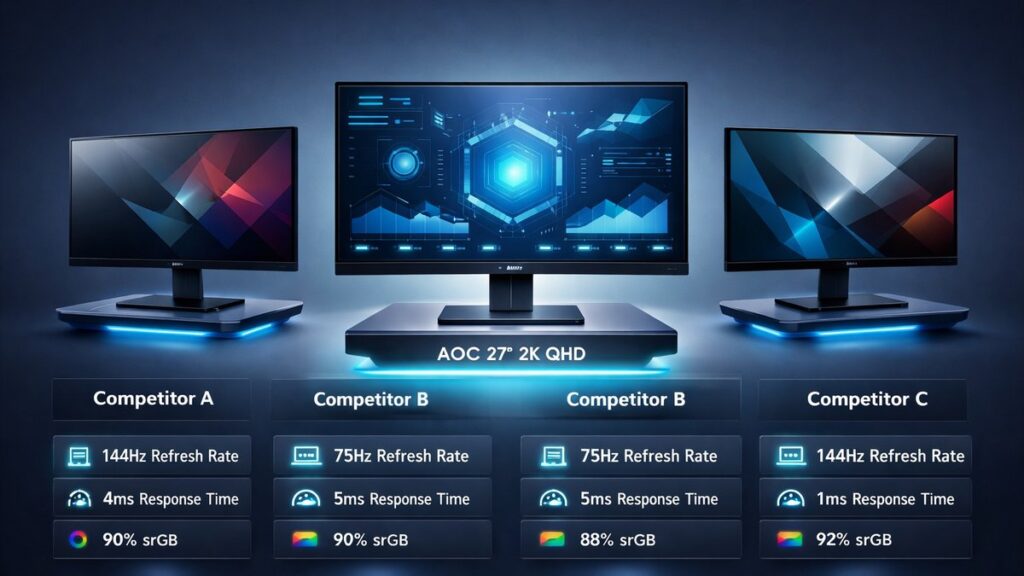
AOC 2K Monitor vs Competitors: The Short Answer
AOC QHD monitors consistently undercut rival brands by 10–25% on price while delivering competitive IPS and VA panel performance at 2560×1440 resolution. For budget-to-mid-range buyers, AOC outpaces BenQ and MSI on value; LG and Samsung edge ahead on premium panel quality and warranty depth.
Brand Comparison at a Glance: AOC vs LG vs Samsung vs BenQ vs MSI
| Brand / Model | Resolution | Panel Type | Max Refresh Rate | Response Time (GtG) | Peak Brightness | Adaptive Sync | Street Price (USD) | Warranty |
|---|---|---|---|---|---|---|---|---|
| AOC Q27G3XMN | 2560×1440 | VA | 180 Hz | 1 ms | 350 nits | FreeSync Premium | ~$200 | 3 years |
| AOC Q27G2S/D | 2560×1440 | IPS | 165 Hz | 1 ms | 350 nits | FreeSync Premium | ~$230 | 3 years |
| LG 27GP850-B | 2560×1440 | Nano IPS | 180 Hz | 1 ms | 400 nits | FreeSync / G-Sync Compatible | ~$300 | 3 years |
| Samsung Odyssey G5 (C27G55T) | 2560×1440 | VA (curved) | 144 Hz | 1 ms | 300 nits | FreeSync Premium | ~$230 | 1 year |
| BenQ MOBIUZ EX2710Q | 2560×1440 | IPS | 165 Hz | 1 ms | 400 nits | FreeSync Premium | ~$300 | 3 years |
| MSI Optix MAG274QRF-QD | 2560×1440 | IPS (Quantum Dot) | 165 Hz | 1 ms | 350 nits | FreeSync Premium | ~$280 | 3 years |
For a complete breakdown of every AOC QHD model across all sizes and configurations, see the AOC 2K monitor full guide and lineup.
Which Brand Wins for Your Use Case?
- Budget competitive gaming (under $220): AOC Q27G3XMN — 180 Hz VA at 2560×1440 with FreeSync Premium for roughly $200 beats every competitor at that price tier.
- Color-accurate creative work: BenQ MOBIUZ EX2710Q — factory-calibrated IPS with HDRi technology and a hardware color engine targets content creators willing to pay the $300 premium.
- Dual-GPU household (AMD + NVIDIA rigs): LG 27GP850-B — simultaneous FreeSync Premium and NVIDIA G-Sync Compatible certification on a single Nano IPS panel eliminates the need for two monitors.
- Curved immersive setup on a tight budget: Samsung Odyssey G5 C27G55T — 1000R curvature VA panel at ~$230, though the 1-year warranty is a meaningful drawback versus AOC’s 3-year coverage.
- Vivid color saturation for mixed gaming/media: MSI Optix MAG274QRF-QD — Quantum Dot IPS layer delivers ~95% DCI-P3 coverage, outpacing AOC’s standard IPS models in color volume.
- Best overall value across price and specs: AOC Q27G2S/D — 165 Hz IPS at ~$230 with a 3-year warranty and 1 ms GtG response makes it the strongest all-rounder when budget is the primary constraint.
Key Specs Explained: What Actually Separates These QHD Brands
Panel Technology: IPS vs VA vs Nano IPS vs Quantum Dot IPS
Panel type is the single biggest driver of perceived image quality differences between these brands at 2560×1440.
- Standard IPS (AOC Q27G2S/D, BenQ EX2710Q): wide 178°/178° viewing angles, accurate sRGB color, mild IPS glow in dark scenes.
- VA (AOC Q27G3XMN, Samsung G5): deeper blacks and higher static contrast ratios (3000:1–4000:1 vs ~1000:1 for IPS), but slower pixel transitions at lower temperatures can cause motion smear in fast-paced titles.
- Nano IPS (LG 27GP850-B): Nano particle filter broadens the color gamut to ~98% DCI-P3 while retaining IPS response speed; commands a price premium of $60–80 over standard IPS equivalents.
- Quantum Dot IPS (MSI MAG274QRF-QD): semiconductor nanocrystal film over an IPS substrate achieves ~95% DCI-P3 and elevated peak luminance without the full cost of OLED; sits between standard IPS and Nano IPS in real-world color volume.
Refresh Rate: Does 180 Hz vs 165 Hz Matter in Practice?
- At 2560×1440, pushing 180 Hz requires GPU headroom — an NVIDIA GeForce RTX 4070 or AMD Radeon RX 7800 XT is the practical entry point for consistent frame delivery at that rate.
- The perceptual difference between 165 Hz and 180 Hz is measurable (roughly 0.94 ms less inter-frame gap) but considered minor by RTINGS testing methodology; both exceed the 144 Hz threshold where motion clarity benefits plateau for most users.
- AOC and LG both reach 180 Hz at the QHD tier; Samsung’s Odyssey G5 caps at 144 Hz, which is a meaningful spec gap for esports players.
Response Time Claims: Advertised 1 ms vs Real-World GtG
- Every brand in this comparison advertises 1 ms GtG (gray-to-gray) response time, but measurement methodology varies. RTINGS independently measures average GtG across multiple gray transitions; real-world figures for IPS panels typically land between 3–6 ms average GtG, not 1 ms at every transition.
- VA panels, including the AOC Q27G3XMN and Samsung G5, often show slower dark-to-dark transitions (10–15 ms) that can produce coronas or smearing behind fast-moving objects — a limitation IPS panels avoid.
- Overdrive (pixel boost) settings on AOC, BenQ, and MSI panels can reduce average GtG to sub-3 ms, but aggressive overdrive introduces inverse ghosting artifacts visible as light halos.
Adaptive Sync Ecosystem: FreeSync vs G-Sync Compatible
- FreeSync Premium (AMD standard): requires a minimum 120 Hz at native resolution and Low Framerate Compensation (LFC) support. AOC, Samsung, BenQ, and MSI all meet this certification on the listed models.
- G-Sync Compatible (NVIDIA validation): NVIDIA tests and approves select FreeSync displays for use with GeForce GPUs. The LG 27GP850-B carries both certifications — the only model in this comparison to do so — giving it a meaningful compatibility advantage in mixed-GPU households.
- AOC’s QHD lineup is certified FreeSync Premium but not officially G-Sync Compatible on most models, though NVIDIA GeForce drivers often enable adaptive sync on uncertified FreeSync displays with variable results.
Warranty Coverage: AOC’s 3-Year Advantage vs Samsung’s 1-Year Policy
- AOC offers a 3-year manufacturer warranty with zero bright pixel guarantee on qualifying models — a stronger commitment than Samsung’s standard 1-year limited warranty on the Odyssey G5 series.
- LG, BenQ, and MSI all provide 3-year coverage, putting them on parity with AOC and well above Samsung in post-purchase protection.
- Warranty parity between AOC, LG, BenQ, and MSI means price and panel performance — not support terms — should drive the final purchase decision among those four brands.
Port Selection and Ergonomics Across Brands
- AOC Q27G2S/D: 2× HDMI 2.0, 1× DisplayPort 1.4, 4× USB-A 3.2 hub, height/tilt/swivel/pivot adjustment.
- LG 27GP850-B: 2× HDMI 2.0, 1× DisplayPort 1.4, 2× USB-A 3.0, height/tilt/pivot adjustment.
- BenQ EX2710Q: 2× HDMI 2.0, 1× DisplayPort 1.4, 2× USB-A 3.1, integrated 2.1 speakers with treVolo audio; height/tilt/swivel/pivot.
- Samsung G5 C27G55T: 2× HDMI 2.0, 1× DisplayPort 1.2; tilt-only stand — no height adjustment without an aftermarket arm.
- MSI MAG274QRF-QD: 2× HDMI 2.0b, 1× DisplayPort 1.4, 1× USB-C (DP Alt Mode, 65W PD), height/tilt/swivel/pivot — the only model here with USB-C power delivery.
Readers comparing AOC specifically against LG at this specification level will find deeper panel and color analysis in the AOC vs LG QHD monitor comparison.
AOC vs Each Competitor: Pros and Cons
AOC QHD
- Lowest street prices in the QHD segment — Q27G3XMN at ~$200 offers 180 Hz VA with no direct competitor at that price point
- 3-year warranty with zero bright pixel guarantee on qualifying SKUs outperforms Samsung’s 1-year policy
- Wide model range from 24-inch to 27-inch across IPS and VA panels suits diverse desk setups
- FreeSync Premium certified across the gaming lineup; HDMI 2.0 and DisplayPort 1.4 standard on most models
- Ergonomic stands with height/tilt/swivel/pivot included at no extra cost even on budget models
Cons:
- No NVIDIA G-Sync Compatible certification on most models — NVIDIA GPU users may see inconsistent variable refresh rate behavior
- Standard IPS and VA panels lack the color volume of Nano IPS (LG) or Quantum Dot IPS (MSI) at equivalent refresh rates
- Speaker quality on built-in audio is minimal; BenQ EX2710Q’s treVolo 2.1 system is significantly superior
- USB-C with power delivery absent from current QHD gaming lineup — MSI MAG274QRF-QD covers this use case
LG, Samsung, BenQ, MSI QHD
- LG 27GP850-B: dual FreeSync + G-Sync Compatible certification and Nano IPS color coverage (~98% DCI-P3) justify a $60–80 premium over AOC equivalents for NVIDIA users
- BenQ EX2710Q: factory calibration with HDRi ambient light sensor and treVolo 2.1 speakers serve content creators and home-office users with a single monitor setup
- MSI MAG274QRF-QD: Quantum Dot IPS (~95% DCI-P3) plus USB-C 65W power delivery makes it the strongest choice for laptop-docking workflows
- Samsung G5: 1000R curve and deep VA contrast ratio deliver an immersive experience for single-player RPGs and simulation titles
Cons:
- LG, BenQ, and MSI all carry $60–100 premiums over AOC equivalents — difficult to justify for pure gaming use cases where color science differences are invisible
- Samsung G5’s 1-year warranty is the weakest in the group and its tilt-only stand requires aftermarket investment for ergonomic setups
- BenQ EX2710Q refresh rate tops at 165 Hz — no path to 180 Hz unlike AOC Q27G3XMN or LG 27GP850-B
- MSI’s RGB lighting ecosystem (Mystic Light) adds software overhead with no performance benefit for buyers who prefer minimal setups
The AOC vs Samsung 2K monitor face-off examines panel contrast ratios, motion performance, and warranty value in direct head-to-head testing detail.
Where to Buy: Top QHD Monitors Across All Five Brands
[amazon_rapid query=”QHD 2K gaming monitor 1440p” brand=”” layout=”magazine” cols=”2″ country=”US” lang=”en_US” max_pages=”1″ per_page=”4″ sort_by=”RELEVANCE” show_variants=”0″]
Pre-Purchase Checklist: Verifying the Right QHD Monitor Before You Buy
- Confirm GPU compatibility: verify your graphics card supports 2560×1440 at the target refresh rate (165 Hz or 180 Hz) via DisplayPort 1.4 — HDMI 2.0 caps at 144 Hz at QHD on most implementations.
- Check adaptive sync match: AMD Radeon GPU owners can rely on any FreeSync Premium model; NVIDIA GeForce GPU owners should prioritize the LG 27GP850-B (G-Sync Compatible) or verify NVIDIA’s compatibility list before purchasing uncertified AOC, BenQ, or MSI panels.
- Validate panel type for your primary use: VA for high-contrast media and single-player gaming; IPS or Nano IPS for competitive multiplayer, color work, and productivity tasks where viewing angles matter.
- Audit port requirements: confirm the monitor has the correct mix of HDMI 2.0 and DisplayPort 1.4 for your devices; if USB-C laptop docking is needed, only the MSI MAG274QRF-QD in this group includes 65W USB-C power delivery.
- Check stand ergonomics or VESA compatibility: Samsung G5 requires a 75×75 mm VESA arm for height adjustment; all AOC, LG, BenQ, and MSI models listed include height adjustment natively.
- Review warranty terms directly on manufacturer websites: confirm whether zero bright pixel or dead pixel guarantees apply and the exact return/repair process for your region before purchase.
- Set a realistic budget ceiling: under $230, AOC dominates on specs-per-dollar; between $250–$320, LG, BenQ, and MSI justify the premium only if color accuracy, G-Sync, or USB-C features are required.
Buyers questioning long-term reliability should read the full analysis on is AOC a reliable monitor brand? before committing to any AOC model.
Those with a hard spending limit will also benefit from comparing the best 2K monitors under $300 including AOC across all five brands covered here.
Common Questions
Does AOC use the same panel suppliers as LG and Samsung?
AOC sources IPS panels primarily from AU Optronics (AUO) and Innolux, while LG manufactures its own Nano IPS substrates in-house. Samsung’s VA panels are proprietary SVA technology. Panel sourcing affects color consistency and quality control tolerances — LG’s in-house manufacturing gives it tighter factory calibration benchmarks than AUO-sourced equivalents.
Can AOC QHD monitors run at 165 Hz or 180 Hz with an HDMI 2.0 cable?
HDMI 2.0 has a maximum bandwidth of 18 Gbps, which limits 2560×1440 output to approximately 144 Hz. Reaching 165 Hz or 180 Hz at QHD resolution requires DisplayPort 1.4, which provides 32.4 Gbps bandwidth. AOC includes DisplayPort 1.4 on all gaming-tier QHD models for this reason; HDMI on these displays is intended for consoles and secondary devices.
Is BenQ’s factory calibration meaningfully better than AOC’s out-of-box accuracy?
BenQ ships the MOBIUZ EX2710Q with a factory calibration report targeting Delta-E below 2 — the threshold at which color errors become imperceptible to most users. AOC’s gaming QHD panels typically achieve Delta-E averages of 2–4 out of box without individual calibration reports. For graphic design or photo editing, BenQ’s pre-calibrated accuracy provides a measurable workflow advantage; for gaming, the difference is negligible.