
AOC Agon 2K 240Hz vs 144Hz: Which QHD Refresh Rate Delivers Better Value?
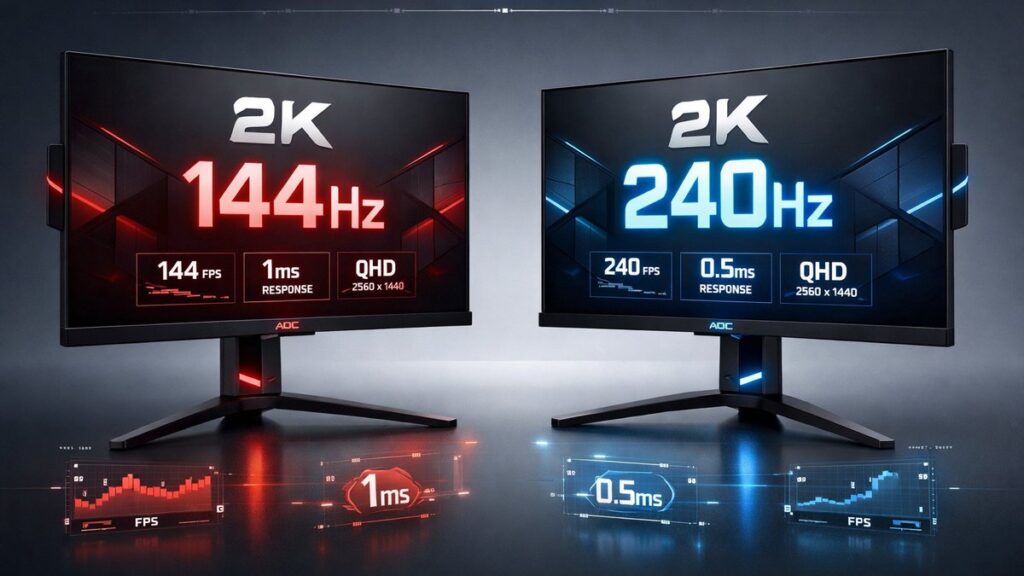
The AOC Agon lineup offers QHD (2560×1440) gaming monitors at both 144Hz and 240Hz. For competitive players, 240Hz cuts motion blur and input lag measurably. For casual and mixed-use gamers, the AOC Agon 2K 144Hz hits a lower price point with minimal real-world disadvantage at typical skill levels.
AOC Agon 2K 144Hz vs 240Hz: Side-by-Side Spec Comparison
| Spec | AOC Agon 2K 144Hz (AG274QZM / AG27Q) | AOC Agon 2K 240Hz (AG274QXM / AG27QXM) |
|---|---|---|
| Resolution | 2560×1440 (QHD) | 2560×1440 (QHD) |
| Refresh Rate | 144Hz | 240Hz |
| Panel Type | IPS / VA (model-dependent) | IPS (Fast IPS) |
| Response Time (GtG) | 1ms (MPRT) / 4ms (GtG) | 1ms (GtG) |
| Peak Brightness | 350–400 nits | 400–600 nits |
| HDR Certification | VESA DisplayHDR 400 | VESA DisplayHDR 600 |
| Adaptive Sync | AMD FreeSync Premium / G-Sync Compatible | AMD FreeSync Premium Pro / G-Sync Compatible |
| Typical Street Price | $250–$320 | $380–$480 |
Which AOC Agon QHD Monitor Fits Your Setup?
- Competitive FPS or battle royale player pushing 200+ fps → AOC Agon 240Hz, because frame delivery at 240Hz eliminates the micro-stutters visible when frame rate exceeds 144Hz.
- RPG, strategy, or mixed-use gamer averaging 80–120 fps → AOC Agon 144Hz, because GPU frame output rarely saturates 240Hz and the $130–$160 price difference funds a better GPU or peripheral.
- Console + PC dual-use setup → AOC Agon 144Hz, because PS5 and Xbox Series X output a maximum of 120Hz at 4K and benefit zero from a 240Hz panel at 1440p.
- Esports player with a mid-range GPU (RTX 3060 / RX 6600 class) → AOC Agon 144Hz, because these GPUs sustain 144 fps in competitive titles at 1440p reliably but rarely reach 240 fps consistently.
- Professional streamer or content creator requiring HDR accuracy → AOC Agon 240Hz, because VESA DisplayHDR 600 certification and higher peak brightness (up to 600 nits) deliver more accurate HDR grading conditions.
- Budget-conscious buyer seeking the best QHD value per dollar → Consider the AOC 2K 165Hz as a mid-point between 144Hz and 240Hz, offering a meaningful refresh rate increase over 144Hz at a smaller price premium than 240Hz models.
Key Specs Explained: What Actually Differs Between 144Hz and 240Hz QHD
Refresh Rate and Frame Delivery
Refresh rate (measured in Hz) defines how many unique frames a monitor draws per second. At 144Hz, each frame occupies 6.94ms on screen. At 240Hz, that window shrinks to 4.17ms — a 40% reduction in frame persistence that directly lowers perceived motion blur in fast-panning scenes.
Response Time: GtG vs MPRT
Gray-to-gray (GtG) response time measures pixel transition speed; Moving Picture Response Time (MPRT) measures perceived blur using backlight strobing. AOC Agon 240Hz panels achieve 1ms GtG natively. Most 144Hz IPS variants advertise 1ms MPRT, which requires strobe mode and disables adaptive sync — a meaningful functional difference for variable-framerate gaming.
Input Lag at Different Refresh Rates
Input lag — the delay between a mouse movement and the corresponding pixel change — scales with refresh rate. At 144Hz, minimum display lag sits near 6.9ms. At 240Hz, that floor drops to approximately 4.2ms. Independent testing by RTINGS consistently measures this gap, confirming a 2–3ms advantage for 240Hz panels in competitive scenarios where every millisecond of reaction time matters.
Panel Technology: Fast IPS vs Standard IPS / VA
AOC Agon 240Hz QHD models use Fast IPS panels engineered for sub-1ms GtG transitions. AOC Agon 144Hz models span both standard IPS (accurate color, moderate response) and VA (high contrast ratio up to 3000:1, slower pixel transitions near 4ms GtG). VA panel ghosting becomes visible in dark scenes during fast motion — a practical downside not reflected in peak-spec marketing.
HDR Performance and Peak Brightness
VESA DisplayHDR 400 (on 144Hz models) guarantees 400 nits peak brightness with no local dimming requirement — functional but visually modest. VESA DisplayHDR 600 (on select 240Hz models) mandates 600 nits peak brightness and edge-local or full-array dimming, producing noticeably brighter specular highlights and deeper shadow detail in HDR-mastered titles.
Adaptive Sync Standards
Both tiers carry AMD FreeSync Premium certification and NVIDIA G-Sync Compatible validation, meaning variable refresh rate (VRR) operates across AMD Radeon and NVIDIA GeForce GPUs. The 240Hz tier adds FreeSync Premium Pro, which layers HDR tone mapping into the VRR pipeline — relevant only when both game and GPU support simultaneous VRR + HDR output.
AOC Agon 2K 144Hz vs 240Hz: Pros and Cons
AOC Agon 2K 144Hz
- ✅ $130–$160 lower street price vs comparable 240Hz models, freeing budget for GPU or RAM upgrades
- ✅ VA panel options deliver 3000:1 contrast ratio — ideal for dark-room gaming and cinematic content
- ✅ Sufficient refresh rate for console gaming (PS5, Xbox Series X cap at 120Hz)
- ✅ Lower GPU demand: mid-range cards (RTX 3060, RX 6650 XT) consistently reach 144 fps at 1440p in competitive titles
- ❌ MPRT-based 1ms spec requires strobe mode, which disables FreeSync/G-Sync simultaneously
- ❌ DisplayHDR 400 certification delivers limited HDR visual impact compared to 600-nit panels
AOC Agon 2K 240Hz
- ✅ Native 1ms GtG Fast IPS panel — no strobe mode required, compatible with VRR simultaneously
- ✅ 4.17ms frame persistence vs 6.94ms at 144Hz — measurable motion clarity improvement in FPS titles
- ✅ VESA DisplayHDR 600 on top-tier models produces genuinely impactful HDR highlights
- ✅ FreeSync Premium Pro enables HDR tone mapping within the VRR window
- ❌ Requires a high-end GPU (RTX 4070 / RX 7800 XT or faster) to sustain 240 fps at 1440p in demanding titles
- ❌ $380–$480 price point places it near entry-level 4K monitor territory
[amazon_rapid query=”AOC Agon 2K 144Hz QHD gaming monitor” brand=”AOC” layout=”magazine” cols=”2″ country=”US” lang=”en_US” max_pages=”1″ per_page=”4″ sort_by=”RELEVANCE” show_variants=”0″]
Pre-Purchase Checklist: AOC Agon QHD 144Hz or 240Hz
- Verify your GPU’s average fps in your primary titles at 2560×1440 using benchmarks from Digital Foundry or GPU benchmark databases — if average fps stays below 180, the 240Hz advantage is marginal.
- Confirm the panel technology (IPS vs VA) on the specific model SKU, not just the product family — AOC Agon 144Hz spans both panel types with different motion-handling characteristics.
- Check whether the listed 1ms response time is GtG or MPRT — only GtG below 2ms is compatible with simultaneous adaptive sync operation.
- Identify the HDR tier (DisplayHDR 400 vs DisplayHDR 600) on the product listing — DisplayHDR 400 offers minimal visible HDR improvement over SDR in most gaming scenarios.
- Confirm connectivity: both tiers should include DisplayPort 1.4 (required for 2560×1440 at 240Hz without compression) and at least two HDMI 2.0 ports for multi-device setups.
- Review the adaptive sync range (e.g., 48–144Hz vs 48–240Hz) — a narrow VRR range limits effectiveness when frame rates dip during GPU-intensive scenes.
- Check NVIDIA G-Sync Compatible certification status independently on NVIDIA’s official hardware database if using a GeForce GPU, as FreeSync and G-Sync Compatible validation is separate.
- For the complete range of higher-refresh AOC QHD options, review all AOC 2K 240Hz monitor options to compare top-tier Agon models before finalizing your budget.
Common Questions
Can the human eye perceive the difference between 144Hz and 240Hz at 1440p?
Yes, under controlled fast-motion conditions — particularly in FPS titles with frequent 180-degree turns. The improvement is less noticeable in slower genres. Research published by display testing organizations including DisplayMate confirms perceived motion clarity continues improving beyond 144Hz up to approximately 300Hz under high-contrast motion conditions.
Does 240Hz at 1440p require DisplayPort 1.4 specifically?
DisplayPort 1.4 supports 2560×1440 at 240Hz without display stream compression (DSC). HDMI 2.1 also supports this bandwidth. HDMI 2.0, however, is limited to approximately 144Hz at 1440p — connecting a 240Hz AOC Agon panel via HDMI 2.0 will cap output at 144Hz regardless of monitor capability.
Is an AOC Agon 144Hz worth buying if a 165Hz model costs only slightly more?
At equivalent price points, a 165Hz AOC Agon QHD panel offers a 14.5% higher refresh ceiling over 144Hz with no GPU overhead penalty. If the price delta is under $30, the 165Hz variant is the stronger value. Larger gaps favor the 144Hz model for budget-constrained buyers.