
AOC 2K 165Hz Monitors: The Best QHD High-Refresh Options for Competitive and Immersive Gaming
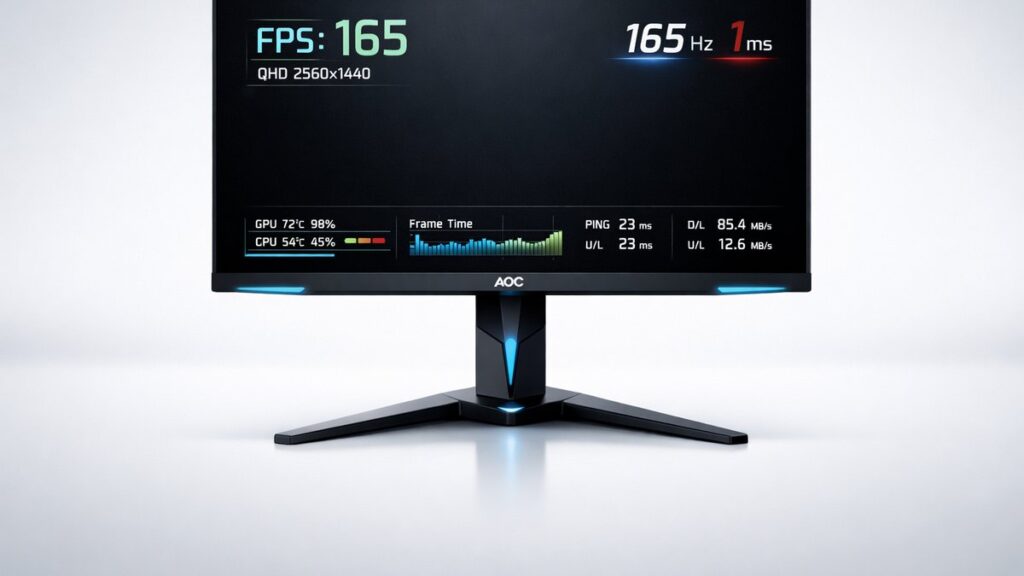
AOC’s QHD 165Hz monitors deliver 2560×1440 resolution at refresh rates that eliminate motion blur for fast-paced titles. Top models like the Q27G2S/EU and Q27G3XME use IPS and Fast IPS panels, offer 1ms MPRT response times, and ship with AMD FreeSync Premium certification — making them strong alternatives to pricier 165Hz displays.
AOC 2K 165Hz Monitor Comparison: Top Models Side by Side
| Model | Panel Type | Resolution | Refresh Rate | Response Time | HDR | Connectivity | Sync |
|---|---|---|---|---|---|---|---|
| AOC Q27G2S/EU | IPS | 2560×1440 | 165Hz | 1ms MPRT | HDR10 | 2× HDMI 2.0, 1× DisplayPort 1.2 | FreeSync Premium |
| AOC Q27G3XME | Fast IPS | 2560×1440 | 165Hz (native) | 1ms GtG | HDR10 | 2× HDMI 2.0, 1× DisplayPort 1.4 | FreeSync Premium |
| AOC Q24G2A/BK | IPS | 2560×1440 | 165Hz | 1ms MPRT | HDR10 | 2× HDMI 2.0, 1× DisplayPort 1.2 | FreeSync Premium |
| AOC Q27G2E/BK | VA | 2560×1440 | 144Hz (OC to 165Hz) | 1ms MPRT | HDR10 | 2× HDMI 2.0, 1× DisplayPort 1.4 | FreeSync Premium |
| AOC Q32G3WG3 | Fast IPS | 2560×1440 | 165Hz | 1ms GtG | DisplayHDR 400 | 2× HDMI 2.1, 1× DisplayPort 1.4 | FreeSync Premium Pro |
Which AOC 165Hz 2K Monitor Suits Your Gaming Profile?
- If you play fast-paced competitive shooters (CS2, Valorant) → AOC Q27G3XME because its Fast IPS panel delivers native 1ms GtG at 165Hz with accurate colors, minimizing ghosting without sacrificing image quality.
- If you want the largest 2K 165Hz canvas on a budget → AOC Q32G3WG3 because the 32-inch Fast IPS panel with HDMI 2.1 supports 2560×1440 at 165Hz from both PC and console sources.
- If you are upgrading from a 1080p 144Hz display → AOC Q27G2S/EU because the 27-inch IPS panel at 165Hz is a direct resolution step-up with FreeSync Premium adaptive sync maintaining tear-free gameplay down to 48Hz.
- If you game on a mid-range GPU (RX 6600, RTX 3060) and need a reliable OC option → AOC Q27G2E/BK because its VA panel base of 144Hz overclocks to 165Hz, offering deeper blacks (3000:1 contrast ratio) than IPS alternatives.
- If color-accurate creative work shares desk space with gaming → AOC Q27G3XME because sRGB coverage exceeds 95% with factory calibration data available, making dual-use workflows practical.
Key Specs Explained: What Actually Matters at 165Hz QHD
Native 165Hz vs. Overclocked from 144Hz: Is There a Real Difference?
Native 165Hz panels are validated at that refresh rate from the factory. Overclocked 144Hz monitors — such as the AOC Q27G2E/BK — push beyond their rated spec, which can introduce frame-timing inconsistencies measured in microseconds. For most users the difference is imperceptible, but competitive players using 240Hz-calibrated reaction-time benchmarks will notice the tighter frame cadence of a native 165Hz panel.
IPS vs. Fast IPS vs. VA at 165Hz: Panel Technology Trade-offs
- Standard IPS (Q27G2S/EU, Q24G2A/BK): Wide viewing angles up to 178°, sRGB coverage typically 99%, contrast ratio around 1000:1. Response time quoted as 1ms MPRT (Moving Picture Response Time), a marketing metric; actual GtG (Gray-to-Gray) typically 4–5ms at maximum overdrive.
- Fast IPS (Q27G3XME, Q32G3WG3): Sub-panel modifications reduce liquid crystal switching speed so GtG reaches 1ms. Color accuracy and viewing angles match standard IPS. This is the preferred technology for 165Hz competitive monitors in the QHD segment.
- VA (Q27G2E/BK): Contrast ratios of 3000:1 or higher deliver superior dark-scene rendering. GtG times are slower (4–8ms), producing smearing artifacts in fast lateral motion. The 165Hz overclock partially compensates by shortening frame intervals.
What Does AMD FreeSync Premium Require — and Why Does It Matter?
AMD FreeSync Premium mandates a minimum 120Hz variable refresh rate floor, Low Framerate Compensation (LFC), and zero tearing at 1080p or higher. All AOC 165Hz QHD monitors in this segment carry at least FreeSync Premium certification, ensuring adaptive sync remains active even when frame rates drop below 48Hz during GPU-intensive scenes.
DisplayPort 1.4 vs. HDMI 2.0 vs. HDMI 2.1: Bandwidth and 165Hz Compatibility
- DisplayPort 1.4: 32.4 Gbps bandwidth supports 2560×1440 at 165Hz with DSC (Display Stream Compression). Required for full-refresh-rate PC gaming at QHD. Present on Q27G3XME and Q32G3WG3.
- HDMI 2.0: 18 Gbps bandwidth limits QHD to approximately 144Hz maximum without compression. Connecting a PlayStation 5 or Xbox Series X via HDMI 2.0 caps output at 1440p/120Hz.
- HDMI 2.1: 48 Gbps bandwidth on the Q32G3WG3 enables 2560×1440 at 165Hz from next-generation consoles and AMD or NVIDIA GPU HDMI 2.1 outputs without compression artifacts.
HDR on 165Hz Monitors: DisplayHDR 400 vs. HDR10
VESA’s DisplayHDR 400 certification requires a minimum 400 nits peak luminance, 220 nits sustained brightness, and 8-bit color depth. Most AOC 165Hz QHD panels ship with HDR10 support but no DisplayHDR badge, meaning peak brightness typically falls between 250–350 nits — adequate for SDR gaming but insufficient for specular HDR highlights. The Q32G3WG3’s DisplayHDR 400 badge represents the practical ceiling in this price tier.
Response Time Metrics: MPRT vs. GtG — Which Number Should You Trust?
MPRT (Moving Picture Response Time) measures perceived motion blur using backlight strobing, while GtG (Gray-to-Gray) measures the actual pixel transition between two gray states. A monitor can claim 1ms MPRT while posting 4ms GtG. Fast IPS panels on the Q27G3XME achieve both simultaneously — 1ms GtG without requiring strobing — making that the more meaningful specification for competitive gaming.
[amazon_rapid query=”AOC 2K 165Hz QHD gaming monitor” brand=”AOC” layout=”magazine” cols=”2″ country=”US” lang=”en_US” max_pages=”1″ per_page=”4″ sort_by=”RELEVANCE” show_variants=”0″]
AOC Q27G3XME: Pros and Cons for QHD 165Hz Gaming
Strengths
- Native 165Hz Fast IPS panel with verified 1ms GtG — eliminates the gray-area frame timing of overclocked 144Hz panels
- DisplayPort 1.4 output supports full 2560×1440 at 165Hz without compression from any modern GPU
- sRGB coverage above 95% enables dual-use for photo editing and color-sensitive design work
- FreeSync Premium certification with LFC keeps adaptive sync active at low frame rates during GPU-heavy scenes
- Factory calibration report reduces setup time for users who need accurate Delta E values out of the box
Weaknesses
- IPS contrast ratio (~1000:1) produces lifted blacks in dark gaming environments — VA alternatives offer 3× better contrast
- No HDMI 2.1 port limits console 165Hz throughput; PlayStation 5 and Xbox Series X top out at 120Hz via HDMI 2.0
- HDR10 support without a DisplayHDR badge means peak luminance falls short of true specular highlight rendering
- Pricing premium over VA-based 144Hz/165Hz OC models is notable for budget-conscious buyers
AOC Q27G2E/BK (VA, 144Hz OC to 165Hz): Pros and Cons
Strengths
- 3000:1 native contrast ratio delivers true dark blacks — a measurable advantage for horror, RPG, and space-sim genres
- Lower street price than Fast IPS alternatives makes 165Hz QHD gaming accessible at a tighter budget
- 165Hz overclock is AOC-validated in firmware, reducing risk compared to user-applied third-party overclocks
- FreeSync Premium with LFC maintains adaptive sync across the full variable refresh rate window
Weaknesses
- VA pixel response (4–8ms GtG) causes smearing on fast lateral movement in shooters and racing titles — a documented panel limitation
- Color accuracy at wide viewing angles degrades beyond 30°, limiting multi-viewer setups
- Overclocked 165Hz introduces minor frame-timing variance not present in natively rated panels
- sRGB volume typically 90–92% — less suitable for color-critical creative work than Fast IPS alternatives
Pre-Purchase Checklist: Verifying an AOC 165Hz QHD Monitor Before Buying
- Confirm the panel is rated natively at 165Hz — not overclocked from 144Hz — by checking the product datasheet on AOC’s official support portal for your specific SKU (model numbers vary by region).
- Verify DisplayPort version: DisplayPort 1.4 is required to drive 2560×1440 at 165Hz from a PC GPU without compression at full bit depth.
- Check HDMI version if console gaming is a priority — HDMI 2.1 is necessary for 2560×1440 at 165Hz from PlayStation 5 or Xbox Series X; HDMI 2.0 caps QHD at approximately 144Hz.
- Cross-reference the FreeSync Premium badge on the product listing — not just “FreeSync” — to ensure Low Framerate Compensation and a 120Hz minimum VRR floor.
- Confirm response time spec type: prefer GtG (Gray-to-Gray) over MPRT (Moving Picture Response Time) for competitive gaming — look for 1ms GtG on Fast IPS models.
- Review panel technology against your primary use: Fast IPS for competitive accuracy and color work; VA for dark-scene contrast; standard IPS for a balanced general-purpose experience.
- Check the stand adjustment range — height adjustment of at least 100mm and tilt of -5°/+22° are standard on AOC gaming monitors; confirm VESA 100×100mm mount compatibility for aftermarket arm use.
- To explore all AOC 144Hz and 165Hz 2K models and compare the full range — including entry-level 144Hz alternatives — review the complete AOC QHD gaming monitor lineup before committing to a specific refresh rate tier.
Common Questions About AOC 2K 165Hz Monitors
Can a mid-range GPU like the RTX 3060 or RX 6600 sustain 165fps at 2560×1440?
In esports titles (Valorant, CS2, Rocket League) an RTX 3060 or RX 6600 regularly exceeds 165fps at 2560×1440 on medium-to-high settings. In GPU-demanding AAA titles, frame rates typically fall to 60–100fps — where FreeSync Premium’s adaptive sync range keeps gameplay tear-free without reaching the 165Hz ceiling.
Does 165Hz vs. 144Hz produce a visible difference in everyday gaming?
The gap between 144Hz and 165Hz is approximately 14.6% narrower frame intervals — smaller than the jump from 60Hz to 144Hz. Most users cannot distinguish 144Hz from 165Hz in blind tests. The value of 165Hz models lies primarily in the overhead they provide: when a GPU pushes 150fps, a 165Hz panel captures every frame where a 144Hz panel does not.
Is AOC’s 165Hz overclock safe for long-term panel reliability?
AOC validates firmware-level overclocks on models like the Q27G2E/BK through their own quality assurance process. The overclock is applied in the monitor’s OSD (On-Screen Display) menu rather than through third-party software, and AOC covers overclocked operation under standard warranty terms — unlike user-applied GPU driver overclocks on panels not rated for the higher frequency.
Readers weighing a 165Hz display against faster alternatives will find the AOC 2K 165Hz as a mid-point between 144Hz and 240Hz — a position that balances frame-rate headroom, GPU cost, and price-to-performance for competitive QHD gaming.