
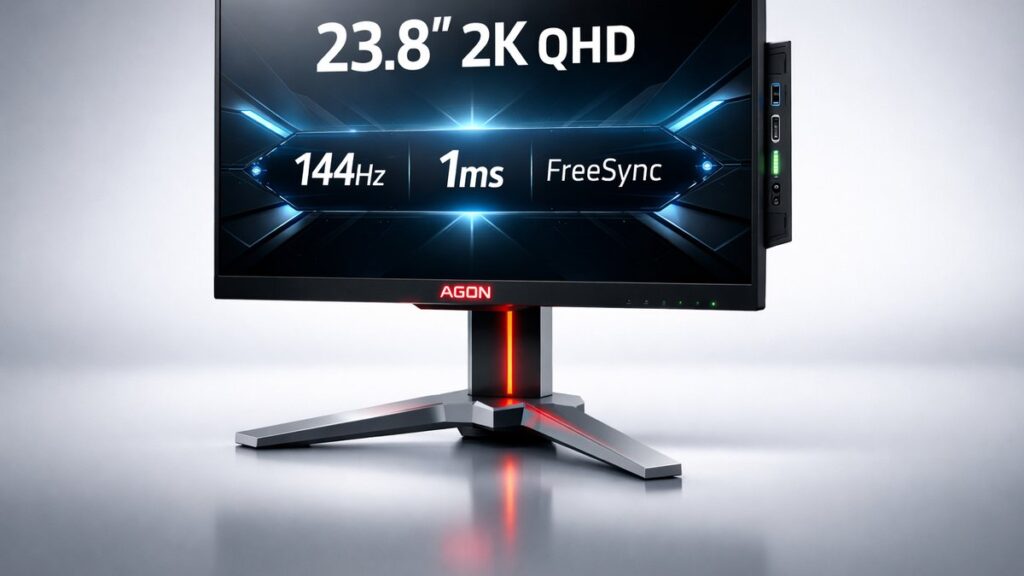
AOC Agon AG241QX vs AG241QG: The 23.8-Inch 2K 144Hz/165Hz Competitive Monitor Verdict
The AOC Agon AG241QX delivers 2560×1440 resolution at 144Hz with AMD FreeSync and a 1ms MPRT response time on a TN panel for under $300, while the AG241QG upgrades to NVIDIA G-Sync and 165Hz. Both target competitive gamers who need sub-2ms motion clarity at 1440p on a compact 23.8-inch form factor.
AG241QX vs AG241QG: Side-by-Side Specs Comparison
| Specification | AG241QX (FreeSync) | AG241QG (G-Sync) |
|---|---|---|
| Panel Size | 23.8 inches | 23.8 inches |
| Resolution | 2560×1440 (QHD/2K) | 2560×1440 (QHD/2K) |
| Panel Type | TN | TN |
| Refresh Rate | 144Hz | 165Hz |
| Response Time | 1ms MPRT | 1ms MPRT |
| Sync Technology | AMD FreeSync (48–144Hz) | NVIDIA G-Sync (30–165Hz) |
| Brightness (typical) | 350 nits | 350 nits |
| Contrast Ratio | 1000:1 | 1000:1 |
| Color Gamut | 72% NTSC (sRGB ~100%) | 72% NTSC (sRGB ~100%) |
| Inputs | DisplayPort 1.2, HDMI 1.4 ×2, DVI-D | DisplayPort 1.2, HDMI 1.4 ×2 |
| USB Hub | USB 3.0 ×4 | USB 3.0 ×4 |
| VESA Mount | 100×100mm | 100×100mm |
| HDR Support | No | No |
| Adaptive Sync Range | 48–144Hz | 30–165Hz |
Which Monitor Fits Your Setup? Decision Matrix by Use Case
- If you game with an AMD Radeon GPU (RX 6600 or newer) at 1440p → AG241QX because FreeSync operates across the full 48–144Hz adaptive sync range with zero licensing surcharge on the monitor price.
- If you own an NVIDIA GeForce RTX 3060 or higher and want the maximum competitive refresh rate → AG241QG because G-Sync hardware module guarantees tear-free output up to 165Hz with NVIDIA’s validated latency pipeline.
- If you play fast-paced esports titles (CS2, Valorant, Apex Legends) on a mid-range rig → AG241QX because 144Hz at 2560×1440 is achievable with a mid-tier GPU and 1ms MPRT eliminates perceptible motion blur in twitch scenarios.
- If you need the lowest possible ghosting ceiling in a TN panel at QHD → AG241QG because 165Hz shortens the per-frame display window by ~1ms compared to 144Hz, further reducing pixel persistence.
- If budget is the primary constraint and GPU flexibility matters → AG241QX because FreeSync is now also supported (as FreeSync Premium via DP) on select NVIDIA cards as “G-Sync Compatible,” expanding compatibility without the G-Sync module price premium.
- If you require a DVI-D legacy connection alongside DisplayPort → AG241QX because the AG241QG omits the DVI-D port entirely.
Key Specs Explained: What the Numbers Actually Mean for Gaming
Does 1ms MPRT Equal 1ms Gray-to-Gray Response?
MPRT (Moving Picture Response Time) measures how long a pixel remains visible per frame, not the physical pixel transition speed. Both the AG241QX and AG241QG achieve 1ms MPRT by enabling backlight strobing (AOC calls it “MBR” — Motion Blur Reduction), which blacks out the backlight between refresh cycles. Gray-to-gray (GtG) response on these TN panels is rated at 4ms, which is the actual transistor switching time. MBR and adaptive sync cannot run simultaneously; gamers must choose one or the other per session.
What Does 2560×1440 at 23.8 Inches Look Like?
At 23.8 inches diagonal, a 2560×1440 QHD panel produces approximately 123 pixels per inch (PPI). That density sits between a 27-inch 1440p display (~109 PPI) and a 24-inch 1080p display (~92 PPI), delivering noticeably sharper text and finer in-game detail without requiring Windows display scaling on most desktop setups.
How Do FreeSync and G-Sync Differ at the Hardware Level?
The AG241QX uses AMD FreeSync, a royalty-free adaptive sync protocol implemented in the display’s scaler chip via DisplayPort’s VESA Adaptive Sync standard. The AG241QG integrates an NVIDIA proprietary G-Sync module — a dedicated FPGA that replaces the standard scaler. The G-Sync module adds verified low-latency overdrive tuning and NVIDIA’s Pendulum latency measurement certification, but it also raises the monitor’s bill of materials, reflected in a higher retail price versus the AG241QX.
Is 350 Nits Enough for a Gaming Monitor?
350 nits of peak brightness is adequate for indoor gaming in controlled-light environments. Neither the AG241QX nor AG241QG supports HDR (neither carries VESA DisplayHDR certification), so the 350 nit ceiling is the operational maximum. Rooms with strong ambient light or window glare will benefit from additional blackout measures since TN panels also have limited viewing angle performance outside the horizontal axis.
What Connectivity Does the AG241QX Offer vs AG241QG?
The AG241QX provides DisplayPort 1.2 (required for 144Hz at 2560×1440), two HDMI 1.4 ports (capped at 60Hz for 1440p signals), one DVI-D port, and a four-port USB 3.0 hub with upstream Type-B. The AG241QG mirrors this layout minus the DVI-D connector. DisplayPort 1.2 carries sufficient bandwidth — 17.28 Gbps — for 2560×1440 at 165Hz using Display Stream Compression if needed, though both models default to uncompressed output at their rated maximum refresh rates.
TN Panel Trade-offs at QHD: What Buyers Must Accept
TN (Twisted Nematic) panels on both monitors deliver the fastest pixel response achievable at launch — sub-5ms GtG — but sacrifice color accuracy and viewing angles. Typical color coverage lands at 72% NTSC, translating to roughly 99–100% sRGB but only ~67% DCI-P3. Vertical viewing angles are particularly narrow: colors shift and brightness drops noticeably beyond ±10 degrees off-axis vertically. For single-user competitive gaming at a fixed seated position, TN remains a rational choice; for content creation or multi-viewer scenarios, IPS or VA alternatives serve better.
AG241QX Pros and Cons vs AG241QG Pros and Cons
AOC Agon AG241QX (FreeSync, 144Hz)
- Lower retail price than the G-Sync AG241QG variant, making QHD 144Hz accessible at a tighter budget
- FreeSync works over HDMI in addition to DisplayPort, adding console and older-GPU compatibility
- Includes DVI-D port for legacy system hookups absent on the AG241QG
- AMD FreeSync range of 48–144Hz covers the full operational refresh window for competitive gaming frame rates
- NVIDIA “G-Sync Compatible” mode supported on GTX 10-series and newer via DisplayPort, expanding GPU flexibility
- Capped at 144Hz — 21Hz below the AG241QG’s 165Hz ceiling, reducing per-frame advantage in ultra-high-fps scenarios
- FreeSync without hardware module may exhibit occasional micro-stutter at the low end of the sync range on some AMD drivers
- No NVIDIA-certified overdrive tuning; aggressive overdrive settings must be calibrated manually via OSD
AOC Agon AG241QG (G-Sync, 165Hz)
- 165Hz maximum refresh rate provides measurably shorter per-frame intervals (6.06ms vs 6.94ms at 144Hz) for competitive titles
- NVIDIA G-Sync hardware module delivers validated, consistent adaptive sync performance with no tearing across 30–165Hz
- G-Sync’s built-in overdrive calibration (Overdrive) automatically adjusts per refresh rate for optimal ghosting control
- Wider adaptive sync low-end floor (30Hz) versus FreeSync’s 48Hz floor — beneficial when GPU performance dips in GPU-intensive scenes
- NVIDIA Reflex Latency Analyzer compatible with select NVIDIA GPU and driver combinations for system latency measurement
- Higher price premium due to NVIDIA G-Sync proprietary hardware module cost
- Lacks DVI-D port, limiting legacy system compatibility versus the AG241QX
- FreeSync/AMD GPU users cannot use G-Sync’s adaptive sync benefits — the module is NVIDIA-exclusive by hardware design
[amazon_rapid query=”AOC Agon AG241QX AG241QG 1440p 144Hz gaming monitor” brand=”AOC” layout=”magazine” cols=”2″ country=”US” lang=”en_US” max_pages=”1″ per_page=”4″ sort_by=”RELEVANCE” show_variants=”0″]
Pre-Purchase Buying Checklist for the AG241QX and AG241QG
- Confirm your GPU: AMD Radeon RX 5000-series or newer pairs optimally with the AG241QX FreeSync range; NVIDIA GeForce GTX 1060 or newer is required to reach 144Hz+ at 2560×1440 on either monitor.
- Verify DisplayPort cable version: use a certified DisplayPort 1.2 (or 1.4) cable to unlock 144Hz or 165Hz — HDMI 1.4 on both models is limited to 60Hz at 1440p resolution.
- Check that adaptive sync is enabled in GPU control panel: AMD Radeon Software → Display → FreeSync (AG241QX); NVIDIA Control Panel → Set up G-Sync → Enable G-Sync (AG241QG).
- Decide between MBR strobing and adaptive sync before setup — both AG241QX and AG241QG disable one when the other is active; competitive players typically prioritize adaptive sync over MBR.
- Measure desk depth: at 23.8 inches with the stock stand, both monitors require approximately 20–25cm of depth clearance; the stand is height-adjustable, tiltable, and swivel-capable on both models.
- Confirm VESA bracket compatibility if wall-mounting: both monitors use a standard 100×100mm VESA pattern, compatible with most third-party monitor arms rated for displays up to 7kg.
- Review OSD overdrive settings post-unboxing: TN panels on both models benefit from setting overdrive to “Medium” or equivalent — “Strong” can introduce inverse ghosting (coronas) visible in fast-motion scenes.
- Check the broader AOC 2K monitor ecosystem: the AOC 2K 144Hz gaming monitor guide covers how the AG241QX and AG241QG fit alongside other AOC QHD models by size, panel type, and refresh rate.
Common Questions
Can the AG241QX run at 165Hz like the AG241QG?
No. The AG241QX is hardware-rated to 144Hz maximum. Overclocking via custom resolution in AMD Radeon Software or NVIDIA Control Panel may expose a 165Hz option on some units, but AOC does not guarantee stability or pixel integrity at that setting. The AG241QG’s panel and G-Sync module are validated for 165Hz from the factory.
Does the AG241QG work with AMD GPUs at all?
The AG241QG displays an image on AMD GPUs but adaptive sync does not function — the G-Sync hardware module is NVIDIA-exclusive. AMD GPU users connecting to the AG241QG will receive a static 165Hz output without variable refresh rate tear prevention, identical to running a non-sync monitor at that refresh rate.
Is the 4ms GtG response on these TN panels noticeable in gameplay?
At 144Hz or 165Hz, a 4ms GtG transition occupies roughly 58–67% of a single frame interval. In practice, this means minimal ghosting in most esports scenarios. Enabling MBR (Motion Blur Reduction / backlight strobing) reduces perceived blur further, but as noted, MBR must be used without adaptive sync active simultaneously.