
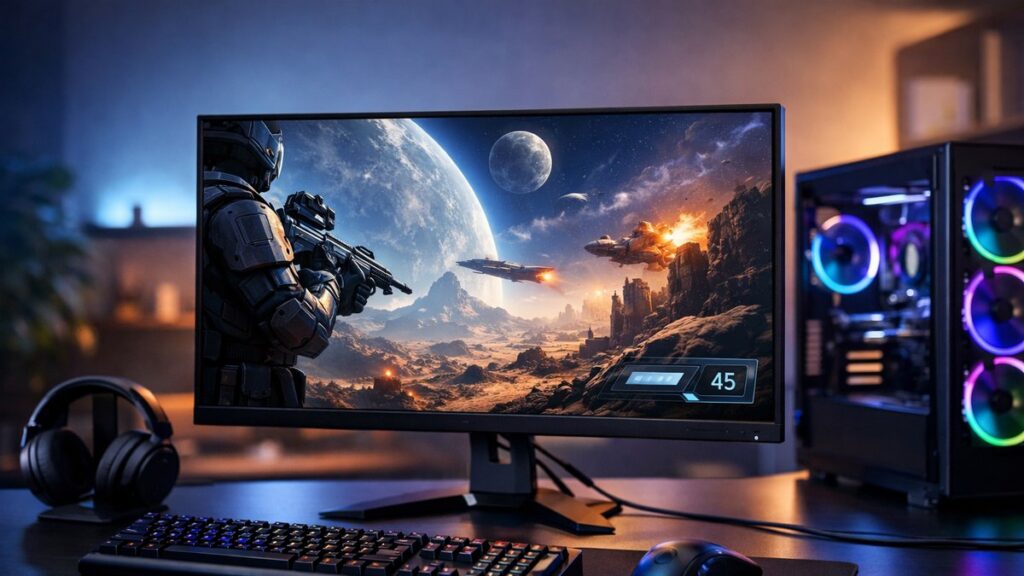
Top 2K Gaming Monitors at 144Hz: Compared & Ranked
If you want the sharpest image quality without dropping below competitive frame rates, a 2K gaming monitor at 144Hz is the sweet spot. These displays deliver QHD resolution (2560×1440) with enough refresh rate headroom to keep gameplay smooth and responsive. Below you’ll find the top picks, key specs, and everything you need to decide.
Best 2K 144Hz Monitors at a Glance
| Monitor | Panel | Refresh Rate | Response Time | HDR | Best For |
|---|---|---|---|---|---|
| LG 27GP850-B | Nano IPS | 180Hz (OC) | 1ms GtG | HDR10 | Speed + color accuracy |
| Samsung Odyssey G5 (27″) | VA | 144Hz | 1ms MPRT | HDR10 | High contrast, budget pick |
| ASUS ROG Strix XG27AQM | Fast IPS | 270Hz (OC) | 1ms GtG | HDR10 | Ultra-high refresh, esports |
| MSI G274QPF-QD | Rapid IPS | 170Hz | 1ms GtG | HDR400 | Balanced all-rounder |
| Gigabyte M27Q | IPS | 170Hz | 0.5ms MPRT | HDR400 | Value + KVM switch |
| BenQ MOBIUZ EX2710Q | IPS | 165Hz | 1ms GtG | HDR400 | Built-in audio + color |
Key Specs to Compare Before Buying
Resolution & Refresh Rate
- QHD (2560×1440) — 78% more pixels than 1080p
- 144Hz minimum for smooth competitive play
- 165Hz–180Hz sweet spot for most mid-range GPUs
- 270Hz+ targets hardcore esports players
Response Time & Sync
- 1ms GtG (gray-to-gray) for fast-paced titles
- MPRT: motion clarity spec, not input lag
- FreeSync Premium / G-Sync Compatible recommended
- Variable refresh rate eliminates screen tearing
To make the best choice for your build, make sure to choose the right panel type for your 144Hz 2K setup — IPS, VA, and OLED each offer distinct trade-offs in speed, contrast, and color.
Panel Technology Breakdown
| Panel Type | Response Time | Contrast Ratio | Color Accuracy | Ghosting Risk |
|---|---|---|---|---|
| IPS / Fast IPS | ⚡ Excellent | 🟡 Moderate (~1000:1) | ✅ Best | Low |
| VA | 🟡 Moderate | ✅ Best (3000:1+) | 🟡 Good | Medium (dark scenes) |
| TN | ✅ Fastest | ❌ Weakest | ❌ Poor | Very Low |
| OLED | ✅ Near-instant | ✅ Infinite | ✅ Best | None |
GPU Requirements for 144Hz at 2K
Driving a 2K gaming monitor at 144Hz or above requires meaningful GPU horsepower. Here’s what to expect from current-generation cards:
| GPU Tier | Examples | Expected FPS at 1440p | Viable for 144Hz? |
|---|---|---|---|
| Entry Mid-Range | RTX 4060, RX 7600 | 90–130 FPS (demanding titles) | ✅ Yes, with settings tuned |
| Mid-Range | RTX 4070, RX 7700 XT | 130–160 FPS (most AAA) | ✅ Comfortable |
| High-End | RTX 4080, RX 7900 XTX | 160–200+ FPS | ✅ Ideal for 165Hz–180Hz |
| Esports-Focused | Any mid-range+ | 200–300+ FPS (CS2, Valorant) | ✅ Exceeds 144Hz easily |
144Hz vs Higher Refresh Rates at 1440p
144Hz — The Competitive Standard
- ✅ Widely available at lower price points
- ✅ Easier to drive with mid-range GPUs
- ✅ Massive upgrade from 60Hz for all genres
- ❌ Some newer panels now match price at 165Hz+
165Hz–240Hz — The Enthusiast Range
- ✅ Noticeably smoother in fast-twitch shooters
- ✅ Better motion clarity without blur
- ✅ Future-proofs your setup longer
- ❌ Requires stronger GPU to fully utilize
Top Picks by Use Case
| Use Case | Recommended Monitor | Why It Wins |
|---|---|---|
| 🎯 Competitive FPS (CS2, Valorant) | ASUS ROG Strix XG27AQM | 270Hz ceiling, 1ms GtG, ultra-low input lag |
| 🎮 AAA Gaming (single-player) | BenQ MOBIUZ EX2710Q | Vivid IPS colors, HDR400, great audio |
| 💰 Best Budget 144Hz 2K | Samsung Odyssey G5 | Deep VA blacks, solid contrast, affordable |
| ⚖️ Best All-Rounder | MSI G274QPF-QD | 170Hz Rapid IPS, HDR400, wide color gamut |
| 🖥️ Multi-Device / Work+Play | Gigabyte M27Q | KVM switch, USB-C, 170Hz, excellent value |
Feature Checklist Before You Buy
- 🔌 Connectivity: Ensure at least one DisplayPort 1.4 input for full 1440p 144Hz bandwidth
- 🔄 Adaptive Sync: Confirm FreeSync Premium or G-Sync Compatible certification
- 📐 Ergonomics: Look for height, tilt, and swivel adjustability
- 💡 HDR tier: HDR400 is entry-level; HDR600+ delivers real HDR performance
- 🎨 Color gamut: 95%+ DCI-P3 for vibrant visuals in modern titles
- 🔊 Built-in audio: Rarely great but useful as a fallback
- 📏 Size: 27″ is the optimal size for 1440p pixel density at typical desk distances
[amazon_rapid query=”2K 144Hz gaming monitor” brand=”” layout=”magazine” cols=”2″ country=”US” lang=”en_US” max_pages=”1″ per_page=”4″ sort_by=”RELEVANCE” show_variants=”0″]
How These Monitors Compare on Value
| Monitor | Approx. Price Range | Refresh Rate | Panel | Value Rating |
|---|---|---|---|---|
| Samsung Odyssey G5 | $ | 144Hz | VA | ⭐⭐⭐⭐⭐ Best Budget |
| Gigabyte M27Q | $$ | 170Hz | IPS | ⭐⭐⭐⭐⭐ Best Value |
| LG 27GP850-B | $$ | 180Hz (OC) | Nano IPS | ⭐⭐⭐⭐ Premium Mid |
| MSI G274QPF-QD | $$ | 170Hz | Rapid IPS | ⭐⭐⭐⭐ Solid Mid |
| BenQ MOBIUZ EX2710Q | $$ | 165Hz | IPS | ⭐⭐⭐⭐ Lifestyle Pick |
| ASUS ROG Strix XG27AQM | $$$ | 270Hz (OC) | Fast IPS | ⭐⭐⭐⭐ Esports Premium |
For a broader selection beyond 144Hz and across all price tiers, explore all our top 2K gaming monitor picks to find the right display for your specific setup and budget.
Quick Setup Tips for 144Hz at 1440p
- Use DisplayPort 1.4 (not HDMI 2.0) to ensure full 1440p 144Hz signal without compression
- Enable the monitor’s high refresh rate mode in the OSD menu — some ship defaulting to 60Hz
- Turn on FreeSync or G-Sync in your GPU control panel for tear-free variable refresh
- Set Windows display settings to 2560×1440 @ 144Hz (or higher) manually after connecting
- Calibrate brightness to ~120 nits for gaming in mixed-light environments
- Enable overdrive/response time boost carefully — too aggressive causes inverse ghosting