
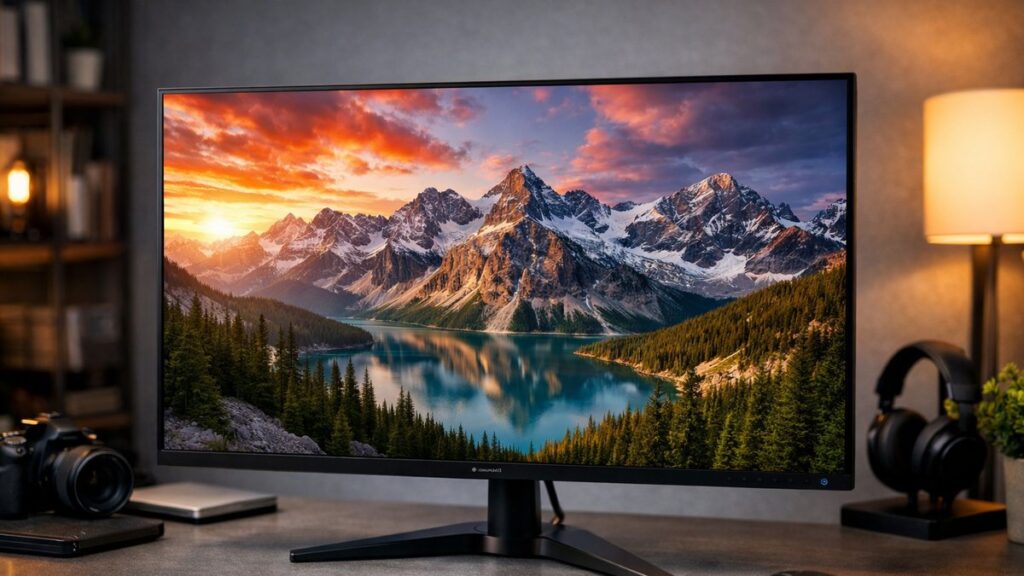
ViewSonic VX3211-2K-MHD: Key Specs at a Glance
| Specification | Details |
|---|---|
| Panel Size | 32 inches |
| Resolution | 2560 x 1440 (QHD / 2K) |
| Panel Type | VA |
| Refresh Rate | 75Hz |
| Response Time | 3ms (MPRT) |
| Color Coverage | 103% sRGB, 90% DCI-P3 (typical) |
| Brightness | 250 cd/m² |
| Contrast Ratio | 3000:1 (static) |
| Connectivity | HDMI x2, DisplayPort 1.2 x1, 3.5mm audio |
| Speakers | 2 x 2W built-in |
| VESA Mount | 100 x 100mm |
| Adaptive Sync | AMD FreeSync |
Panel Performance: What to Expect
Strengths 👍
- Deep blacks and high native contrast (3000:1) thanks to the VA panel
- Wide color gamut exceeds sRGB — ideal for content creators on a budget
- Large 32-inch screen delivers immersive QHD pixel density (~92 PPI)
- AMD FreeSync reduces screen tearing at 75Hz
- SuperClear VA technology improves viewing angles beyond typical VA panels
Weaknesses 👎
- Backlight uniformity can vary — slight vignetting at corners possible
- 75Hz cap limits appeal for competitive gaming
- 3ms MPRT (not GTG) — motion clarity is moderate, not class-leading
- No USB hub or USB-C connectivity
- Stand offers tilt only — no height or pivot adjustment
- 250 nits brightness is below average for HDR content
Color Accuracy and Coverage
The vx3211 2k mhd uses a factory-calibrated VA panel that targets a wide color gamut, making it a surprising performer at its price point for visual work and media consumption.
| Color Metric | Rated Value | Expected Real-World Result |
|---|---|---|
| sRGB Coverage | 103% | Saturated, vivid colors; slight oversaturation in sRGB workflow |
| DCI-P3 Coverage | ~90% | Good for photo editing and video review |
| Delta E (typical) | <3 (factory claim) | Acceptable for non-critical color work |
| Color Depth | 8-bit | Smooth gradients for general use |
| Color Temperature | 6500K default | Neutral daylight balance, minimal post-calibration needed |
Who Is This Monitor Best For?
✅ Recommended For
- Home office workers needing a large QHD display
- Casual gamers who prioritize screen size over refresh rate
- Budget-conscious content creators (photo editing, graphic design)
- Students wanting a big, sharp monitor for productivity
- Media streaming enthusiasts who value contrast and color depth
❌ Not Ideal For
- Competitive or esports gamers needing 144Hz+
- Professional colorists requiring hardware calibration
- Users who need USB-C or daisy-chain connectivity
- HDR workflows (brightness too limited for meaningful HDR)
- Multi-monitor setups requiring thin bezels on all sides
VX3211-2K-MHD vs. Competing Budget 32-Inch QHD Monitors
| Monitor | Panel | Refresh Rate | Color Coverage | Price Range | Best For |
|---|---|---|---|---|---|
| ViewSonic VX3211-2K-MHD | VA | 75Hz | 103% sRGB / 90% DCI-P3 | Budget ($) | Color + contrast balance |
| AOC Q32E2N | IPS | 75Hz | 121% sRGB | Budget ($) | Wide viewing angles |
| BenQ GW3290QT | IPS | 60Hz | 99% sRGB | Budget-Mid ($$) | Office ergonomics |
| LG 32QN600-B | IPS | 75Hz | 99% sRGB / 90% DCI-P3 | Budget-Mid ($$) | sRGB accuracy |
| Dell S3222DGM | VA | 165Hz | 99% sRGB | Mid ($$) | Gaming performance |
The vx3211 2k mhd stands out in the budget tier specifically for its combination of high contrast VA panel and above-100% sRGB coverage — a pairing not always available at this price. To see more 2K monitor models from leading brands and compare specs side by side, explore the full comparison guide.
[amazon_rapid query=”ViewSonic VX3211-2K-MHD 32 inch QHD monitor” brand=”ViewSonic” layout=”magazine” cols=”2″ country=”US” lang=”en_US” max_pages=”1″ per_page=”4″ sort_by=”RELEVANCE” show_variants=”0″]
Display Settings: Recommended Configuration
Out-of-Box Settings to Adjust First
- Preset Mode: Switch from “Standard” to “Custom” — factory Standard mode tends to oversaturate colors
- Color Temperature: Set to “User Define” and shift R/G/B toward 6500K for accurate whites
- Brightness: Lower to 35–50% for indoor use; 250 nits at 100% can cause eye fatigue
- Sharpness: Keep at 50% — higher values introduce artificial edge halos on QHD content
- Response Time: Set to “Advanced” for gaming, “Standard” for office work to avoid overshoot artifacts
- FreeSync: Enable via OSD when connected to an AMD GPU via DisplayPort
Connectivity and Ergonomics Overview
🔌 Ports & Connectivity
- 2x HDMI 1.4 (up to 2560×1440 @ 60Hz)
- 1x DisplayPort 1.2 (required for 75Hz at QHD)
- 1x 3.5mm headphone output
- No USB hub, no USB-C, no built-in KVM
- Audio-in for external speakers via 3.5mm
🖥️ Stand & Build
- Tilt adjustment: -5° to +20°
- No height, swivel, or pivot adjustment
- VESA 100x100mm compatible — easy arm mounting
- Slim plastic build; minimal bezel on three sides
- Bottom bezel slightly wider (houses ViewSonic branding)
Value Assessment: Is the Price Justified?
At its typical street price, the vx3211 2k mhd delivers a competitive value proposition for users who prioritize screen real estate and color performance over high refresh rates. Below is a quick scoring breakdown:
| Category | Score (out of 10) | Notes |
|---|---|---|
| Image Quality | 7.5 / 10 | Strong contrast, good color — limited by backlight uniformity |
| Gaming Performance | 5.5 / 10 | FreeSync helps, but 75Hz is the ceiling |
| Productivity Value | 8.0 / 10 | Large QHD surface is excellent for multitasking |
| Build Quality | 6.5 / 10 | Functional but basic — stand is the weak link |
| Connectivity | 6.0 / 10 | Adequate for most; lacks USB and USB-C |
| Price-to-Performance | 8.5 / 10 | Excellent ratio for a 32-inch QHD VA display |