
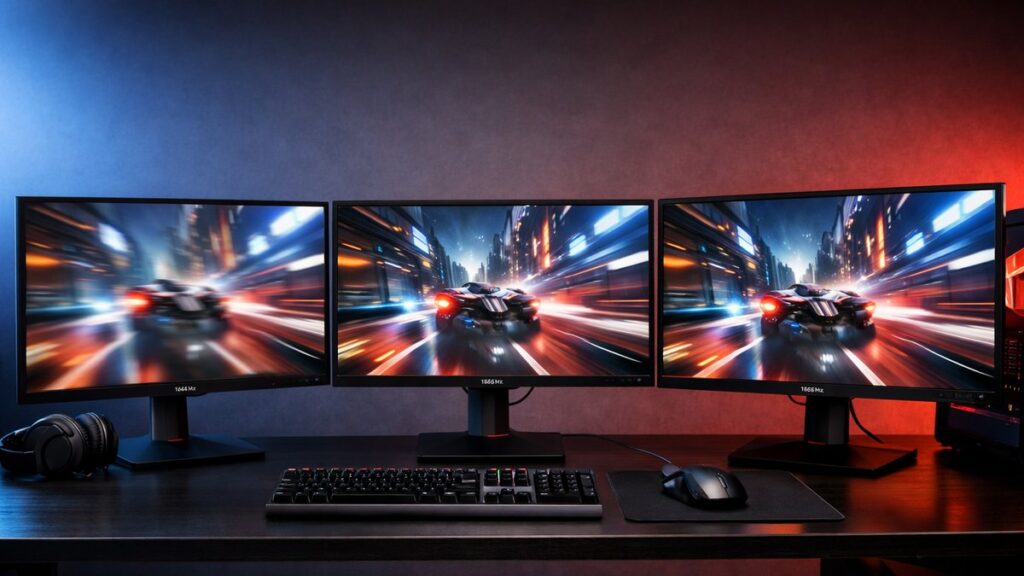
ViewSonic 2K 144Hz vs 165Hz vs 180Hz: Refresh Rate Comparison
Choosing between ViewSonic’s 2K monitor lineup often comes down to refresh rate. The jump from 144Hz to 165Hz to 180Hz sounds significant on paper — but real-world gaming differences are more nuanced than the spec sheet suggests. Here’s everything you need to decide which tier actually fits your rig and game library.
Refresh Rate Tiers at a Glance
| Refresh Rate | Frame Interval | Target GPU Tier | Best For |
|---|---|---|---|
| 144Hz | 6.94ms | GTX 1080 / RX 6600 XT | Casual to competitive gaming |
| 165Hz | 6.06ms | RTX 3070 / RX 6700 XT | Mainstream competitive gaming |
| 180Hz | 5.56ms | RTX 4070 / RX 7800 XT | High-level competitive / FPS players |
ViewSonic 2K Monitor Models by Refresh Rate
| Model | Panel | Refresh Rate | Resolution | Response Time | Sync |
|---|---|---|---|---|---|
| ViewSonic VX2758-2KP-MHD | IPS | 144Hz | 2560×1440 | 1ms MPRT | FreeSync / G-Sync Compatible |
| ViewSonic XG2431 | Fast IPS | 144Hz | 1920×1080* | 0.5ms | FreeSync Premium |
| ViewSonic VX2758A-2K-PRO | IPS | 165Hz | 2560×1440 | 1ms MPRT | FreeSync Premium |
| ViewSonic XG272-2K | Fast IPS | 165Hz | 2560×1440 | 1ms MPRT | FreeSync Premium Pro |
| ViewSonic XG272G | Fast IPS | 180Hz | 2560×1440 | 0.5ms | FreeSync Premium Pro / G-Sync Compatible |
*Note: The XG2431 is a 1080p display included for reference. The focus of this comparison is 2560×1440 (2K) panels.
Real-World Gaming Differences
144Hz — The Solid Foundation
- ✅ Widely achievable with mid-range GPUs at 1440p
- ✅ Smooth experience for RPGs, shooters, and open-world titles
- ✅ Lower price point with great panel quality on ViewSonic IPS displays
- ⚠️ Competitive FPS players may notice the ceiling in fast-paced games
- ⚠️ Less future-proof as GPU performance improves
165Hz — The Sweet Spot
- ✅ Noticeable improvement over 144Hz in fast motion and tracking shots
- ✅ Most mid-to-high-end GPUs can sustain 165fps at 1440p in popular titles
- ✅ Broadly available across ViewSonic’s XG and VX lineups
- ✅ Small price premium over 144Hz is usually justified
- ⚠️ Difference over 144Hz is subtle in slower-paced games
180Hz — The Competitive Edge
- ✅ Lowest motion blur and fastest perceived response at 1440p
- ✅ Measurable advantage in reaction-critical titles (CS2, Valorant, Apex)
- ✅ ViewSonic XG272G delivers this with Fast IPS and 0.5ms response
- ⚠️ Requires a high-end GPU to consistently push 180fps at 1440p
- ⚠️ Diminishing returns for casual or story-driven gamers
How Much Does the Refresh Rate Difference Actually Feel?
The perceptible difference between refresh rates diminishes as the numbers climb. Here’s how the transitions break down for most players:
| Transition | Perceptibility | Who Notices Most |
|---|---|---|
| 60Hz → 144Hz | 🟢 Very High — immediately obvious | Everyone |
| 144Hz → 165Hz | 🟡 Moderate — visible in fast motion | Competitive and attentive players |
| 165Hz → 180Hz | 🟠 Subtle — felt more than seen | High-level FPS / reaction-time players |
To get the most out of whichever display you choose, make sure to optimize your monitor's refresh rate with the right gaming settings — many users leave performance on the table by not enabling the full refresh rate in their OS or GPU driver panel.
GPU Requirements to Hit Each Refresh Rate at 1440p
Your refresh rate is only useful if your GPU can consistently feed the panel. These are approximate sustained fps targets for popular titles at 2560×1440 with High settings:
| Game | GPU for 144fps | GPU for 165fps | GPU for 180fps |
|---|---|---|---|
| CS2 | RTX 3060 | RTX 3060 Ti | RTX 3070 |
| Valorant | RTX 3060 | RTX 3060 | RTX 3060 Ti |
| Apex Legends | RTX 3070 | RTX 3070 | RTX 3080 |
| Fortnite | RTX 3070 | RTX 3070 Ti | RTX 3080 |
| Call of Duty: Warzone | RTX 3080 | RTX 3080 | RTX 4070 |
ViewSonic 2K 144Hz vs 165Hz vs 180Hz: Feature Comparison
| Feature | 144Hz Models | 165Hz Models | 180Hz Models |
|---|---|---|---|
| Panel Type | IPS | IPS / Fast IPS | Fast IPS |
| Response Time | 1ms MPRT | 1ms MPRT | 0.5ms MPRT |
| Typical Price Range | $200–$260 | $260–$340 | $340–$420 |
| VRR Support | FreeSync / G-Sync Compatible | FreeSync Premium / Premium Pro | FreeSync Premium Pro / G-Sync Compatible |
| HDR Support | HDR10 (basic) | HDR10 / DisplayHDR 400 | DisplayHDR 400+ |
| Ideal Use Case | Versatile all-rounder | Competitive mainstream | Dedicated competitive |
Top ViewSonic 2K Monitors to Consider
[amazon_rapid query=”ViewSonic 2K 1440p gaming monitor 144Hz 165Hz 180Hz” brand=”ViewSonic” layout=”magazine” cols=”2″ country=”US” lang=”en_US” max_pages=”1″ per_page=”4″ sort_by=”RELEVANCE” show_variants=”0″]
Which Refresh Rate Should You Choose?
Choose 144Hz if…
- Your GPU consistently delivers 130–150fps at 1440p
- You play a mix of competitive and story-driven games
- Budget is a primary consideration
- You want maximum image quality per dollar spent
Choose 165Hz if…
- Your GPU can push 160+ fps in your main titles at 1440p
- You want the best balance of price, performance, and future-proofing
- You play a mix of competitive shooters and other genres
- You want FreeSync Premium Pro VRR coverage
Choose 180Hz if…
- You main competitive FPS titles and reaction time matters
- You have an RTX 4070-class GPU or better
- You want the fastest ViewSonic Fast IPS panel available
- You’re willing to invest for marginal but real competitive gains
Setup Tips to Maximize Your Refresh Rate
- Always verify your refresh rate is enabled in Windows Display Settings (Advanced Display → Refresh Rate).
- Use DisplayPort over HDMI — HDMI 2.0 caps at 144Hz for 1440p; DisplayPort 1.4 supports up to 240Hz.
- Enable FreeSync or G-Sync Compatible in your GPU’s control panel for tear-free variable refresh.
- Disable V-Sync in-game when using VRR to avoid input lag stacking.
- Update GPU drivers regularly — many ViewSonic models received G-Sync Compatible certification through driver updates.
If you run into issues activating higher refresh rates, learn how to enable higher refresh rates on your ViewSonic monitor for a step-by-step walkthrough of display settings, cable requirements, and GPU driver configuration.
More ViewSonic 2K Refresh Rate Comparisons
This article is part of a broader series covering ViewSonic’s 2K monitor lineup. To explore side-by-side breakdowns of specific models across resolution, panel type, and price tier, see all ViewSonic 2K refresh rate comparisons and find the configuration that best matches your build and budget.