
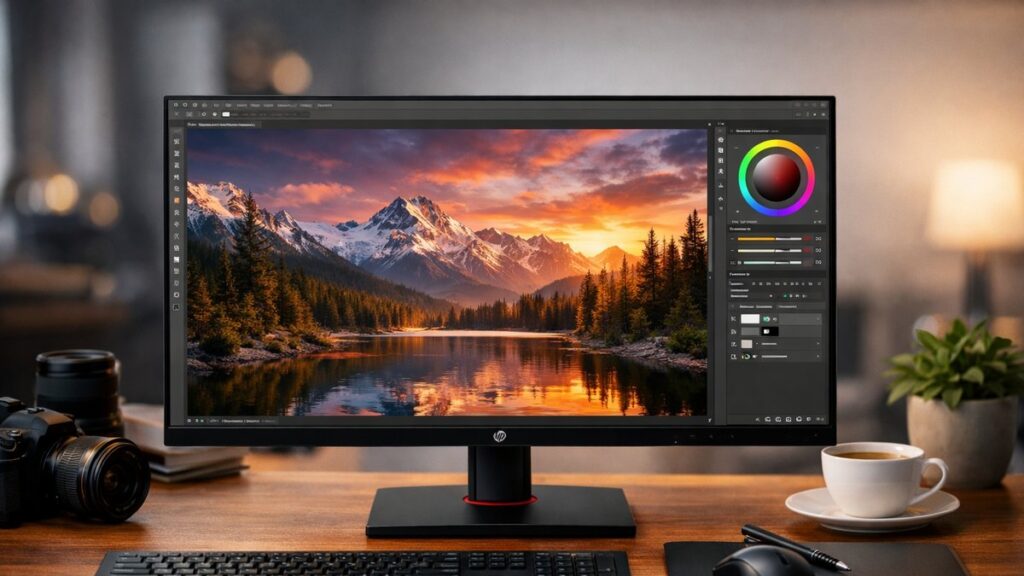
HP X27i 2K QHD IPS Monitor — Key Specifications
| Specification | Details |
|---|---|
| Panel Type | IPS (In-Plane Switching) |
| Resolution | 2560 x 1440 (QHD / 2K) |
| Screen Size | 27 inches |
| Refresh Rate | 75 Hz |
| Response Time | 5ms (GtG) |
| Color Coverage | 99% sRGB |
| Brightness | 350 nits |
| Contrast Ratio | 1000:1 |
| HDR Support | DisplayHDR 400 |
| Connectivity | 1x HDMI 2.0, 1x DisplayPort 1.2, 4x USB-A 3.0, 1x USB-B (hub) |
| Adjustability | Tilt, Height, Pivot, Swivel |
| VESA Mount | 100 x 100 mm |
Display Performance: Color & Image Quality
Color Accuracy
- 99% sRGB color gamut coverage — excellent for web and digital content
- Factory-calibrated panel ensures reliable out-of-box accuracy
- Average Delta E < 2 — colors appear true to life for design work
- Not DCI-P3 optimized — limited for HDR video production workflows
- Consistent color uniformity across the panel surface
Image Clarity
- 2560 x 1440 resolution delivers ~109 PPI — noticeably sharper than Full HD
- IPS panel provides wide 178°/178° viewing angles without color shift
- Anti-glare coating reduces harsh reflections in bright environments
- DisplayHDR 400 certification — entry-level HDR with some highlight improvement
- 75 Hz refresh rate is adequate for creative tasks, limited for competitive gaming
Who Should Buy the HP X27i?
✅ Best Suited For
- Photographers editing for web and print in sRGB
- Graphic designers needing accurate, consistent color
- Content creators working in Adobe CC or similar suites
- Office professionals wanting a larger, sharper screen
- Casual gamers who also need a productivity display
❌ Not Ideal For
- Competitive gamers needing 144 Hz or higher
- Video editors requiring wide DCI-P3 or Adobe RGB coverage
- Users expecting true HDR performance (HDR 400 is entry-level)
- Those needing USB-C or Thunderbolt connectivity
Build Quality & Ergonomics
- 🖥️ Slim bezels on three sides for clean multi-monitor setups
- 🔧 Full ergonomic adjustability: height (up to 130mm), tilt (-5° to +23°), pivot (90°), swivel (±45°)
- 🏗️ Sturdy stand with minimal wobble — premium feel for an HP business monitor
- ⚡ Built-in 4-port USB 3.0 hub adds practical desk connectivity
- 📐 VESA 100x100mm compatible — easy to mount on third-party arms
- 🎨 Neutral matte black finish — professional aesthetic, no RGB lighting
HP X27i vs. Competing 2K IPS Monitors
| Monitor | Panel | Refresh Rate | Color Gamut | USB Hub | Approx. Price Range |
|---|---|---|---|---|---|
| HP X27i | IPS | 75 Hz | 99% sRGB | Yes (USB 3.0) | Mid-range |
| LG 27UK850 | IPS | 60 Hz | 95% DCI-P3 | Yes (USB-C) | Mid-high range |
| Dell U2722D | IPS | 60 Hz | 100% sRGB | Yes (USB-C) | Premium |
| ViewSonic VP2768 | IPS | 60 Hz | 100% sRGB | Yes | Mid-high range |
| BenQ PD2705Q | IPS | 60 Hz | 100% sRGB / P3 | Yes (USB-C) | Mid-high range |
If you want to compare HP against other 2K monitor brands across resolution, panel type, and price tiers, visit our full brand comparison guide: compare HP against other 2K monitor brands.
Top Picks: HP X27i & Similar 2K Monitors
[amazon_rapid query=”HP X27i QHD IPS monitor” brand=”HP” layout=”magazine” cols=”2″ country=”US” lang=”en_US” max_pages=”1″ per_page=”4″ sort_by=”RELEVANCE” show_variants=”0″]
Connectivity & Setup Guide
Available Ports
- 1x DisplayPort 1.2 — recommended for full 2K @ 75 Hz
- 1x HDMI 2.0 — supports 2560×1440 @ 75 Hz
- 4x USB-A 3.0 downstream (hub)
- 1x USB-B upstream (hub connection to PC)
- 3.5mm audio-out jack
Setup Tips
- Use DisplayPort for maximum refresh rate and color accuracy
- Enable “Enhanced” color mode in OSD for sRGB-locked output
- Set brightness to 80-100 nits for comfortable extended use
- Connect USB-B cable to PC to activate the USB hub ports
- Calibrate with a colorimeter (e.g., X-Rite i1Display) for professional workflows
OSD & Software Features
- 🖱️ On-screen display (OSD) controlled via joystick — intuitive navigation
- 🎨 Preset color modes: sRGB, Night, Reading, Custom
- 🔆 Low Blue Light mode — reduces eye strain during long sessions
- 📊 Black stretch control for improved shadow detail visibility
- 🔇 No built-in speakers — external audio solution required
Pros & Cons at a Glance
👍 Pros
- Excellent 99% sRGB coverage for accurate color work
- Full ergonomic stand with pivot and height adjustment
- Built-in USB 3.0 hub is genuinely useful
- Sharp 2K QHD resolution on a 27-inch panel
- Competitive pricing for an IPS creative monitor
- Factory-calibrated color accuracy out of the box
👎 Cons
- No USB-C or Thunderbolt port — a notable omission at this price
- 75 Hz refresh rate limits gaming appeal
- HDR 400 certification offers minimal real-world HDR benefit
- No built-in speakers
- Narrow DCI-P3 coverage — not suited for HDR video professionals