
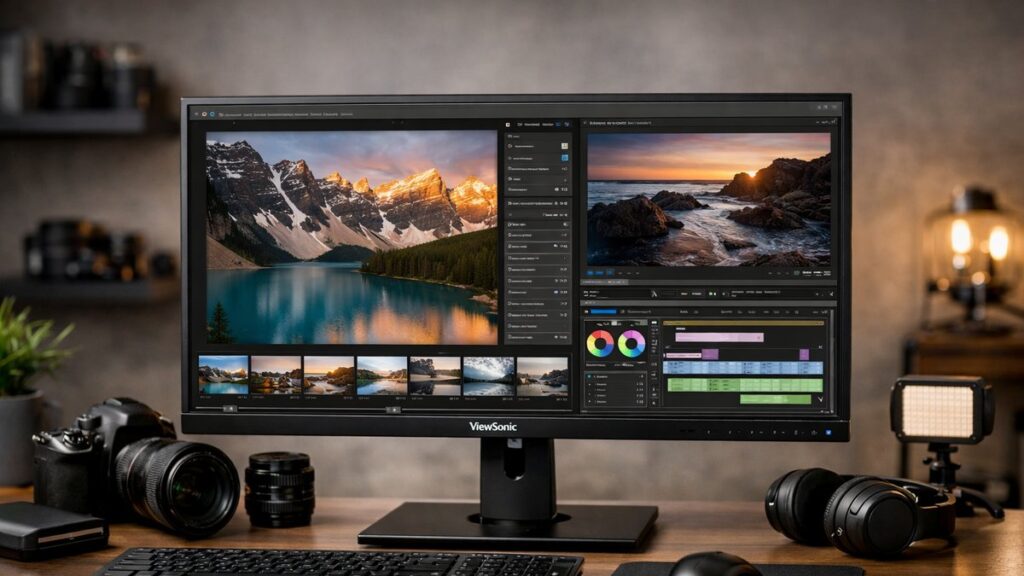
Best ViewSonic 2K Monitors for Photo and Video Editing
For creative professionals, color accuracy is non-negotiable. This guide breaks down the top ViewSonic 2K monitors built specifically for photo editing and video editing workflows — evaluating color gamut, Delta E performance, factory calibration, and connectivity features that matter most.
What Makes a ViewSonic 2K Monitor Suitable for Creative Work
- 🎨 Color Gamut: sRGB, DCI-P3, and Adobe RGB coverage percentages
- 📐 Delta E (<2): Minimum threshold for professional color accuracy
- 🏭 Factory Calibration: Individual calibration reports shipped with the panel
- 🔌 USB-C Power Delivery: Single-cable workflow for laptops and tablets
- 💡 Panel Type: IPS panels deliver wider viewing angles and better color consistency
- 🖥️ Resolution: 2560×1440 (QHD/2K) provides sharp detail for retouching
- 🔆 Bit Depth: 8-bit or 10-bit panels for smoother gradients
- ⚙️ Hardware Calibration: Compatibility with third-party calibration hardware (X-Rite, Datacolor)
Top ViewSonic 2K Monitors for Photo and Video Editing — Compared
| Model | Panel / Size | Color Gamut | Delta E | Factory Calibration | USB-C PD | Bit Depth |
|---|---|---|---|---|---|---|
| ViewSonic VP2768a | IPS / 27″ | 100% sRGB, 99% Adobe RGB, 95% DCI-P3 | ≤ 2 avg | ✅ Yes (report included) | ✅ 60W | 10-bit (8-bit + FRC) |
| ViewSonic VP2756-2K | IPS / 27″ | 100% sRGB, 99% Adobe RGB | ≤ 2 avg | ✅ Yes (report included) | ✅ 90W | 10-bit (8-bit + FRC) |
| ViewSonic VP2768-4K (2K mode) | IPS / 27″ | 100% sRGB, 100% Adobe RGB | ≤ 2 avg | ✅ Yes | ✅ 60W | True 10-bit |
| ViewSonic VX2758-2KP-MHD | IPS / 27″ | 103% sRGB | < 3 avg | ❌ No | ❌ No | 8-bit |
| ViewSonic VP2776 | IPS / 27″ | 100% sRGB, 80% DCI-P3 | ≤ 2 avg | ✅ Yes | ✅ 90W | 10-bit (8-bit + FRC) |
ViewSonic VP2768a — Best All-Around for Photo Editing
- ✅ 99% Adobe RGB — ideal for print professionals
- ✅ 95% DCI-P3 — strong for video color grading
- ✅ Factory calibration report included per unit
- ✅ Hardware calibration support via USB
- ✅ USB-C 60W power delivery
- ✅ 4x USB-A hub built-in
- ❌ Not a true 10-bit panel (8-bit + FRC)
- ❌ 60Hz refresh rate — not for gaming secondarily
- ❌ Glossy surface option not available
The VP2768a is ViewSonic’s most complete 2K creative monitor for photo editing professionals. Its near-complete Adobe RGB coverage makes it a reliable choice for photographers preparing work for print.
ViewSonic VP2756-2K — Best USB-C Option for Laptop Creatives
- ✅ 90W USB-C power delivery — charges most laptops
- ✅ 99% Adobe RGB coverage
- ✅ Anti-glare nano-texture coating option
- ✅ Ergonomic stand (tilt, swivel, pivot, height)
- ✅ Daisy-chain capable via DisplayPort out
- ❌ Higher price tier vs. VP2768a
- ❌ Still 8-bit + FRC, not native 10-bit
- ❌ No HDR certification
ViewSonic VX2758-2KP-MHD — Budget Pick for Hobbyist Editors
- ✅ Affordable entry point for 2K editing
- ✅ 103% sRGB coverage for web and digital work
- ✅ 144Hz for dual-use (editing + gaming)
- ✅ IPS panel with good viewing angles
- ❌ No factory calibration report
- ❌ No Adobe RGB or DCI-P3 coverage
- ❌ No USB-C connectivity
- ❌ Delta E <3 — below professional threshold
Suitable for hobbyists or secondary editing setups where color accuracy is important but not mission-critical. Not recommended for print production or professional video grading.
Color Gamut Coverage Guide for Creative Workflows
| Use Case | Recommended Color Space | Minimum Coverage | ViewSonic Models That Qualify |
|---|---|---|---|
| Web & Social Media Photography | sRGB | 99% sRGB | VP2768a, VP2756-2K, VP2776, VX2758-2KP-MHD |
| Print Photography / Retouching | Adobe RGB | 95% Adobe RGB | VP2768a, VP2756-2K |
| Video Editing / Color Grading | DCI-P3 | 90% DCI-P3 | VP2768a (95%), VP2768-4K |
| Motion Graphics / Broadcast | Rec. 709 | 100% Rec. 709 | VP2768a, VP2756-2K, VP2776 |
Factory Calibration: Why It Matters
ViewSonic’s professional VP-series monitors ship with an individual calibration report, meaning each unit is tested at the factory — not just a batch average. This guarantees out-of-box Delta E performance rather than requiring you to calibrate immediately.
- 📄 Each monitor ships with a unique calibration certificate tied to its serial number
- 🎯 Delta E ≤ 2 is the professional standard — the human eye can detect differences above this threshold
- 🔧 The VP-series supports hardware calibration via LUT (Look-Up Table) to maintain accuracy over time
- 🔄 Recommended recalibration interval: every 3–6 months for professional use
- 🧰 Compatible calibration devices: X-Rite i1Display, Datacolor Spyder series
USB-C Power Delivery: Which Models Support It
| Model | USB-C PD Wattage | Laptop Compatibility | Data Transfer |
|---|---|---|---|
| VP2756-2K | 90W | MacBook Pro, Dell XPS, ThinkPad | ✅ Yes (video + data) |
| VP2776 | 90W | MacBook Pro, Dell XPS, ThinkPad | ✅ Yes (video + data) |
| VP2768a | 60W | MacBook Air, most ultrabooks | ✅ Yes (video + data) |
| VX2758-2KP-MHD | None | N/A | ❌ No |
[amazon_rapid query=”ViewSonic 2K monitor photo editing” brand=”ViewSonic” layout=”magazine” cols=”2″ country=”US” lang=”en_US” max_pages=”1″ per_page=”4″ sort_by=”RELEVANCE” show_variants=”0″]
Which Model Should You Choose?
| Profile | Recommended Model | Key Reason |
|---|---|---|
| Professional photographer (print) | VP2768a or VP2756-2K | 99% Adobe RGB + factory calibration |
| Video editor / colorist | VP2768a | 95% DCI-P3 + Delta E ≤ 2 |
| Laptop creative (USB-C workflow) | VP2756-2K | 90W USB-C PD + daisy chain |
| Hobbyist / budget editor | VX2758-2KP-MHD | Affordable IPS with 103% sRGB |
| Dual-use creative + gaming | VX2758-2KP-MHD | 144Hz + IPS panel |
Professional Color Accuracy Standards: Quick Reference
- 🟢 Delta E <1: Imperceptible to the human eye — broadcast/print mastering grade
- 🟡 Delta E 1–2: Professional standard — suitable for commercial photography and video
- 🟠 Delta E 2–4: Acceptable for design work but not color-critical production
- 🔴 Delta E >4: Noticeable color shifts — not recommended for professional editing
Before making a final purchase decision, you may want to return to the ViewSonic 2K buyer's guide to review the full specification breakdown and understand how these models fit into the broader ViewSonic 2K lineup.