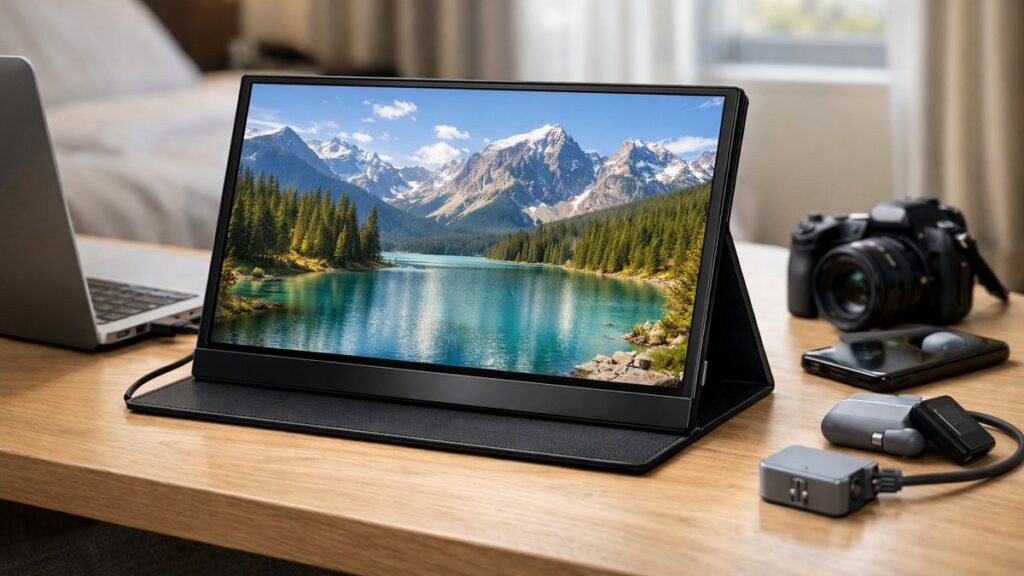
Best 2K Portable Monitors: QHD Screens for Travel

Best 2K Portable Monitors: QHD Screens for Travel

Top-Rated 2K Portable Monitors at a Glance

ModelResolutionSizeBrightnessConnectivityPower Delivery
ASUS ZenScreen MB16QHG2560×1440 (QHD)15.6″500 nitsUSB-C, Mini HDMI65W PD
LG Gram +View 16MQ702560×1600 (QHD+)16″350 nitsUSB-C (×2)60W PD
ViewSonic VP16-OLED2560×1600 (QHD+)15.6″400 nits (OLED)USB-C (×2)60W PD
Innocn 15A1F2560×1440 (QHD)15.6″400 nitsUSB-C, Mini HDMI65W PD
Lepow Z1 Gamut2560×1440 (QHD)15.6″300 nitsUSB-C, Mini HDMI45W PD

Key Specs to Evaluate in a 2K Portable Monitor

Display Quality

  • 📐 Native QHD resolution: 2560×1440 or 2560×1600
  • 🎨 Color gamut: 100% sRGB minimum; 90%+ DCI-P3 for creative work
  • 💡 Brightness: 350–500 nits for outdoor/travel use
  • 🖥️ Panel type: IPS for color accuracy; OLED for contrast
  • ✅ Factory calibration (Delta E <2 preferred)

Connectivity & Power

  • 🔌 Dual USB-C ports for daisy chaining or simultaneous power + video
  • ⚡ USB-C Power Delivery: 45W minimum; 65W+ recommended
  • 📺 Mini HDMI for legacy device compatibility
  • 🔋 Bus-powered operation (no AC adapter needed)
  • 🖱️ USB hub function for keyboard/mouse pass-through

Portability Factors

  • ⚖️ Weight: under 800g ideal for daily commuting
  • 📏 Thickness: 5–8mm for bag-friendly packing
  • 🛡️ Built-in cover/stand: saves accessories weight
  • 🔊 Integrated speakers: useful for travel without peripherals

Refresh Rate & Response

  • 🎮 60Hz: sufficient for productivity and video
  • ⚡ 120Hz+: better for gaming and smooth scrolling
  • 🕹️ Adaptive sync (FreeSync/G-Sync Compatible) is a plus
  • 🖱️ Response time: 5ms or lower recommended

Choosing the Right Size for Portable Use

Screen SizeWeight RangeBest Use CaseQHD Pixel Density
13–14″400–550gUltra-light travel, tablet replacement~210–220 PPI (very sharp)
15.6″600–800gRemote work, dual-screen laptop setup~188 PPI (sharp)
16–17″800g–1.1kgCreative professionals, extended sessions~183 PPI

If you need to compare these portable sizes against full desktop setups, you can explore all 2K monitor size options to find the right balance between portability and screen real estate.

Best 2K Portable Monitors: Detailed Breakdown

ASUS ZenScreen MB16QHG — Best Overall

  • ✅ 500 nits peak brightness — top tier for portables
  • ✅ 120Hz refresh rate with Adaptive Sync
  • ✅ Foldable smart cover doubles as stand
  • ✅ USB-C 65W Power Delivery
  • ❌ Premium price point
  • ❌ Color accuracy needs calibration out of box
  • ❌ Slightly heavier than 13″ alternatives

LG Gram +View 16MQ70 — Best for Productivity

  • ✅ 16:10 aspect ratio — more vertical screen space
  • ✅ 2560×1600 resolution (QHD+)
  • ✅ Designed to pair seamlessly with LG Gram laptops
  • ✅ Anti-glare coating for office environments
  • ❌ Only 60Hz refresh rate
  • ❌ No Mini HDMI port
  • ❌ 350 nits brightness limits outdoor use

ViewSonic VP16-OLED — Best Display Quality

  • ✅ OLED panel: infinite contrast, true blacks
  • ✅ 100% DCI-P3 color coverage
  • ✅ Factory-calibrated (Delta E <2)
  • ✅ Ideal for photo/video editors on the go
  • ❌ OLED burn-in risk with static content
  • ❌ High cost vs. IPS alternatives
  • ❌ Limited max brightness vs. mini-LED rivals

Innocn 15A1F — Best Value QHD Portable

  • ✅ Competitive price-to-performance ratio
  • ✅ 400 nits brightness at this price tier
  • ✅ Both USB-C and Mini HDMI ports
  • ✅ Adjustable stand included
  • ❌ 60Hz only
  • ❌ Build quality feels less premium
  • ❌ Color accuracy requires manual adjustment

[amazon_rapid query=”2K portable monitor QHD” brand=”” layout=”magazine” cols=”2″ country=”US” lang=”en_US” max_pages=”1″ per_page=”4″ sort_by=”RELEVANCE” show_variants=”0″]

Connectivity Options Compared

Connection TypeMax Resolution SupportedPower DeliveryBest For
USB-C (Alt Mode / Thunderbolt)Up to 4K@60HzYes (up to 100W)Modern laptops, MacBooks, tablets
Mini HDMIUp to 4K@30Hz (typical)NoCameras, older laptops, gaming consoles
Micro HDMIUp to 4K@30HzNoCompact devices, SBCs
DisplayPort Alt ModeUp to 8K (cable dependent)Yes (via USB-C)High refresh rate, gaming use

For users who want both high resolution and high frame rates while traveling, find portable 2K options compatible with 144Hz gaming setups to ensure your display and GPU can fully sync over the connection type you choose.

Power Delivery Guide for Portable 2K Monitors

PD WattageWhat It Can PowerSuitable For
Up to 18WMonitor only (bus-powered)Smartphones, tablets as source
18W–45WMonitor + partial laptop chargeUltrabooks with small batteries
45W–65WMonitor + full laptop charge (most laptops)Standard laptops, MacBook Air
65W–100WMonitor + fast charge high-performance laptopsMacBook Pro, gaming laptops

Use Case Matching Guide

Remote Work & Business Travel

  • 💼 Prioritize: anti-glare coating, 60Hz IPS, 65W PD
  • 💼 Recommended size: 15.6″
  • 💼 Top pick: LG Gram +View or Innocn 15A1F
  • 💼 Must-have: foldable stand or smart cover

Creative Professionals

  • 🎨 Prioritize: factory calibration, wide color gamut, OLED or wide-gamut IPS
  • 🎨 Recommended size: 15.6″–16″
  • 🎨 Top pick: ViewSonic VP16-OLED
  • 🎨 Must-have: Delta E <2, USB-C with PD

Mobile Gaming

  • 🎮 Prioritize: 120Hz+, low response time, adaptive sync
  • 🎮 Recommended size: 15.6″
  • 🎮 Top pick: ASUS ZenScreen MB16QHG
  • 🎮 Must-have: DisplayPort Alt Mode over USB-C

Budget Buyers

  • 💰 Prioritize: QHD resolution, dual USB-C, 60Hz IPS
  • 💰 Recommended size: 15.6″
  • 💰 Top pick: Innocn 15A1F or Lepow Z1 Gamut
  • 💰 Must-have: at least 300 nits brightness

Quick Setup Tips for Using a Portable 2K Monitor

  1. Use a USB-C cable rated for both video (DP Alt Mode) and power simultaneously to avoid carrying extra adapters.
  2. Enable “Extend Display” mode rather than Mirror for genuine dual-screen productivity gains.
  3. Adjust brightness to 200–250 nits indoors to reduce eye strain during long work sessions.
  4. Check your laptop’s USB-C port specs — not all USB-C ports output video; Thunderbolt 3/4 and USB4 are most reliable.
  5. Carry a compact USB-C hub if the monitor lacks built-in ports for peripherals.
  6. Use the monitor’s built-in OSD to activate the correct color profile for your workflow (sRGB for documents, DCI-P3 for media).