
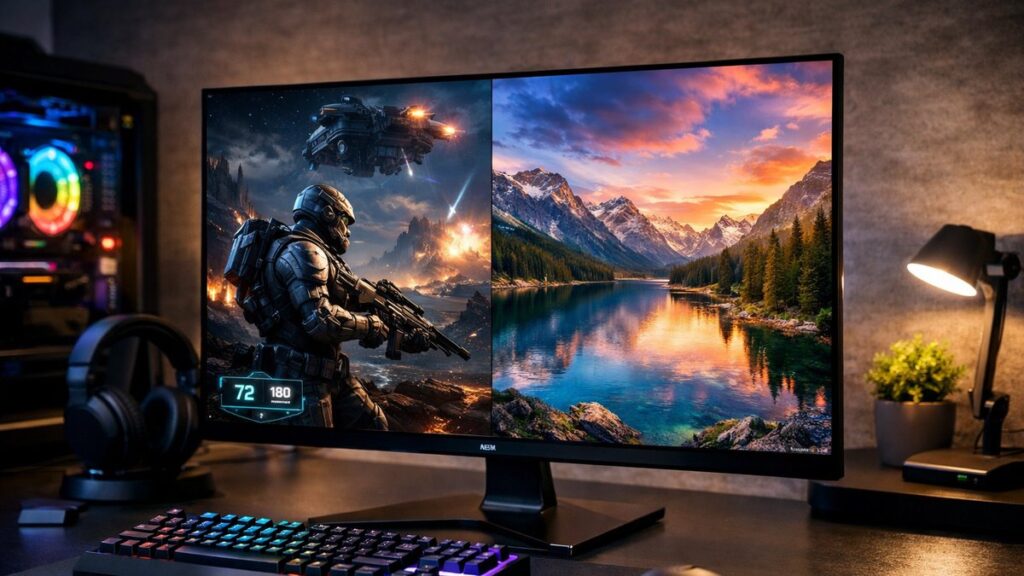
2K OLED Monitor Overview: Key Specs at a Glance
Before diving into comparisons, it helps to understand what sets a 2K OLED monitor apart from other display types. OLED panels offer per-pixel lighting, delivering infinite contrast ratios and near-instant response times — advantages that no IPS or VA panel can fully replicate. Paired with a 2560×1440 (QHD) resolution, the result is a screen that balances sharpness, color fidelity, and motion clarity for both gaming and content creation.
| Feature | OLED (QHD/2K) | IPS (QHD/2K) | VA (QHD/2K) |
|---|---|---|---|
| Contrast Ratio | ∞ (true black) | ~1,000:1 | ~3,000–6,000:1 |
| Response Time | 0.03ms (GtG) | 1–5ms (GtG) | 1–4ms (GtG) |
| Color Accuracy (ΔE) | <1 (factory calibrated) | 1–3 | 2–4 |
| Color Gamut | 99–100% DCI-P3 | 95–99% DCI-P3 | 85–95% DCI-P3 |
| Burn-in Risk | Yes (manageable) | None | None |
| Peak Brightness (HDR) | 800–1,000 nits | 400–600 nits | 400–500 nits |
| Refresh Rate (typical) | 240Hz | 144–180Hz | 144–165Hz |
To understand panel trade-offs in more depth, see how OLED compares to IPS and VA in our panel guide.
Top 2K OLED Monitors: Side-by-Side Comparison
| Monitor | Panel Size | Refresh Rate | Response Time | Peak Brightness | G-Sync / FreeSync | Best For |
|---|---|---|---|---|---|---|
| LG 27GX790B-B | 27″ | 480Hz | 0.03ms | 1,000 nits | Both | Competitive gaming |
| ASUS ROG Swift PG27AQDP | 27″ | 240Hz | 0.03ms | 1,300 nits | G-Sync Ultimate | Premium gaming + creators |
| Samsung Odyssey OLED G6 | 27″ | 360Hz | 0.03ms | 1,000 nits | FreeSync Premium Pro | Fast-paced gaming |
| Alienware AW2725Q | 27″ | 240Hz | 0.03ms | 1,000 nits | Both | 4K alternative / QHD value |
| MSI MPG 271QRX QD-OLED | 27″ | 360Hz | 0.03ms | 1,000 nits | FreeSync Premium Pro | Balanced performance |
OLED Panel Types: QD-OLED vs. WOLED
QD-OLED
- 🎨 Wider color gamut (up to 99% DCI-P3)
- 💡 Higher peak brightness in HDR
- ✅ Better for content creation and HDR gaming
- 🖥️ Used in Samsung Odyssey OLED G6, MSI MPG 271QRX
- ⚠️ Slightly higher ABL (Automatic Brightness Limiter) visible on bright scenes
WOLED
- ⚡ Slightly lower burn-in risk due to white subpixel diffusion
- 🌑 True infinite contrast, like all OLED types
- ✅ Better for office/mixed-use scenarios
- 🖥️ Used in LG 27GX790B-B and LG 27G610A-B variants
- ⚠️ Color volume slightly below QD-OLED at same brightness
Contrast Ratio and Color Accuracy: What the Numbers Mean
Contrast Ratio
- OLED achieves true black by turning pixels off completely
- No “blooming” or halo effects around bright elements on dark backgrounds
- Critical advantage in dark gaming environments or cinematic content
- Infinite contrast ratio vs. even the best VA panels at ~6,000:1
Color Accuracy
- Factory-calibrated ΔE <1 on most flagship 2K OLED monitors
- Near-perfect sRGB and DCI-P3 coverage out of the box
- Hardware calibration support available on select models (e.g., ASUS ROG Swift PG27AQDP)
- Ideal for photo editing, video grading, and game asset creation
Burn-in Risk: How Real Is It?
Burn-in remains the most frequently cited concern with any OLED display. Modern 2K OLED monitors include aggressive mitigation features that make daily-use risk very low for the vast majority of users.
| Mitigation Feature | How It Helps | Available On |
|---|---|---|
| Pixel Shift | Constantly moves the image by micro-pixels to avoid static retention | All major 2K OLED monitors |
| Logo Detection | Dims static logos or HUD elements automatically | LG, Samsung, ASUS models |
| Pixel Refresh Cycle | Recalibrates pixels periodically during idle or shutdown | LG, MSI, Samsung |
| Screen Saver Activation | Kicks in after short idle intervals to prevent static image retention | All major 2K OLED monitors |
| Brightness Regulation | ABL reduces brightness on predominantly white screens to reduce stress | QD-OLED panels (Samsung, MSI) |
- ⚠️ High-risk scenarios: 24/7 operation with static overlays (e.g., trading terminals, static wallpapers)
- ✅ Low-risk scenarios: gaming sessions under 6–8 hours/day, varied content, screensavers active
- 📋 Most manufacturers offer 2–3 year warranties that explicitly cover burn-in under normal use
Gaming Performance: Where 2K OLED Monitors Excel
Competitive Gaming
- ⚡ 0.03ms GtG eliminates motion blur entirely
- 🎯 240Hz–480Hz refresh rates give a decisive edge in fast-paced titles
- 🖥️ LG 27GX790B-B at 480Hz is the current benchmark for esports OLED
- 🔁 Variable refresh rate (VRR) support prevents screen tearing without latency penalty
Immersive / Single-Player Gaming
- 🌑 Infinite contrast transforms horror, noir, or space titles visually
- 🎨 DCI-P3 color gamut makes HDR content look genuinely cinematic
- 📺 HDR10 and DisplayHDR True Black 400/600 certifications available
- 🔊 Combined with 2K resolution, GPU load stays manageable vs. 4K OLED
2K OLED for Content Creation: Is It Worth It?
| Use Case | OLED Advantage | Limitation to Note |
|---|---|---|
| Photo Editing | ΔE <1 accuracy, wide DCI-P3 gamut | ABL can affect white canvas brightness |
| Video Color Grading | True black reference, HDR preview accuracy | Needs sRGB mode for SDR delivery checks |
| Graphic Design | Precise color rendering across gradients | Static UI elements may accelerate burn-in risk |
| 3D Rendering Preview | High contrast aids depth and shadow detail | QHD may feel limiting for 4K output review |
| Streaming / Video Editing | Excellent motion clarity, minimal smear | Requires color profile management for web accuracy |
Top Picks by Use Case
[amazon_rapid query=”2K OLED gaming monitor” brand=”” layout=”magazine” cols=”2″ country=”US” lang=”en_US” max_pages=”1″ per_page=”4″ sort_by=”RELEVANCE” show_variants=”0″]
🏆 Best Overall
ASUS ROG Swift PG27AQDP — combines 240Hz, 1,300-nit peak brightness, and hardware calibration support for the most versatile 2K OLED monitor available.
⚡ Best for Esports
LG 27GX790B-B — the 480Hz OLED panel is unrivaled for competitive gaming, delivering the fastest pixel response time on a QHD screen currently on the market.
💰 Best Value
MSI MPG 271QRX QD-OLED — delivers 360Hz QD-OLED performance at a more accessible price point than flagship competitors without significant compromises in color accuracy or contrast.
🎨 Best for Creators
Samsung Odyssey OLED G6 — QD-OLED panel, 360Hz, and excellent color volume make it equally suited for design work and intensive gaming sessions.
What to Check Before You Buy
- ✅ Connectivity: Confirm DisplayPort 1.4 or 2.1 and HDMI 2.1 support to run at full refresh rate
- ✅ GPU compatibility: Ensure your GPU supports VRR (AMD FreeSync or NVIDIA G-Sync) for the target panel
- ✅ Burn-in warranty: Look explicitly for burn-in coverage — not all standard warranties include it
- ✅ sRGB mode: Essential for web-accurate color work if using the monitor for professional creation
- ✅ Panel generation: Newer QD-OLED Gen 3 panels (2024+) show significantly reduced ABL and improved longevity vs. Gen 1
- ✅ Ergonomics: Height, tilt, swivel, and VESA mount support matter for long-session comfort
- ✅ USB-C / KVM: A USB-C input with power delivery simplifies multi-device setups
For a broader selection that includes IPS and VA alternatives at various price points, go back to our best 2K gaming monitors guide.