
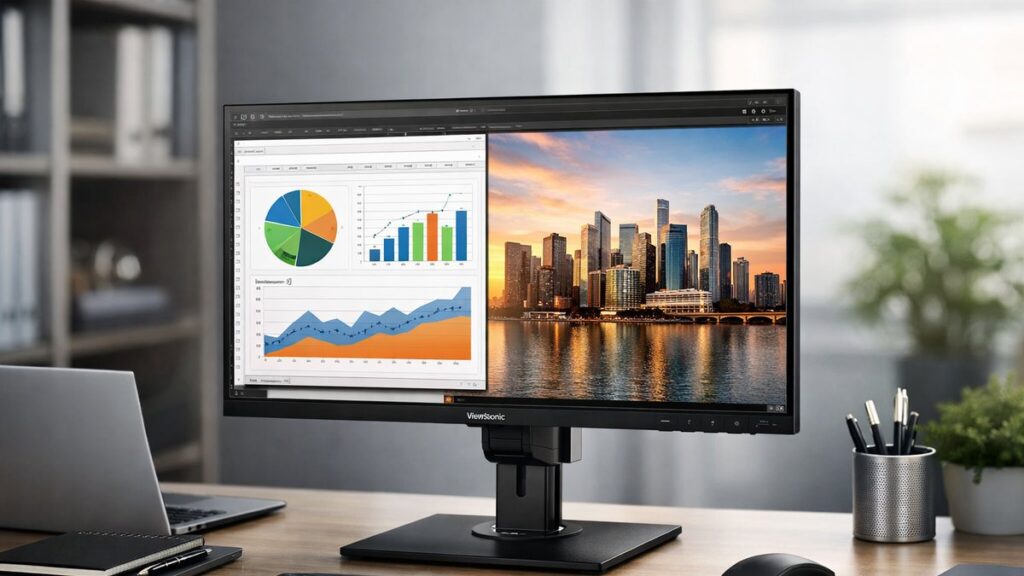
ViewSonic VG2756-2K Review: Key Specs at a Glance
| Specification | Details |
|---|---|
| Screen Size | 27 inches |
| Resolution | 2560 x 1440 (QHD / 2K) |
| Panel Type | IPS |
| Refresh Rate | 60 Hz |
| Response Time | 5ms (GtG) |
| Brightness | 350 cd/m² |
| Contrast Ratio | 1000:1 |
| Color Coverage | 99% sRGB |
| HDR Support | No |
| Connectivity | HDMI, DisplayPort, USB-C (65W PD), USB Hub, RJ45 |
| Daisy Chain | Yes (DP out) |
| Ergonomic Adjustments | Height, Tilt, Swivel, Pivot |
| VESA Mount | 100 x 100 mm |
Display Quality: What the QHD IPS Panel Delivers
🎨 Color Accuracy
- 99% sRGB coverage — excellent for office and document work
- Factory-calibrated for consistent out-of-box accuracy
- Delta E <2 typical performance — suitable for soft-proofing
- Low color shift across wide viewing angles (178°/178°)
💡 Brightness & Contrast
- 350 nits peak brightness — adequate for most office environments
- 1000:1 contrast ratio — standard IPS performance
- No local dimming or HDR certification
- Anti-glare coating reduces reflections in bright rooms
The QHD resolution at 27 inches delivers a pixel density of ~109 PPI, which provides noticeably sharper text and spreadsheet rows compared to 1080p at the same size — a clear productivity advantage. To see if the VG2756-2K suits photo and video editing needs, color volume and gamut coverage beyond sRGB become important factors to weigh.
Ergonomics & Physical Design
The ViewSonic VG2756-2K stands out in the business monitor segment for its exceptionally flexible stand — a feature that directly supports long hours of comfortable work.
| Adjustment Type | Range |
|---|---|
| Height Adjustment | 150 mm |
| Tilt | -5° to +20° |
| Swivel | ±60° |
| Pivot (Portrait Mode) | 90° clockwise |
- ✅ Cable management channel integrated into the stand
- ✅ Tool-free height and tilt adjustments
- ✅ Portrait mode useful for coding, legal documents, and long-form reading
- ✅ VESA 100×100 compatible for third-party arm mounting
- ✅ Slim bezel design supports multi-monitor setups
Connectivity & USB Hub Breakdown
The VG2756-2K is positioned as a docking-style monitor for modern workstations. Its connectivity suite reduces desktop cable clutter significantly.
| Port | Count | Notes |
|---|---|---|
| HDMI 1.4 | 1 | Up to 2560×1440 @ 60Hz |
| DisplayPort 1.2 (In) | 1 | Primary input for daisy chain |
| DisplayPort 1.2 (Out) | 1 | Daisy chain to second monitor |
| USB-C | 1 | 65W Power Delivery + video signal |
| USB-A 3.2 (Downstream) | 4 | Hub for peripherals |
| USB-B (Upstream) | 1 | For USB hub activation via PC |
| RJ45 Ethernet | 1 | Gigabit LAN via USB-C connection |
| Audio Out (3.5mm) | 1 | Headphone jack |
- 🔗 Daisy chain support lets you connect two QHD monitors to a single laptop DP port
- ⚡ USB-C with 65W PD charges most business laptops while transmitting video
- 🌐 Built-in Ethernet is a rare and valuable feature for office environments
[amazon_rapid query=”ViewSonic VG2756-2K monitor” brand=”ViewSonic” layout=”magazine” cols=”2″ country=”US” lang=”en_US” max_pages=”1″ per_page=”4″ sort_by=”RELEVANCE” show_variants=”0″]
Performance: Office & Productivity Use Cases
✅ Where It Excels
- Multi-window multitasking with QHD screen real estate
- Video conferencing — sharp webcam image rendering
- Spreadsheets and data-heavy dashboards
- Coding and IDE work, especially in portrait mode
- Dual-monitor daisy chain setups with minimal cabling
- Laptop docking via a single USB-C cable
⚠️ Where It Falls Short
- 60 Hz refresh rate — not suitable for gaming or fast-motion content
- No HDR support limits media consumption quality
- 5ms response time shows minor ghosting in motion-heavy tasks
- No built-in speakers
- sRGB-only gamut restricts professional photography workflows
ViewSonic VG2756-2K vs. Competing Business Monitors
| Feature | VG2756-2K | Dell U2722D | LG 27QN880-B |
|---|---|---|---|
| Resolution | 2560×1440 | 2560×1440 | 2560×1440 |
| Panel | IPS | IPS | IPS (Nano) |
| Refresh Rate | 60 Hz | 60 Hz | 75 Hz |
| USB-C PD | 65W | 90W | 96W |
| Daisy Chain | Yes | Yes | No |
| Ethernet | Yes | No | No |
| Ergonomic Stand | Full (H/T/S/P) | Full (H/T/S/P) | Full (H/T/S/P) |
| Color Gamut | 99% sRGB | 99% sRGB | 99% sRGB / DCI-P3 |
| Price Tier | Mid-range | Mid-high | Mid-range |
The VG2756-2K’s built-in Ethernet port gives it a practical edge in managed office environments where wired connectivity is required and USB-C hubs with LAN are not standard. For broader context across the lineup, you can view all ViewSonic 2K monitor reviews to compare this model against other options in the series.
Who Should Buy the ViewSonic VG2756-2K?
👍 Best For
- Business professionals using laptops daily
- IT managers deploying standardized monitor setups
- Remote workers needing a single-cable docking solution
- Developers who work in portrait orientation
- Users running dual-monitor setups via daisy chain
👎 Not Ideal For
- Gamers requiring 144Hz+ refresh rates
- Photographers needing wide color gamut (DCI-P3 / AdobeRGB)
- Users who need built-in speakers
- Budget buyers — there are cheaper 27-inch QHD options
OSD Menu & Software Features
- 📋 On-screen display (OSD) accessible via front-panel buttons — straightforward navigation
- 🖥️ ViewSonic vDisplayManager software enables multi-monitor window snapping and layout management
- 👁️ Blue Light Filter mode (4 levels) and Flicker-Free technology for eye comfort during extended sessions
- 🎛️ Multiple preset modes: Text, Web, Movie, CAD/CAM, Mono, and Custom
- 🔒 Security Kensington lock slot included for corporate deployments
Verdict: Pros and Cons Summary
| Pros | Cons |
|---|---|
| Full ergonomic stand (height, tilt, swivel, pivot) | No HDR support |
| USB-C with 65W Power Delivery | Only 60 Hz — not for gaming |
| DisplayPort daisy chain (dual QHD) | No built-in speakers |
| Built-in Gigabit Ethernet | sRGB only — limited for creative pros |
| 4x USB-A hub ports | USB-C PD lower than some rivals (65W vs 90W) |
| 99% sRGB, factory calibrated | Average 5ms response time |
| Thin bezels for multi-monitor use | No webcam or mic integrated |