
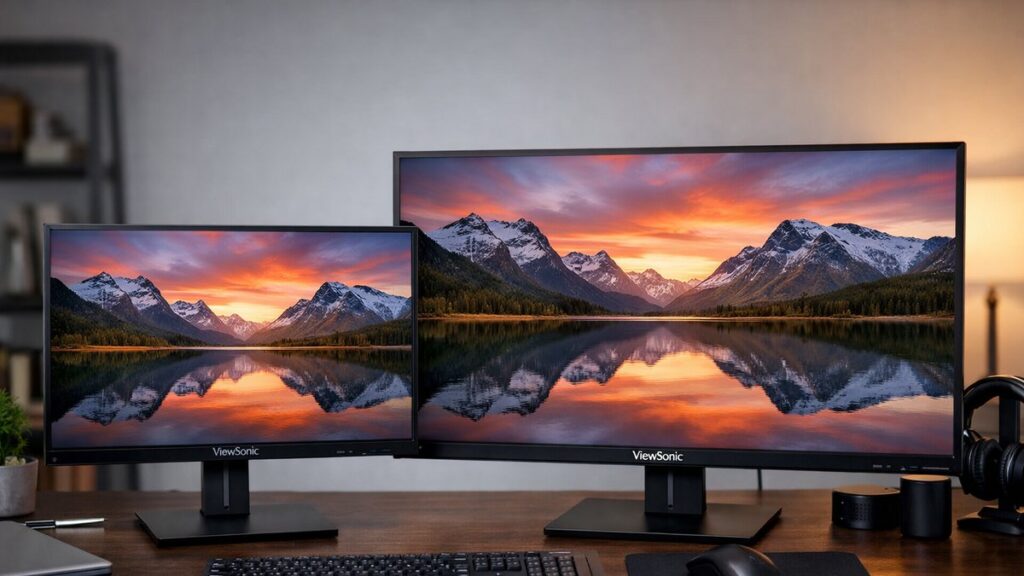
ViewSonic 2K Monitor: 27 Inch vs 32 Inch Size Comparison
Choosing between a 27-inch and 32-inch ViewSonic 2K (QHD) monitor comes down to more than screen real estate. Pixel density, viewing distance, and desk ergonomics all play a critical role. Use this guide to make the right call before you buy.
Key Specs at a Glance
| Specification | 27 Inch QHD | 32 Inch QHD |
|---|---|---|
| Resolution | 2560 × 1440 | 2560 × 1440 |
| Pixel Density (PPI) | ~109 PPI | ~92 PPI |
| Screen Area | ~338 sq in | ~480 sq in |
| Recommended Viewing Distance | 60–80 cm (24–31 in) | 80–100 cm (31–40 in) |
| Typical Desk Footprint (width) | ~61 cm | ~72 cm |
| Best Suited For | Office, competitive gaming, coding | Creative work, immersive gaming, media |
Pixel Density: Sharpness Differences Explained
Both sizes use the same 2560 × 1440 resolution, but the 27-inch panel delivers noticeably sharper images thanks to its higher pixel density.
🖥️ 27 Inch — ~109 PPI
- Text and icons appear crisp and well-defined
- Ideal for close-range desk use (60–80 cm)
- Less eye strain for long coding or productivity sessions
- UI elements feel appropriately sized without scaling
🖥️ 32 Inch — ~92 PPI
🖥️ 32 Inch — ~92 PPI
- Pixel density slightly lower — visible at very close distances
- Sharpness is still acceptable from 80+ cm viewing distance
- More screen space for multi-window workflows
- Some users may prefer OS display scaling for smaller UI elements
Desk Ergonomics & Viewing Distance
| Factor | 27 Inch | 32 Inch |
|---|---|---|
| Minimum comfortable distance | ~60 cm | ~80 cm |
| Neck movement required | Minimal | Moderate (wider head tracking) |
| Desk depth needed | Standard (~60 cm deep) | Deep desk recommended (~70–80 cm) |
| Multi-monitor pairing | Easier to fit two side-by-side | May require ultrawide alternative |
| VESA mount benefit | Moderate | High — push monitor further back |
If your desk is shallower than 70 cm, a 32-inch ViewSonic 2K monitor will likely feel overwhelming and force a non-ideal viewing angle. A VESA arm can help push the display back and improve ergonomics significantly for larger panels.
Use-Case Suitability Guide
| Use Case | Best Size | Reason |
|---|---|---|
| Competitive Gaming (FPS, RTS) | 27 Inch ✅ | Higher PPI keeps targets sharp; easier full-field view |
| Immersive / Single-Player Gaming | 32 Inch ✅ | Larger canvas enhances cinematic experience |
| Photo & Video Editing | 32 Inch ✅ | More workspace for timelines and color panels |
| Office / Productivity | 27 Inch ✅ | Crisp text, comfortable ergonomics at standard desk depth |
| Software Development / Coding | 27 Inch ✅ | Sharp fonts, multiple windows without scaling issues |
| Media Consumption / Streaming | 32 Inch ✅ | Larger screen improves cinematic immersion |
| Small or Cramped Desk | 27 Inch ✅ | Fits comfortably without dominance or neck strain |
Popular ViewSonic QHD Models by Size
Top 27-Inch ViewSonic 2K Monitors
- ViewSonic VX2758-2KP-MHD — 165Hz IPS, FreeSync Premium
- ViewSonic OMNI VX2728-2K — 180Hz IPS, 0.5ms MPRT
- ViewSonic VP2768a — 100% sRGB, factory-calibrated, USB-C
- ViewSonic XG2431 — 240Hz, esports-grade fast IPS
Top 32-Inch ViewSonic 2K Monitors
- ViewSonic VX3268-2KPC-MHD — Curved VA, 144Hz, FreeSync
- ViewSonic VP3268a-4K — Color-accurate, USB-C (note: 4K variant)
- ViewSonic OMNI VX3268-2K-PRO — Flat IPS, 165Hz, QHD
- ViewSonic VX3276-2K-MHD — Slim bezel, IPS, versatile connectivity
[amazon_rapid query=”ViewSonic 2K monitor QHD” brand=”ViewSonic” layout=”magazine” cols=”2″ country=”US” lang=”en_US” max_pages=”1″ per_page=”4″ sort_by=”RELEVANCE” show_variants=”0″]
Pros & Cons Summary
27 Inch QHD — Pros & Cons
- ✅ Higher pixel density (~109 PPI)
- ✅ Works well on standard-depth desks
- ✅ Better for competitive and fast-paced gaming
- ✅ Generally more affordable
- ✅ Easier multi-monitor setup
- ❌ Less workspace for creative applications
- ❌ Smaller canvas for media and immersive gaming
32 Inch QHD — Pros & Cons
- ✅ More screen real estate for multitasking
- ✅ Immersive gaming and media experience
- ✅ Comfortable for creative workflows
- ✅ Easier to tile multiple app windows
- ❌ Lower pixel density (~92 PPI)
- ❌ Requires deeper desk or VESA arm
- ❌ Typically higher price point
Quick Decision Framework
- 📏 Measure your desk depth first — if it’s under 65 cm, choose 27 inches.
- 🎮 Competitive gamer? — 27-inch QHD with high refresh rate is the go-to choice.
- 🎨 Creative professional? — 32-inch offers better canvas size for editing workflows.
- 💻 Productivity / coding? — 27-inch keeps text sharp without scaling adjustments.
- 🎬 Primarily media and casual gaming? — 32-inch delivers a more cinematic feel.
- 💰 Budget-conscious? — 27-inch QHD models are typically less expensive across ViewSonic’s lineup.
For deeper analysis of panel types, refresh rates, and connectivity options across the full ViewSonic QHD lineup, explore the ViewSonic 2K monitor buying guide to find the model that fits your exact setup and budget.