
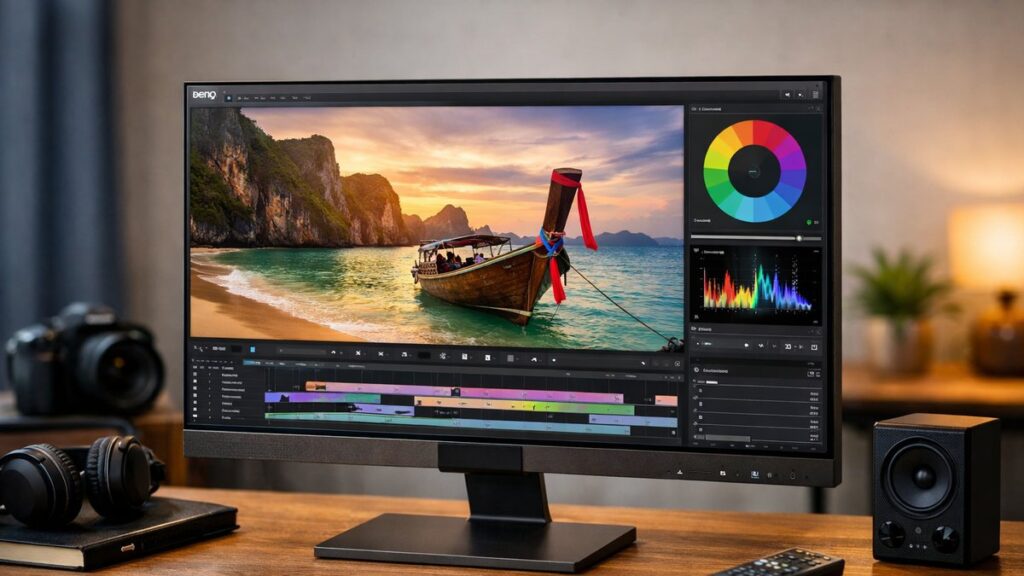
BenQ EW2780Q: Key Specifications at a Glance
| Specification | Details |
|---|---|
| Screen Size | 27 inches |
| Resolution | 2560 x 1440 (QHD / 2K) |
| Panel Type | IPS |
| Refresh Rate | 60 Hz |
| Response Time | 5ms (GtG) |
| HDR Support | HDRi (BenQ proprietary) |
| Brightness | 350 cd/m² |
| Color Coverage | 95% DCI-P3 |
| Connectivity | 2x HDMI 2.0, 1x DisplayPort 1.4, 1x USB-C |
| Speakers | 2x 2W built-in + 1x 5W woofer |
| Eye-Care | Brightness Intelligence Plus (B.I.+), Low Blue Light, Flicker-Free |
| VESA Mount | 100 x 100 mm |
| Dimensions (with stand) | 614.1 x 430.5 x 191.7 mm |
Display Quality & Image Performance
Strengths
- 🎨 Wide color gamut (95% DCI-P3) delivers rich, vivid colors ideal for media consumption
- 🖥️ IPS panel ensures accurate color reproduction and wide viewing angles (178°/178°)
- ✨ QHD resolution provides noticeably sharper images than Full HD at 27 inches
- 🌗 HDRi technology automatically adjusts brightness and color based on ambient light
- ⚫ Decent contrast ratio for an IPS panel at 1000:1 native
Limitations
- ⚠️ 60 Hz refresh rate limits suitability for competitive gaming
- ⚠️ No true local dimming — HDR performance is moderate, not premium
- ⚠️ 5ms response time may produce minor ghosting in fast-paced games
- ⚠️ No hardware calibration support out of the box
- ⚠️ Stand offers tilt only — no height adjustment or pivot
BenQ HDRi Technology Explained
BenQ’s proprietary HDRi (High Dynamic Range intelligence) sets the EW2780Q apart from standard HDR400-certified monitors. It combines an ambient light sensor with HDR processing to dynamically adapt the image to your environment — not just the content.
| HDRi Mode | Best For | What It Does |
|---|---|---|
| Cinema HDRi | Movies & streaming | Enhances shadow detail and highlights for cinematic content |
| Game HDRi | Casual gaming | Boosts contrast and color saturation for game environments |
| Standard HDRi | General use | Balanced adjustment based on ambient light sensor readings |
Eye-Care Features
The BenQ EW2780Q is built with extended viewing sessions in mind. Its eye-care suite goes beyond basic flicker-free technology.
- 👁️ Brightness Intelligence Plus (B.I.+): Uses an ambient light sensor to auto-adjust brightness and color temperature in real time
- 🔵 Low Blue Light: Hardware-level blue light filter with multiple intensity levels (0–4)
- ⚡ Flicker-Free: DC dimming eliminates screen flicker at all brightness levels
- 🎯 Color Weakness Mode: Adjusts color output for users with color vision deficiencies
Audio Performance
One of the most differentiating features of the BenQ EW2780Q is its built-in audio system — unusually capable for a monitor at this price point.
| Audio Component | Specification | Verdict |
|---|---|---|
| Stereo Speakers | 2x 2W | Clear mids and highs for dialogue and music |
| Subwoofer | 1x 5W | Adds low-end depth rarely found in monitor speakers |
| treVolo Audio | BenQ DSP enhancement | Improves virtual soundstage and audio clarity |
| Headphone Jack | 3.5mm audio out | Easy connection for headphones or external speakers |
The treVolo-tuned speaker system makes the EW2780Q a genuine all-in-one entertainment solution — external speakers are optional, not mandatory.
Connectivity & Ports
Available Ports
- 🔌 2x HDMI 2.0 — connect two sources simultaneously (e.g., PC + console)
- 🖥️ 1x DisplayPort 1.4 — full 2K resolution at 60Hz
- 💻 1x USB-C — single-cable connection for compatible laptops (video + charging)
- 🎧 1x 3.5mm headphone output
Connectivity Notes
- ⚡ USB-C supports DisplayPort Alt Mode and up to 60W power delivery
- 📺 Ideal for users switching between a laptop and a desktop or gaming console
- ❌ No USB-A hub ports on this model
- ❌ No built-in KVM switch
Who Should Buy the BenQ EW2780Q?
| User Profile | Suitability | Reason |
|---|---|---|
| Movie & Series Streaming | ✅ Excellent | Wide color gamut, HDRi modes, and built-in subwoofer |
| Home Office / Productivity | ✅ Very Good | QHD sharpness, eye-care suite, USB-C convenience |
| Casual / Console Gaming | ✅ Good | Game HDRi mode, dual HDMI — acceptable for 60fps gaming |
| Competitive Gaming (FPS/RTS) | ❌ Not Recommended | 60Hz and 5ms are insufficient for fast-paced competitive play |
| Professional Photo/Video Editing | ⚠️ Limited | Good color coverage but lacks factory calibration report |
Top Alternatives to Consider
If the BenQ EW2780Q doesn’t fully match your needs, it’s worth taking time to compare BenQ to other 2K monitor brands“>compare BenQ to other 2K monitor brands before making a final purchase decision.
| Monitor | Resolution | Refresh Rate | Key Advantage Over EW2780Q |
|---|---|---|---|
| LG 27QN600-B | 2560×1440 | 75 Hz | Higher refresh rate, lower price |
| Dell S2722QC | 3840×2160 (4K) | 60 Hz | 4K resolution with USB-C |
| ViewSonic VX2758-2KP-MHD | 2560×1440 | 144 Hz | Far superior for gaming |
| BenQ EW2880U | 3840×2160 (4K) | 60 Hz | 4K upgrade from the same EW line |
Find the Best Deals on the BenQ EW2780Q
[amazon_rapid query=”BenQ EW2780Q” brand=”BenQ” layout=”magazine” cols=”2″ country=”US” lang=”en_US” max_pages=”1″ per_page=”4″ sort_by=”RELEVANCE” show_variants=”0″]
Pros & Cons Summary
✅ Pros
- Exceptional built-in audio system with dedicated woofer
- Intelligent HDRi adapts to real-world lighting automatically
- Strong 95% DCI-P3 color coverage for vivid media playback
- Comprehensive eye-care features for all-day use
- USB-C with 60W power delivery for laptop users
- Dual HDMI allows two devices simultaneously
❌ Cons
- Only 60Hz — not suitable for high-refresh gaming
- Stand offers tilt adjustment only
- HDR is software-enhanced, not true hardware HDR
- No USB-A hub ports for peripherals
- 5ms response time shows limitations in fast motion