
AOC CU34G2X Review: Best 34-Inch Ultrawide VA for the Money?
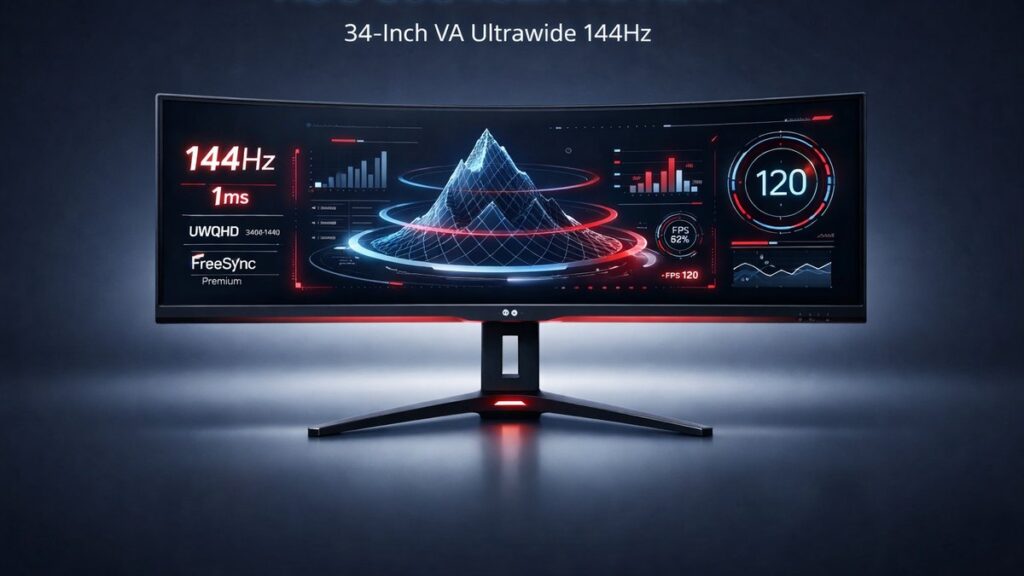
The AOC CU34G2X is a 34-inch curved ultrawide gaming monitor with a 3440×1440 VA panel, 144Hz refresh rate, and 1ms MPRT response time. It delivers strong contrast performance, wide color gamut coverage, and FreeSync Premium Pro support at a price that undercuts most competing ultrawide displays in its class.
AOC CU34G2X at a Glance: Core Specifications
| Specification | Detail |
|---|---|
| Panel Type | VA (Vertical Alignment) |
| Screen Size | 34 inches diagonal |
| Resolution | 3440×1440 (UWQHD) |
| Refresh Rate | 144Hz (native) |
| Response Time | 1ms MPRT / 4ms GtG |
| Contrast Ratio | 3000:1 (static) |
| Brightness | 300 cd/m² typical, 400 cd/m² peak (HDR) |
| HDR Support | DisplayHDR 400 certified (VESA) |
| Curvature | 1500R |
| Color Gamut | 121% sRGB / 90% DCI-P3 |
| Adaptive Sync | FreeSync Premium Pro; G-Sync Compatible |
| Ports | 2× HDMI 2.0, 1× DisplayPort 1.4, 4× USB 3.2 Gen 1 |
| Panel Dimensions (with stand) | 812.7 × 549.0 × 232.4 mm |
| VESA Mount | 100×100 mm |
Who Should Buy the AOC CU34G2X?
Match your use case to the right monitor before purchasing.
- Immersive single-player gaming → AOC CU34G2X, because the 1500R curvature and 3440×1440 resolution create a wide field of view without the cost of OLED ultrawide panels.
- Competitive multiplayer (FPS/RTS) → AOC CU34G2X at 144Hz with FreeSync Premium Pro if you use an AMD GPU; pair with G-Sync Compatible mode on NVIDIA RTX cards.
- Color-critical content creation → Consider an IPS ultrawide alternative instead; the VA panel’s color shift at off-axis angles reduces accuracy for professional grading.
- Budget-conscious ultrawide upgrade from 1080p → AOC CU34G2X, because 3440×1440 delivers roughly 2.7× the pixels of 1920×1080 on a panel that frequently retails below $400 USD.
- HDR enthusiast → Look elsewhere; VESA DisplayHDR 400 certification means the panel lacks local dimming and the 400 cd/m² peak limits specular highlights compared to DisplayHDR 600 or 1000 panels.
Panel Performance: What the VA Technology Delivers
Contrast Ratio and Black Levels
VA panels are defined by their contrast performance. The AOC CU34G2X’s 3000:1 static contrast ratio produces noticeably deeper blacks than IPS panels, which typically measure 1000:1 to 1200:1. In dark gaming environments — dungeons, space sims, horror titles — shadow detail remains visible while true blacks appear genuinely dark rather than washed out.
Response Time and Motion Clarity
The 1ms MPRT (Moving Picture Response Time) figure is a backlight strobing measurement, not a pixel transition measurement. The native GtG (gray-to-gray) pixel response is 4ms, which is adequate at 144Hz but slower than fast IPS panels measuring 1–2ms GtG. Dark-to-dark pixel transitions — a known weakness of VA panels — can introduce trailing artifacts in fast-moving dark scenes. AOC includes a Low Blue Light and Motion Blur Reduction mode to mitigate this through backlight strobing, though activating it disables adaptive sync simultaneously.
Color Coverage and Accuracy
The CU34G2X covers 121% of the sRGB color space and approximately 90% of DCI-P3, making it well-suited for gaming and media consumption. Factory calibration targets Delta E below 2, which is acceptable for most users. Color accuracy degrades at viewing angles beyond 30 degrees off-center — a characteristic of VA panel technology — so the 1500R curve is partially compensating for this by keeping the screen surface oriented toward the viewer’s eyes across the full 34-inch width.
1500R Curvature: Immersion vs. Practicality
A 1500R radius means the panel forms an arc with a theoretical center point 1500mm (1.5 meters) from the screen. At typical desktop distances of 600–900mm, this curvature is aggressive and maximizes perceived immersion. Text rendering at the far left and right edges remains sharp for gaming but may feel slightly distorted during prolonged productivity work compared to a flatter 1800R or 1900R curvature.
HDR Performance: DisplayHDR 400 Limitations
VESA’s DisplayHDR 400 certification requires a minimum 400 cd/m² peak luminance but does not mandate local dimming. The AOC CU34G2X uses full-array edge-lit backlighting without zone dimming, meaning HDR highlights and shadows cannot be controlled independently. HDR content will look brighter than SDR but won’t approach the specular pop of displays carrying DisplayHDR 600 or 1000 certification. For practical purposes, treat HDR on this monitor as an enhanced SDR mode rather than true HDR.
AOC CU34G2X vs. Competing 34-Inch Ultrawides
| Monitor | Panel | Refresh Rate | Contrast | HDR Cert | Adaptive Sync | Approx. Price Range |
|---|---|---|---|---|---|---|
| AOC CU34G2X | VA 34″ 3440×1440 | 144Hz | 3000:1 | DisplayHDR 400 | FreeSync Premium Pro / G-Sync Compatible | Budget-mid |
| LG 34GP950G-B | Nano IPS 34″ 3440×1440 | 160Hz | 1000:1 | DisplayHDR 400 | G-Sync Ultimate | Premium |
| Samsung C34G55T | VA 34″ 3440×1440 | 165Hz | 2500:1 | None | FreeSync Premium | Budget-mid |
| MSI MAG342CQR | VA 34″ 3440×1440 | 144Hz | 3000:1 | DisplayHDR 400 | FreeSync Premium Pro / G-Sync Compatible | Mid |
| Alienware AW3423DWF | QD-OLED 34″ 3440×1440 | 165Hz | Infinite | DisplayHDR 400 True Black | FreeSync Premium Pro / G-Sync Compatible | Premium |
For a broader look at the curved ultrawide segment, including panel and port comparisons across AOC’s lineup, the AOC ultrawide 2K monitor guide covers the full range of models and how they stack against each other.
AOC CU34G2X Pros and Cons
Strengths
- 3000:1 native contrast ratio produces deep blacks that IPS panels at the same price tier cannot match
- 144Hz native refresh rate with FreeSync Premium Pro eliminates tearing from 48Hz to 144Hz with Low Framerate Compensation (LFC) active
- 90% DCI-P3 color coverage makes gaming visuals vivid without requiring calibration for casual use
- 1500R curvature fills peripheral vision on a 34-inch screen at standard desktop distances of 600–900mm
- DisplayPort 1.4 supports 3440×1440 at 144Hz in a single cable without compression; HDMI 2.0 caps UWQHD at 100Hz
Weaknesses
- 4ms GtG pixel response with VA dark-scene trailing artifacts visible in fast-paced games at low in-game brightness settings
- DisplayHDR 400 certification without local dimming makes HDR mode a marginal upgrade over SDR at 300 cd/m² typical brightness
- Color shift at viewing angles beyond 30 degrees off-axis limits multi-viewer use and certain productivity workflows
- No height or pivot adjustment on the included stand; tilt (−5° to +23°) and swivel (±30°) are the only ergonomic options without a VESA 100×100 mm arm
- 1ms MPRT figure requires backlight strobing mode, which disables FreeSync Premium Pro adaptive sync
AOC CU34G2X Gaming Performance in Practice
GPU Requirements for 3440×1440 at 144Hz
UWQHD rendering at 144Hz demands significantly more GPU headroom than 2560×1440 at the same refresh rate. AMD Radeon RX 6800 XT or NVIDIA GeForce RTX 3080 10GB class hardware is the realistic baseline for pushing modern titles above 100fps at 3440×1440 with high settings. Mid-range cards such as the RX 6700 XT or RTX 3070 will hit 60–90fps in demanding titles, where FreeSync Premium Pro’s LFC feature keeps the display tear-free down to 48Hz.
FreeSync Premium Pro and G-Sync Compatible Operation
FreeSync Premium Pro requires HDR support in the variable refresh rate window — not just basic tear prevention. On AMD GPUs with compatible drivers, this enables HDR tone mapping within the adaptive sync range of 48–144Hz. NVIDIA has validated the CU34G2X as G-Sync Compatible, meaning RTX and GTX 10-series or newer cards can run adaptive sync without purchasing a dedicated G-Sync module, though the NVIDIA driver controls the sync range independently.
Ultrawide Aspect Ratio (21:9) Game Compatibility
The 21:9 aspect ratio at 3440×1440 is natively supported by the majority of modern PC titles. Some older games and a portion of competitive online titles (including several battle royale and MMO titles) restrict the field of view to 16:9 to prevent competitive advantage, rendering black bars on the left and right. Checking a game’s ultrawide compatibility before purchase remains relevant for those who play a narrow genre selection.
Pre-Purchase Buying Checklist
- Confirm your GPU outputs DisplayPort 1.4 — required for 3440×1440 at 144Hz over a single cable without DSC compression artifacts.
- Verify your PC case and desk depth accommodate the 1500R curvature; the stand footprint measures 232.4mm deep and the panel protrudes further at the center.
- Check GPU VRAM: 3440×1440 with texture-heavy titles benefits from 10GB or more; 8GB VRAM cards may encounter stuttering in recent open-world games at maximum settings.
- Confirm your GPU brand: AMD cards unlock the full FreeSync Premium Pro HDR adaptive sync spec; NVIDIA cards use G-Sync Compatible mode, which does not include the HDR tone-mapping layer.
- Plan for a VESA 100×100 mm monitor arm if height adjustment is important — the included stand provides tilt (−5° to +23°) and swivel (±30°) only, with no height travel.
- Test for backlight bleed and clouding within the return window; VA panels at this price tier can show varying levels of uniformity, particularly in dark corner areas.
- Verify game compatibility for your primary titles at 21:9 (3440×1440) before committing — some competitive multiplayer games cap field of view at 16:9.
Where to Buy the AOC CU34G2X
[amazon_rapid query=”AOC CU34G2X ultrawide gaming monitor” brand=”AOC” layout=”magazine” cols=”2″ country=”US” lang=”en_US” max_pages=”1″ per_page=”4″ sort_by=”RELEVANCE” show_variants=”0″]
Common Questions
Does the AOC CU34G2X work with PS5 or Xbox Series X?
The CU34G2X accepts HDMI 2.0 input, which PS5 and Xbox Series X support. However, both consoles output maximum 3840×2160 or 1920×1080 natively — neither outputs 3440×1440 natively. The monitor will display a 1920×1080 signal upscaled, or accept a 3840×2160 signal downscaled, at up to 60Hz via HDMI 2.0. Console use loses the 144Hz and ultrawide advantages entirely.
Can the AOC CU34G2X run at 144Hz over HDMI?
HDMI 2.0 on the CU34G2X has a bandwidth ceiling of 18 Gbps. At 3440×1440 with 8-bit color, this limits the maximum refresh rate to approximately 100Hz over HDMI. Reaching the native 144Hz requires a DisplayPort 1.4 connection, which provides 32.4 Gbps of bandwidth — sufficient for 3440×1440 at 144Hz with 8-bit color and HDR signaling.
Is the AOC CU34G2X good for productivity and office work?
The 3440×1440 resolution across 34 inches gives a pixel density of approximately 109 PPI, which renders text cleanly without scaling. The 1500R aggressive curvature can feel disorienting during long document editing sessions compared to flatter 1800R panels. The lack of height adjustment on the stock stand may require an aftermarket VESA 100×100 mm arm for ergonomic seated posture during extended work hours.