
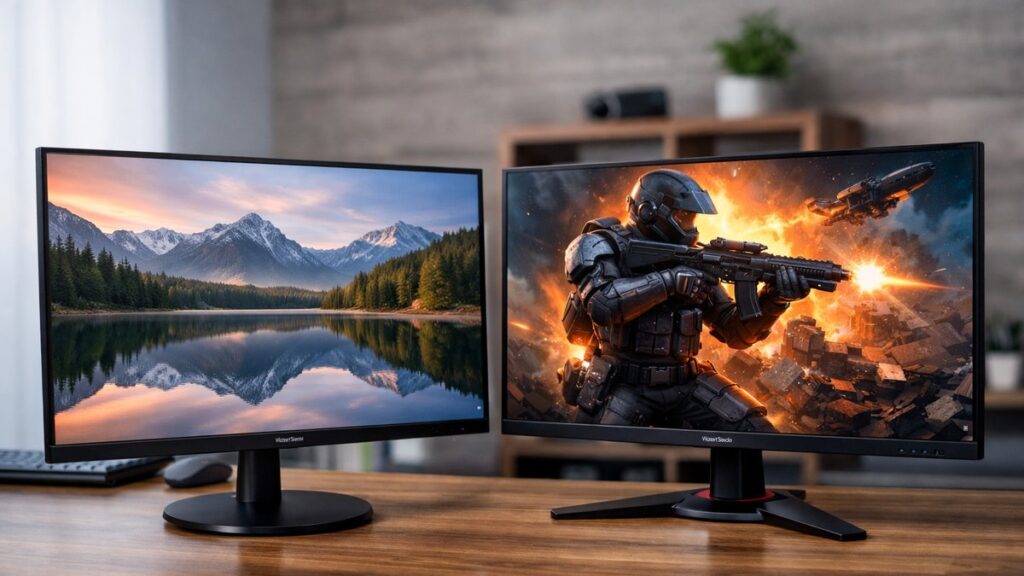
ViewSonic VA2732-MH vs VX2758-2KP: Entry-Level 2K Monitor Comparison
If you’re searching for a ViewSonic entry level 2K monitor, these two models sit at opposite ends of the budget spectrum while both delivering 1440p resolution. Here’s everything you need to decide between them — no fluff, just specs, performance, and value.
Quick Specs at a Glance
| Feature | ViewSonic VA2732-MH | ViewSonic VX2758-2KP |
|---|---|---|
| Resolution | 1920×1080 (FHD) | 2560×1440 (QHD / 2K) |
| Panel Type | IPS | IPS |
| Screen Size | 27 inches | 27 inches |
| Refresh Rate | 75 Hz | 144 Hz |
| Response Time | 4ms (GtG) | 1ms (MPRT) |
| Brightness | 250 nits | 350 nits |
| Contrast Ratio | 1000:1 | 1000:1 |
| HDR Support | No | HDR10 |
| Adaptive Sync | AMD FreeSync | AMD FreeSync Premium |
| Connectivity | HDMI ×2, Audio Out | HDMI ×2, DisplayPort ×1 |
| Speakers | 2 × 2W built-in | No built-in speakers |
| VESA Mount | 100×100mm | 100×100mm |
| Est. Street Price | ~$160–$180 | ~$230–$270 |
⚠️ Note: The VA2732-MH is technically a 1080p monitor — it is often bundled in entry-level ViewSonic comparisons but does NOT qualify as a true 2K display. The VX2758-2KP is the genuine QHD option in this price bracket.
Panel Quality & Visual Performance
VA2732-MH
- 🖥️ IPS panel with good color accuracy for everyday use
- sRGB coverage ~99% — solid for content consumption
- 250 nits brightness limits performance in bright rooms
- 75 Hz feels adequate for office tasks, not ideal for gaming
- No HDR — flat contrast in dark scenes
- Pixel density: ~82 PPI — soft on a 27″ screen at 1080p
VX2758-2KP
- 🖥️ IPS panel with sharper 2K resolution at 109 PPI
- sRGB ~99%, DCI-P3 ~90% — wider color gamut
- 350 nits — noticeably brighter, better for lit environments
- 144 Hz with 1ms MPRT — excellent for fast-paced gaming
- HDR10 support — improved contrast and highlight detail
- FreeSync Premium reduces screen tearing effectively
Feature-by-Feature Breakdown
| Category | VA2732-MH | VX2758-2KP | Winner |
|---|---|---|---|
| Sharpness / Pixel Density | 82 PPI (1080p) | 109 PPI (1440p) | ✅ VX2758-2KP |
| Color Gamut | sRGB 99% | sRGB 99% / DCI-P3 ~90% | ✅ VX2758-2KP |
| Gaming Performance | 75 Hz / 4ms | 144 Hz / 1ms | ✅ VX2758-2KP |
| HDR | None | HDR10 | ✅ VX2758-2KP |
| Built-in Audio | 2 × 2W speakers | None | ✅ VA2732-MH |
| Connectivity | HDMI ×2 | HDMI ×2, DP ×1 | ✅ VX2758-2KP |
| Value for Money | Best for casual use | Best for gaming/creative | 🤝 Tie (use case dependent) |
| Price | ~$160–$180 | ~$230–$270 | ✅ VA2732-MH |
Who Should Buy Which Monitor?
Choose VA2732-MH If…
- 💼 You need a budget office or productivity monitor
- You want built-in speakers without a soundbar
- Your GPU cannot drive 1440p smoothly
- You prioritize lowest possible upfront cost
- Light gaming (casual titles, retro games) is your use case
Choose VX2758-2KP If…
- 🎮 You want the sharpest budget ViewSonic 2K monitor experience
- You play competitive or fast-paced games
- You do photo editing, design, or content creation
- You have a mid-range GPU (RTX 3060, RX 6600 or better)
- You want futureproof connectivity with DisplayPort
Ergonomics & Build Quality
| Ergonomic Feature | VA2732-MH | VX2758-2KP |
|---|---|---|
| Tilt Adjustment | -5° / +20° | -5° / +20° |
| Height Adjustment | ❌ No | ❌ No |
| Swivel | ❌ No | ❌ No |
| Pivot (Portrait Mode) | ❌ No | ❌ No |
| VESA Compatible | ✅ 100×100mm | ✅ 100×100mm |
| Bezel Style | 3-sided thin bezel | 3-sided thin bezel |
| Stand Footprint | Compact | Compact |
Both monitors share similar ergonomic limitations at this price point. If adjustability matters, a third-party VESA arm is the recommended upgrade path for either model.
Top Picks: ViewSonic Entry-Level 2K Monitors
[amazon_rapid query=”ViewSonic 2K 1440p monitor” brand=”ViewSonic” layout=”magazine” cols=”2″ country=”US” lang=”en_US” max_pages=”1″ per_page=”4″ sort_by=”RELEVANCE” show_variants=”0″]
Price-to-Performance Verdict
| User Profile | Recommended Model | Reason |
|---|---|---|
| Home office / remote work | VA2732-MH | Sufficient for productivity at the lowest cost |
| Budget gamer (1080p setup) | VA2732-MH | 75 Hz is fine for casual gaming, saves money |
| Competitive gamer | VX2758-2KP | 144 Hz + 1ms + FreeSync Premium = gaming advantage |
| Creative professional (entry) | VX2758-2KP | Wider color gamut and higher PPI for accurate work |
| Dual-monitor desk setup | VX2758-2KP | Sharper image makes side-by-side use more comfortable |
Pros & Cons Summary
VA2732-MH
- ✅ Very affordable entry price
- ✅ Built-in speakers included
- ✅ Clean IPS image for the price
- ✅ Thin bezels for a budget unit
- ❌ Only 1080p — not a true 2K monitor
- ❌ 75 Hz limits gaming potential
- ❌ No HDR, no DisplayPort
- ❌ Low 250-nit brightness
VX2758-2KP
- ✅ True QHD 1440p resolution
- ✅ 144 Hz for smooth gaming
- ✅ HDR10 + wider color gamut
- ✅ DisplayPort + HDMI connectivity
- ❌ No built-in speakers
- ❌ Requires capable GPU for 1440p/144Hz
- ❌ HDR10 implementation is entry-level
- ❌ No ergonomic height adjustment
For a broader look at how these models rank among all tested ViewSonic displays, return to ViewSonic 2K monitor reviews hub where every major model is scored and compared.
If your budget is firmly under $300 and you want curated picks beyond these two models, explore our under-$300 ViewSonic 2K monitor recommendations for the best value options currently available.